

CMMS

Florian Bartholomäus, osapiens Expert | 19. December 2025 | Lesezeit 15 min.
Many SAP users complement their EAM implementation with solutions like osapiens HUB for Maintenance, which provides SAP-certified integration while adding the mobile-first design and intuitive interface that drive maintenance team adoption.
Start with MRO asset management software













TRUSTED BY LEADING COMPANIES




ENTERPRISE-READY
 SAP Certification
 ISO 27001
 EU Hosting
 Entra ID & Okta
 Multi-Entity
Table of Contents
- Key Facts
- Understanding MRO vs. CMMS vs. EAM – What’s the Difference?
- Best MRO Asset Management Software Solutions in 2026
- Expert tip from osapiens
- Top Features to Look for in MRO Asset Management Software
- How to Choose the Best MRO Software Solution
- Top Picks by Category
- Conclusion: Choose the Right MRO Asset Management Software With osapiens HUB for Maintenance
- FAQ
How do you keep critical assets running smoothly while managing maintenance costs, preventing unplanned downtime, and ensuring your maintenance teams have the right spare parts inventory at their fingertips? For asset-intensive industries, selecting the best MRO asset management software isn’t just about digitizing workflows – it’s about transforming how your organization approaches asset lifecycle management, preventive maintenance scheduling, and operational efficiency. This comparison examines the top 6 enterprise asset management solutions in 2026, helping you identify the cloud-based solution that aligns with your maintenance processes, budget, and long-term asset management goals.
Key Facts
- Why MRO Software Matters: Manufacturing plants lose 27 hours monthly to unplanned downtime on average, according to Senseye’s 2021 industry report – with automotive sectors experiencing even higher losses at 29 hours per month. Each hour of downtime can cost hundreds of thousands of Euro.
- Comprehensive functionality: MRO asset management software combines CMMS functionality with comprehensive asset lifecycle management, enabling organizations to track asset data, automate preventive maintenance scheduling, and optimize spare parts inventory across their entire asset base.
- Modern capabilities: The best enterprise asset management software solutions offer cloud-based deployment, mobile app access, real-time monitoring, and intuitive interfaces that reduce repetitive tasks while improving maintenance team productivity.
- Strategic selection: Choosing the right management software requires evaluating factors like integration capabilities, scalability, industry-specific features, and total cost of ownership.
- Your advantage with osapiens software: osapiens HUB for Maintenance delivers SAP-certified integration, mobile-first workflows, and enterprise-grade functionality at a competitive price point, making advanced asset management processes accessible to organizations of all sizes.
Understanding MRO vs. CMMS vs. EAM – What’s the Difference?
Before evaluating specific solutions, understanding the terminology landscape prevents misalignment between your needs and the software you select.
What is MRO Software?
MRO (Maintenance, Repair & Operations) software manages the day-to-day activities of maintaining equipment and assets, including work orders, preventive maintenance, and spare parts inventory.
What is CMMS?
A Computerized Maintenance Management System (CMMS) is the operational software that executes MRO activities – handling work orders, scheduling preventive maintenance, tracking assets, and managing inventory.
What is EAM?
Enterprise Asset Management (EAM) software provides strategic governance of assets throughout their entire lifecycle, from acquisition and procurement through utilization, maintenance, and eventual disposal.
Key Difference:
CMMS focuses on maintenance execution (operational), while EAM covers strategic asset lifecycle management (governance). Most modern EAM solutions include CMMS functionality.
| Term | Primary Focus | Scope | Typical Users | Core Capabilities |
|---|---|---|---|---|
| MRO (Maintenance, Repair & Operations) | Operational activities | Day-to-day maintenance execution | Maintenance teams, technicians | Work orders, preventive maintenance, spare parts management |
| CMMS (Computerized Maintenance Management System) | Maintenance processes | Operational software for execution | Maintenance managers, facilities teams | Asset tracking, scheduling, inventory management, mobile access |
| EAM (Enterprise Asset Management) | Asset lifecycle management | Strategic governance from acquisition to eventual disposal | Asset managers, finance, procurement | Lifecycle tracking, depreciation, procurement integration, compliance |
Best MRO Asset Management Software Solutions in 2026
The following six solutions represent options across different organizational needs and budgets. Our evaluation prioritizes proven enterprise deployments, mobile accessibility, integration capabilities, and the balance between comprehensive functionality and user adoption. Each platform serves distinct use cases, from SAP-certified integration to rapid deployment for smaller teams.
osapiens HUB for Maintenance
osapiens HUB for Maintenance bridges the gap between complex enterprise asset management systems and simpler CMMS tools, delivering SAP-certified integration alongside mobile-first workflows that maintenance teams actually adopt. Built specifically for asset-intensive industries, the platform scales from single facilities to global operations while maintaining the intuitive interface that drives high user engagement. The platform’s ability to integrate seamlessly with existing ERP systems while providing superior mobile access makes it ideal for organizations seeking both enterprise capabilities and high adoption rates among maintenance teams.
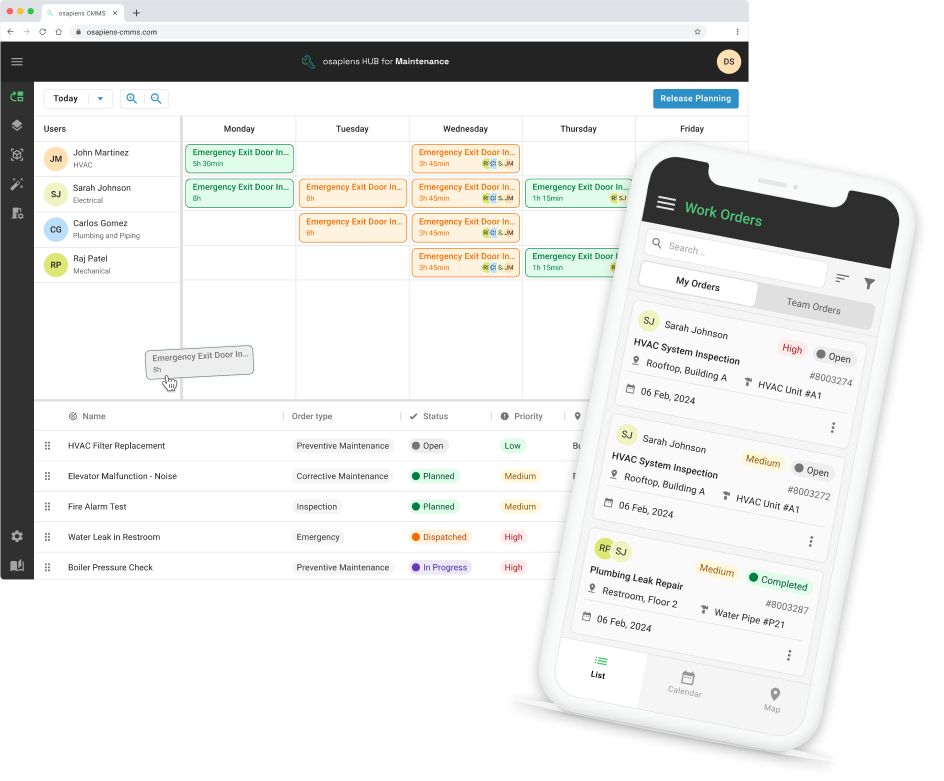
Key Features:
- SAP PM Integration: SAP-certified native integration eliminates data silos while adding mobile functionality and modern usability that native SAP PM lacks, enabling seamless asset data flow between systems.
- Mobile-First Execution: Offline-capable mobile app empowers technicians to access asset information, complete work orders, and update spare parts inventory directly from the field, reducing administrative overhead and improving maintenance team productivity.
- Comprehensive Asset Lifecycle Management: Tracks fixed assets from acquisition through eventual disposal, maintaining detailed maintenance history, supporting condition-based maintenance strategies, and enabling better decision making through real-time monitoring and predictive analytics.
- Accessible Pricing Transparency: Starting at €0 (free plan for small teams), with transparent per-user pricing for growing organizations.
- Enterprise-Proven Scalability: Manages everything from single-site operations to Coca Cola’s 35 North American plants with 1,500 users and Nordex’s 11,400+ wind turbines globally, demonstrating robust asset tracking across diverse environments.
Stop Losing Hours to Unplanned Downtime
Without the right tools, maintenance teams fight equipment failures reactively instead of preventing them proactively. osapiens HUB transforms this firefighting into strategic asset management through SAP-certified integration, mobile-first workflows, and comprehensive lifecycle tracking.
Start with MRO asset management
IFS Ultimo
IFS Ultimo delivers comprehensive enterprise asset management with flexibility for organizations requiring deep customization across complex asset portfolios. The platform excels in environments where asset lifecycle management extends beyond routine maintenance into strategic capital planning, contractor management, and multi-site coordination across diverse physical assets.
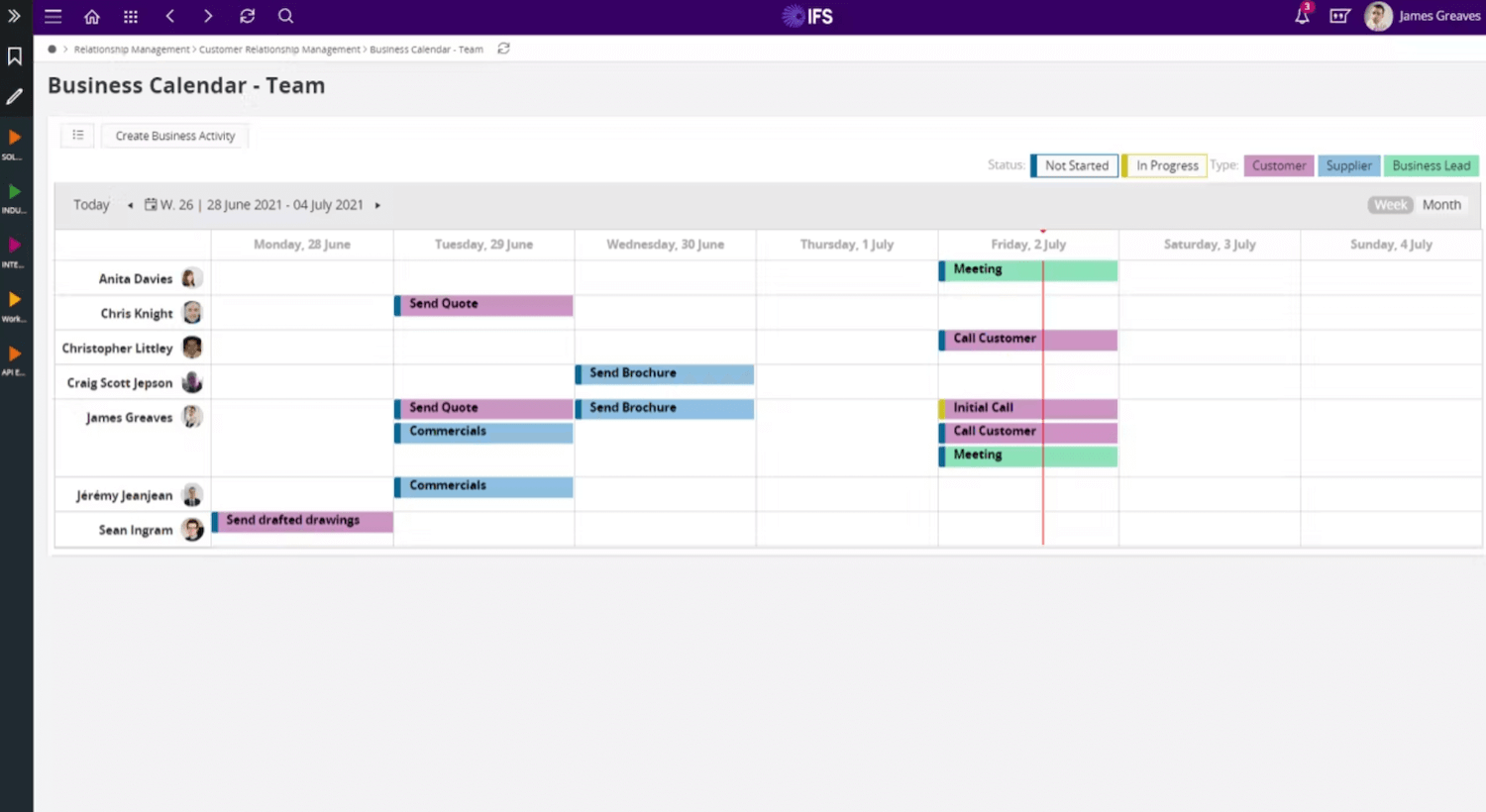
Key Features:
- Lifecycle Governance: Manages assets from procurement and acquisition through utilization, maintenance activities, and eventual disposal, providing visibility into total cost of ownership and supporting strategic asset management decisions.
- Industry-Specific Configurability: Adaptable framework supports specialized sectors including utilities, public sector, healthcare, and manufacturing, with configurable workflows that align with unique maintenance strategies and compliance requirements.
- Project and Contractor Capabilities: Advanced features for managing external service providers, tracking contractor performance, and coordinating large-scale maintenance projects make it suitable for organizations with significant outsourced maintenance operations.
- Multi-Site Asset Tracking: Robust hierarchical asset structures with parent-child relationships enable organizations to manage equipment across multiple locations while maintaining centralized visibility and standardized maintenance processes.
IBM Maximo
IBM Maximo represents the industry-standard enterprise asset management software for organizations with the most complex asset environments, stringent compliance requirements, and resources to support comprehensive implementation. Its unmatched depth makes it the reference platform for heavily regulated industries where detailed maintenance data, audit trails, and predictive analytics drive operational decisions.
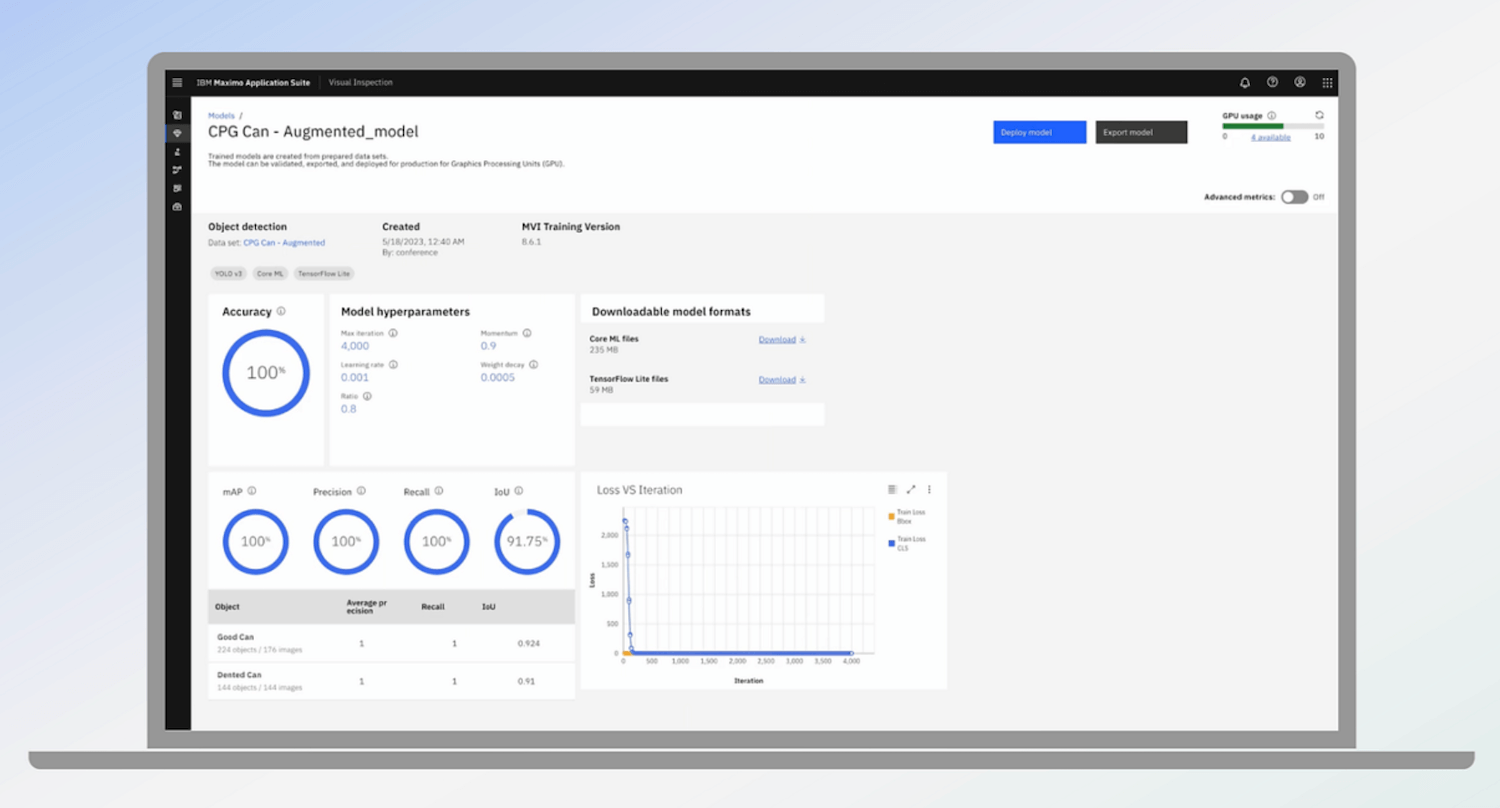
Key Features:
- Industry-Leading Depth: Comprehensive functionality covers every aspect of asset management from detailed equipment maintenance and spare parts tracking to advanced condition-based maintenance and reliability-centered maintenance strategies across asset-intensive industries.
- AI-Powered Predictive Capabilities: Machine learning algorithms analyze maintenance history and real-time monitoring data from IoT sensors to predict equipment failure, optimize preventive maintenance scheduling, and reduce unplanned downtime through data-driven insights.
- Regulatory Compliance Framework: Robust audit trails, documentation management, and ensuring compliance features make Maximo ideal for specialized sectors like oil and gas, utilities, aviation, and pharmaceutical manufacturing where regulatory requirements demand detailed maintenance records.
- IoT Integration and Real-Time Monitoring: Native connectivity with industrial IoT platforms enables real-time tracking of asset status, automated alerts based on sensor data, and condition-based maintenance triggers that transform reactive maintenance into proactive asset management processes.
However, implementation requires significant resources plus ongoing expertise to maintain and optimize the platform.
SAP EAM
SAP EAM serves as the natural enterprise asset management solution for organizations already invested in SAP ecosystems, providing native integration with financial systems, procurement, and enterprise resource planning. While offering comprehensive asset lifecycle management, its complexity and limited mobile functionality often drive SAP users toward complementary solutions that enhance usability without sacrificing integration.
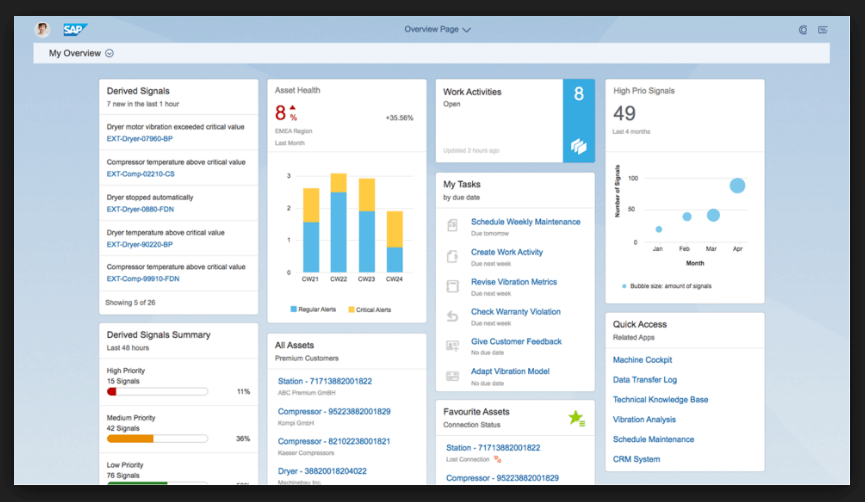
Key Features:
- Native ERP Integration: Seamless connectivity with SAP finance, procurement, and inventory modules eliminates data silos, enabling unified visibility into asset costs, depreciation, spare parts management, and maintenance spending across the organization.
- Comprehensive Financial Alignment: Tight integration between asset management and financial systems supports strategic decision making around capital planning, budgeting, and total cost of ownership analysis that connects operational maintenance to business functions.
- Complex Interface Challenges: Traditional SAP complexity requires extensive training for maintenance teams, with interfaces designed more for data completeness than intuitive workflows, often resulting in lower adoption rates among field technicians.
- Limited Mobile Capabilities: Native mobile functionality lags modern expectations, lacking offline mode and intuitive mobile app experiences that maintenance teams need for efficient field execution of work orders and asset tracking.
UpKeep
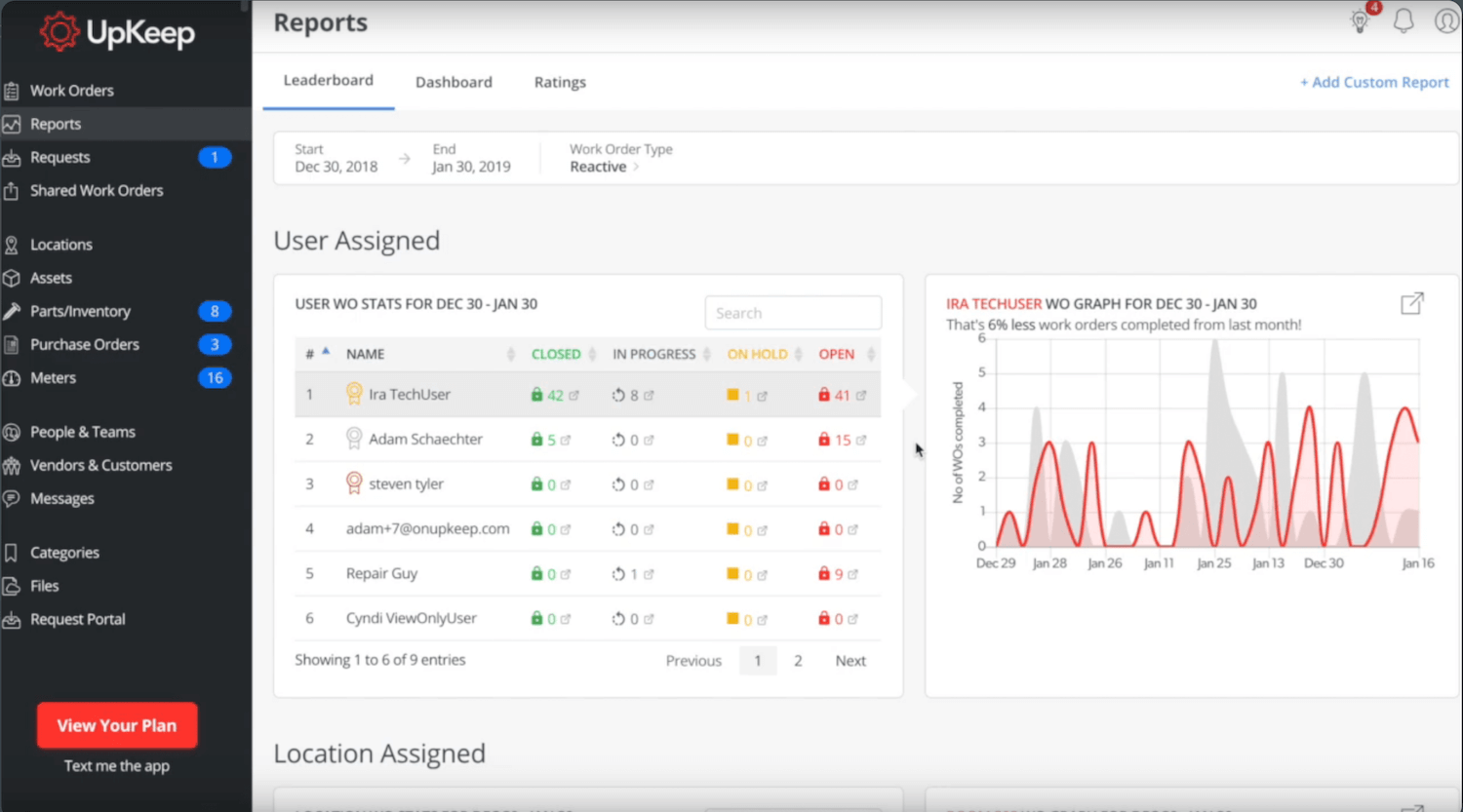
UpKeep prioritizes user adoption through mobile-first design and an intuitive interface that requires minimal training, making it effective for organizations seeking quick implementation and high maintenance team engagement. The platform focuses on core CMMS functionality rather than comprehensive enterprise asset management, serving small to mid-market organizations with straightforward maintenance processes.
Key Features:
- Mobile-First Workflow: Strong mobile app with barcode scanning, photo documentation, and offline mode supports technicians performing routine maintenance and equipment inspections in environments with limited connectivity.
- Rapid Implementation: Cloud-based solution with pre-built templates and straightforward configuration enables organizations to deploy functional maintenance management within weeks, avoiding the extended timelines required by enterprise platforms.
- Accessible Entry Point: Free plan accommodates small maintenance teams testing CMMS capabilities, with transparent pricing for paid tiers that scale based on user count and feature requirements.
UpKeep serves organizations with relatively simple asset hierarchies and maintenance strategies, particularly facilities management, light manufacturing, and service industries. However, its limited depth for complex asset tracking, parent-child relationships, and enterprise integration makes it less suitable for asset-intensive industries managing thousands of high-value assets or requiring sophisticated preventive maintenance scheduling and condition-based maintenance capabilities.
Limble
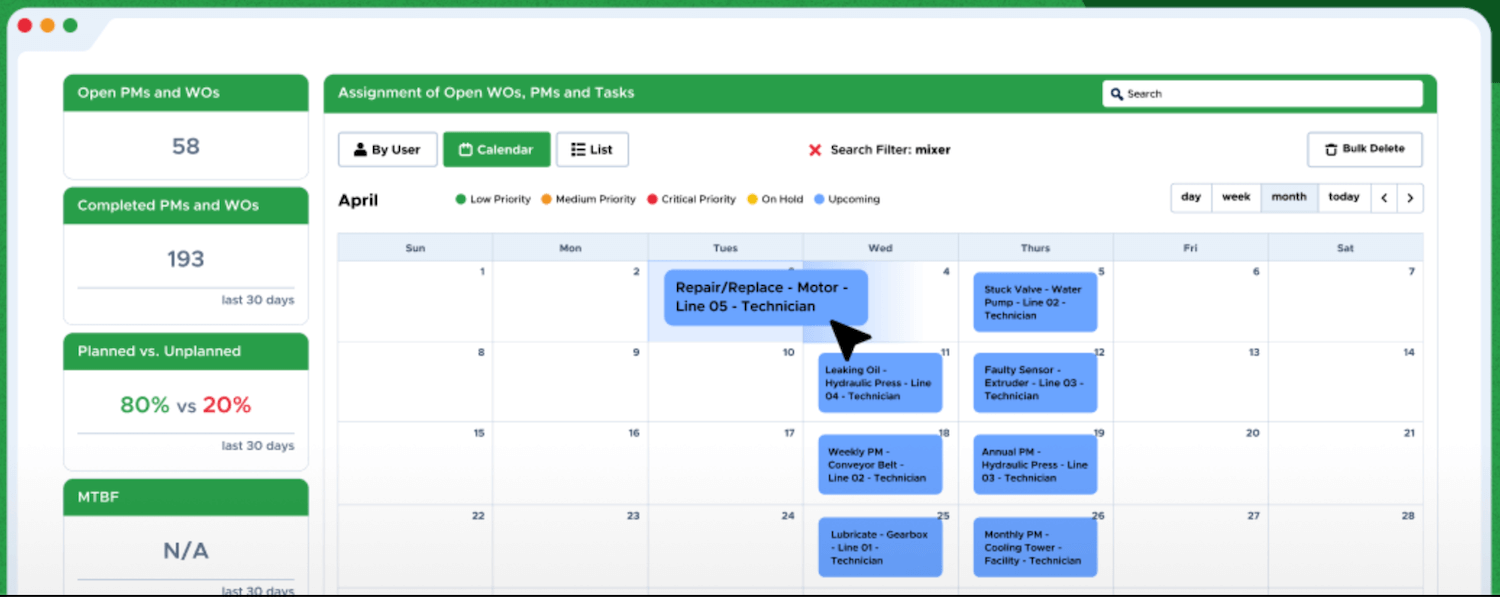
Limble emphasizes simplicity and automation for preventive maintenance, delivering straightforward workflows that help organizations move beyond reactive maintenance without the complexity of full enterprise asset management software. The platform targets facilities, property management, and light industrial environments where ease of use and quick ROI matter more than comprehensive asset lifecycle governance.
Key Features:
- Clean, Intuitive Design: Streamlined interface focuses on essential maintenance tasks without overwhelming users with advanced features, enabling rapid onboarding and consistent usage across maintenance teams with varying technical backgrounds.
- Preventive Maintenance Automation: Robust scheduling engine automates repetitive tasks including time-based and meter-based preventive maintenance, reducing manual planning overhead and ensuring regular maintenance activities occur on schedule.
- Facilities Focus: Purpose-built features for building maintenance, HVAC systems, and facility equipment make it particularly effective for property management, healthcare facilities, and educational institutions managing diverse but relatively standardized assets.
Limble works well for organizations with 20–200 assets requiring consistent preventive maintenance but lacking the complexity that demands enterprise-grade asset tracking or integration with ERP systems. Organizations in heavy manufacturing, utilities, or other asset-intensive industries often outgrow Limble’s capabilities.
Comparison Table
| Solution | Best For | SAP Integration | Mobile App | Free Plan Available | Key Differentiator |
|---|---|---|---|---|---|
| osapiens HUB | Mid-market to enterprise, SAP users | ✓ SAP-certified | ✓ Offline capable | ✓ Yes | Enterprise features with mobile-first usability; transparent freemium pricing; Scalable from SME to enterprise |
| IFS Ultimo | Large enterprises, public sector | ✓ Via integration | ✓ Available | ✗ No | Highly configurable lifecycle management |
| IBM Maximo | Complex, regulated industries | ✓ Via integration | ✓ Available | ✗ No | Deepest functionality, AI-powered analytics |
| SAP EAM | Existing SAP users | ✓ Native | Limited | ✗ No | Native ERP and financial integration |
| UpKeep | Small to mid-market, quick adoption | ✗ Limited | ✓ Mobile-first | ✓ Yes | Minimal learning curve, rapid deployment |
| Limble | Facilities, light manufacturing | ✗ Limited | ✓ Available | ✗ No | Preventive maintenance automation simplicity |
← horizontal scrollen →
Top Features to Look for in MRO Asset Management Software
Your MRO asset management software must deliver core functionality that directly impacts maintenance effectiveness. These features determine whether the platform can handle your daily operations.
Asset Tracking and Hierarchy Management
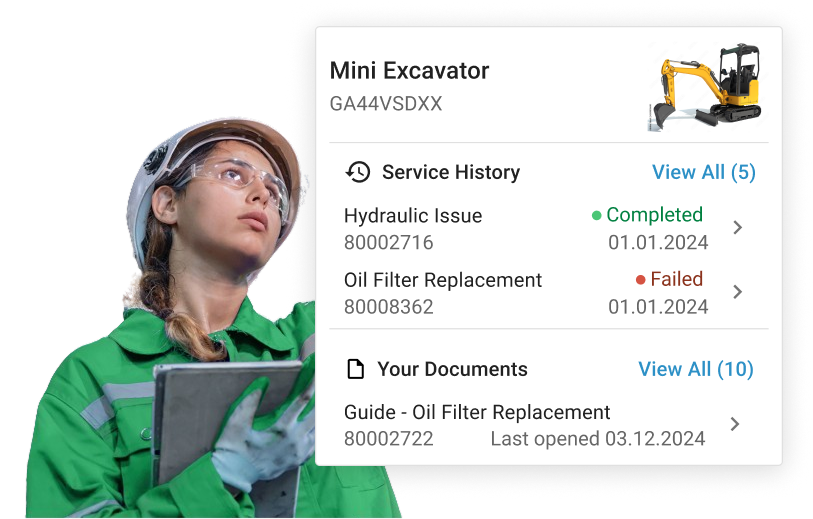
Effective asset tracking supports parent-child relationships that mirror your actual structures – machines within production lines within facilities. The system should maintain complete maintenance history and provide instant visibility into asset status across your organization.
Preventive Maintenance Scheduling
Preventive maintenance scheduling should automate tasks based on time intervals, usage meters, or condition triggers. The platform generates work orders automatically, assigns them to appropriate teams, and adjusts schedules based on actual completion dates.

Spare Parts Inventory Management
Strong inventory management tracks parts consumption during maintenance, triggers reorder alerts at minimum stock levels, and links usage to specific assets and work orders. This prevents stockouts that extend downtime while reducing excess inventory.

Real-Time Monitoring and Alerts
Real-time monitoring connects IoT sensors and equipment data to your maintenance processes. Automated alerts notify teams when equipment indicates potential failure, enabling proactive asset management instead of reactive responses.
Maintenance History and Analytics
Comprehensive maintenance history enables you to analyze failure patterns, optimize maintenance intervals, and make data-driven decisions about equipment replacement. Built-in analytics surface insights without requiring separate business intelligence tools.
How to Choose the Best MRO Software Solution
The “best” MRO asset management software solves your actual maintenance problems. Feature lists don’t matter if they don’t fix what’s broken in your operations. So what should I look for when choosing MRO software? Focus on these four critical capabilities:
Mobile Accessibility for Field Technicians
A mobile app with offline mode transforms how maintenance teams work. Technicians should access asset data, complete tasks, update inventory, and capture photos directly from equipment locations, without returning to computers for documentation.
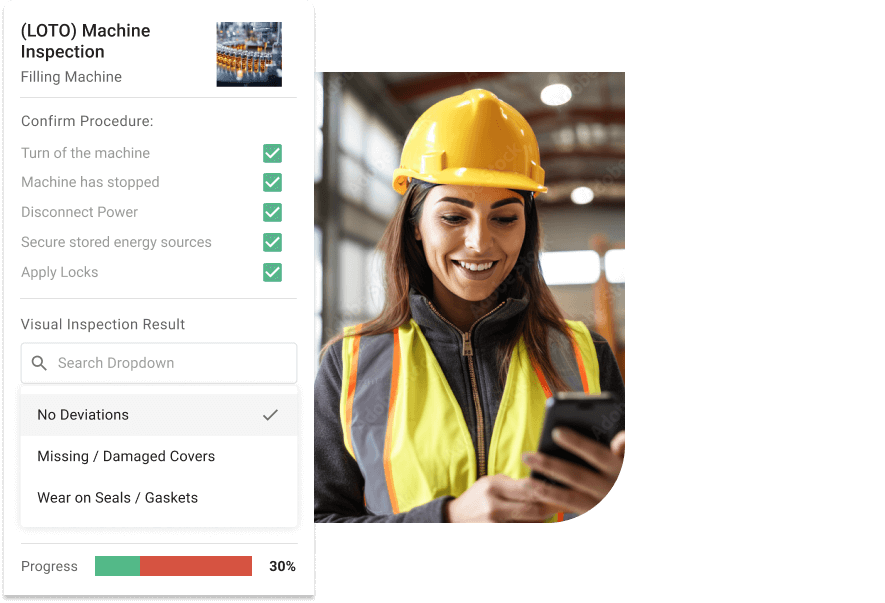
The osapiens HUB mobile app provides full offline functionality, allowing technicians to work in areas with limited connectivity and sync data automatically when back online.
System Integration Capabilities
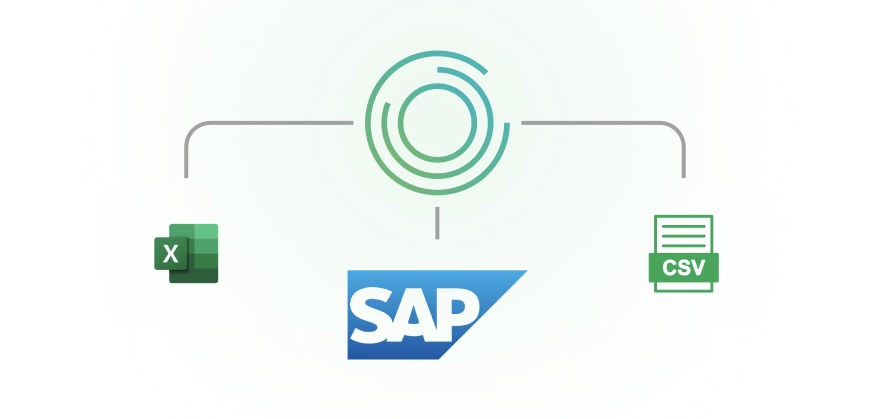
Seamless integration with enterprise resource planning systems, financial software, and IoT platforms eliminates data silos. Look for pre-built connectors to existing systems, particularly SAP integration if you operate in that ecosystem, rather than generic APIs requiring custom development.
osapiens HUB for Maintenance offers SAP-certified integration that connects directly to SAP PM without custom coding.
Intuitive Interface and User Adoption
An intuitive interface directly impacts adoption rates among maintenance teams. Technicians should complete common tasks (creating work orders, updating information, checking parts) within three clicks and without consulting documentation.
Test the software with your actual maintenance team during demos. If they struggle with basic tasks during evaluation, they’ll struggle even more under time pressure in daily operations.
Scalability for Organizational Growth
Your solution should accommodate additional assets, users, and sites without platform migration. Evaluate whether pricing scales reasonably, whether the system maintains performance with thousands of assets, and whether it supports complex hierarchies as operations expand.
osapiens scales from small teams (free starter plan) to enterprise deployments serving 2,000+ organizations, without requiring architectural changes or forced upgrades.

Top Picks by Category
- Best Overall Value for Mid-Market: osapiens HUB for Maintenance combines enterprise capabilities with accessible pricing. SAP-certified integration, mobile-first design, and comprehensive asset lifecycle management without traditional enterprise implementation costs. Fiix and Limble also serve mid-market needs well with cloud-based platforms and transparent pricing models.
- Best for SAP Integration: osapiens provides SAP-certified native connectivity that eliminates data silos while adding mobile functionality SAP PM lacks. IFS Cloud and Infor EAM also offer robust SAP integration for organizations with complex ERP environments.
- Best for Enterprise Scale: IBM Maximo delivers the deepest functionality for complex asset-intensive industries with AI-powered predictive analytics and IoT integration. SAP EAM and IFS Ultimo also support thousands of high-value assets across global operations with comprehensive compliance frameworks.
- Best for Ease of Use: UpKeep and Limble provide intuitive interfaces with minimal learning curves, enabling productivity within hours. osapiens and Fiix also prioritize user-friendly design that drives rapid adoption without extensive training.
- Best for Budget-Conscious Teams: osapiens offers a freemium model starting at €0 for small teams. UpKeep provides a functional free plan for essential work order management, while Limble offers competitive entry-level pricing for growing organizations.
Ready for Digital MRO Asset Management?
osapiens HUB bridges this gap by combining enterprise-grade asset management with intuitive interfaces maintenance teams actually adopt. SAP-certified integration eliminates data silos and offline-capable mobile apps empower field technicians.
Start with osapiens
Conclusion: Choose the Right MRO Asset Management Software With osapiens HUB for Maintenance
There is no “best” mro asset management software. But there is a best for you. It doesn’t just digitize existing processes, it fundamentally improves how your organization prevents unplanned downtime, optimizes maintenance costs, and maximizes asset performance across your entire operation.
osapiens HUB for Maintenance bridges the critical gap between enterprise-grade functionality and user-friendly design that maintenance teams actually adopt. With SAP-certified integration proven across enterprise customers like Coca Cola and Nordex, combined with mobile-first workflows and transparent pricing, osapiens makes sophisticated asset management processes accessible to organizations of all sizes – from mid-market manufacturers to global enterprises managing thousands of assets.

Pradeep Dalal, Product Director – Planning & Execution
★ ★ ★ ★ ★CONA Services
“Working with osapiens has been a positive experience for our company. Their innovative solutions and exceptional support have not only met but exceeded our expectations, paving the way for a successful partnership.”
Experience how osapiens HUB for Maintenance can optimize your asset management processes and reduce maintenance costs.
Start your free trial or book a personalized demo today.
FAQ
What is the difference between MRO software and CMMS?
MRO (Maintenance, Repair & Operations) refers to the actual activities and processes involved in maintaining equipment and assets. A computerized maintenance management system (CMMS) is the software that manages these MRO activities – handling work orders, preventive maintenance scheduling, asset tracking, and maintenance processes. Essentially, CMMS is a type of MRO software focused on operational execution rather than strategic planning.
How much does MRO asset management software cost?
Pricing varies significantly by solution type and organizational scale. Cloud-based solutions typically range from €20–200+ per user/month, with some offering a free plan for small teams. Total cost of ownership includes not just subscription fees but also implementation, customization, data migration, and support resources.
Can MRO software integrate with SAP?
Yes – but integration quality varies significantly. osapiens offers SAP-certified native integration that connects directly to SAP PM without custom coding. Typical implementation takes 2-4 weeks compared to months for generic API approaches.
What SAP-certified integration means:
- Direct data sync between CMMS and SAP PM
- No middleware or custom development required
- Pre-built connectors for asset data, work orders, and inventory
- Maintains SAP data integrity while adding mobile functionality
Yes, integration is possible but varies by solution. Some asset management solutions like osapiens offer SAP-certified native integration that seamlessly connects with SAP PM, eliminating data silos while adding mobile functionality and improved usability. Other platforms require custom API development or middleware, which increases implementation complexity and ongoing maintenance. Organizations seeking both SAP integration and user-friendly maintenance processes benefit most from certified solutions.
What is the difference between MRO software and CMMS?
MRO (Maintenance, Repair & Operations) refers to the actual activities and processes involved in maintaining equipment. A CMMS (Computerized Maintenance Management System) is the software that manages these MRO activities – handling work orders, preventive maintenance scheduling, asset tracking, and maintenance processes. Essentially, CMMS is a type of MRO software focused on operational execution.
Maintenance Schedule Template
Use our template with asset overview, task catalog, and annual plan. Ready to use for your maintenance planning.
Download for free
ENTERPRISE CAPABILITIES
- SAP ECC & S/4HANA Certified
- Infor & MS Dynamics
- Microsoft Entra ID / Okta
- ISO 27001 & 9001
- EU Cloud · Data Sovereignty
- Development, Test, and Production Environments
- Multi-Entity & Multi-Site
- Power BI Integration
- Audit Trail & Compliance
Related content

January 1, 2026
Conveyor Belt Preventive Maintenance Checklist – Tasks, Tips & Digital Execution
January 1, 2026
Separator Equipment Maintenance Checklist – Tasks, Tips & Template
January 1, 2026
Switchgear Maintenance Checklist – Tasks, Tips & Template

July 14, 2025
Unlocking Operational Excellence Through Preventive Maintenance
April 13, 2026
Service Report Template: Free Word Template for Field Service Teams
January 1, 2026
Access Control Maintenance Checklist – Tasks, Tips & Template
March 11, 2026
The Best Maintenance Reporting Software in 2026: A Practical Comparison
January 1, 2026
Arc Welding Machine Preventive Maintenance Checklist – Tasks, Safety & Digital Execution
January 1, 2026
Lyophilizer Maintenance Checklist – Tasks, Tips & Template
September 21, 2026
CMMS vs. ERP Maintenance Module: Which One Actually Works for Your Team?
January 1, 2026
Uninterruptible Power Supply Maintenance Checklist – Tasks, Safety & Digital Execution
January 1, 2026