

osapiens HUB for Maintenance
Put an End to Maintenance Chaos.
Plan, automate, and standardize your maintenance processes across sites, systems, and teams.
 4.7/5 on Capterra · ISO 27001 Certified · Hosted in Germany · Made in Europe
Trusted by more than 2,500 companies










Less Coordination. More Execution. Better Results.
Real-time insights for better decisions, from work order planning to performance analysis.

Scalable from pilot to rollout.
Start with a clearly defined area and gradually roll out proven processes across additional plants and sites.

Integrations and AI Capabilities
Connect your existing systems and automate recurring tasks and workflows.

Data Sovereignty: Made in Germany
Benefit from high security standards, ISO 27001 certification, and hosting in Germany.

Easy to Use Every Day
Give your teams a modern solution that simplifies planning, execution, and documentation.
How Advanced Is Your Maintenance Operation?
Four key findings from the Fraunhofer study show how industrial maintenance is evolving.
63%
of companies are at the beginning of their digital transformation.
59%
still manage their maintenance using Excel or Google Sheets.
17%
even use a CMMS for maintenance planning.
92%
believe that AI-powered maintenance delivers measurable value.
 4.7/5 on Capterra · ISO 27001 Certified · Hosted in Germany · Made in Europe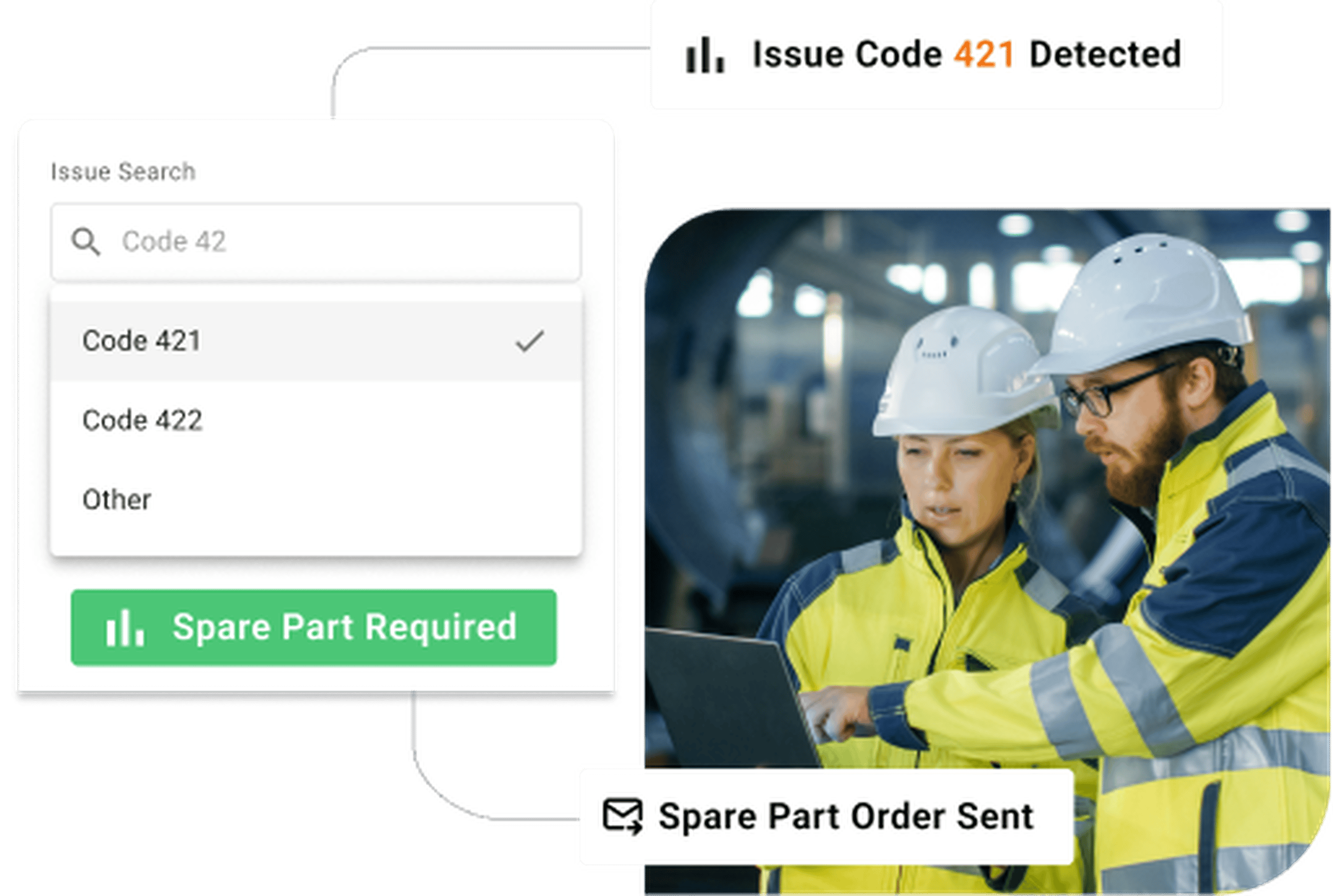
What Maintenance Teams Struggle With Every Day
All of this still has to be managed and coordinated manually.
Why Traditional Software Solutions Fall Short
The System Is in Place. The Work Is Still Manual.
The osapiens Advantage
Modern, intelligent software that integrates seamlessly into your processes.
Issue Reporting
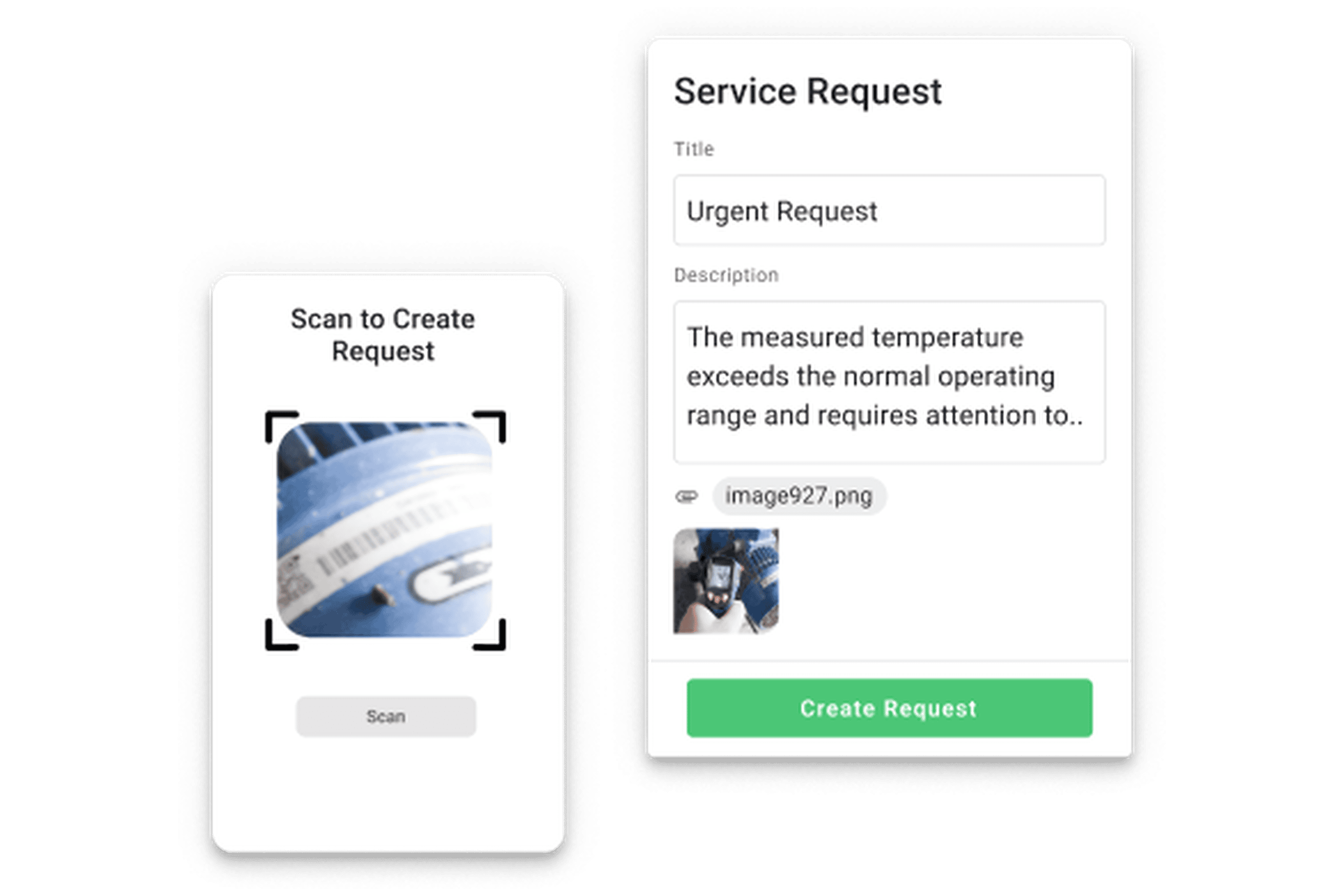
Report Issues in Seconds
Scan a QR code, report an issue, and add a photo. The report is automatically linked to the correct asset and routed to the responsible team.
Planning
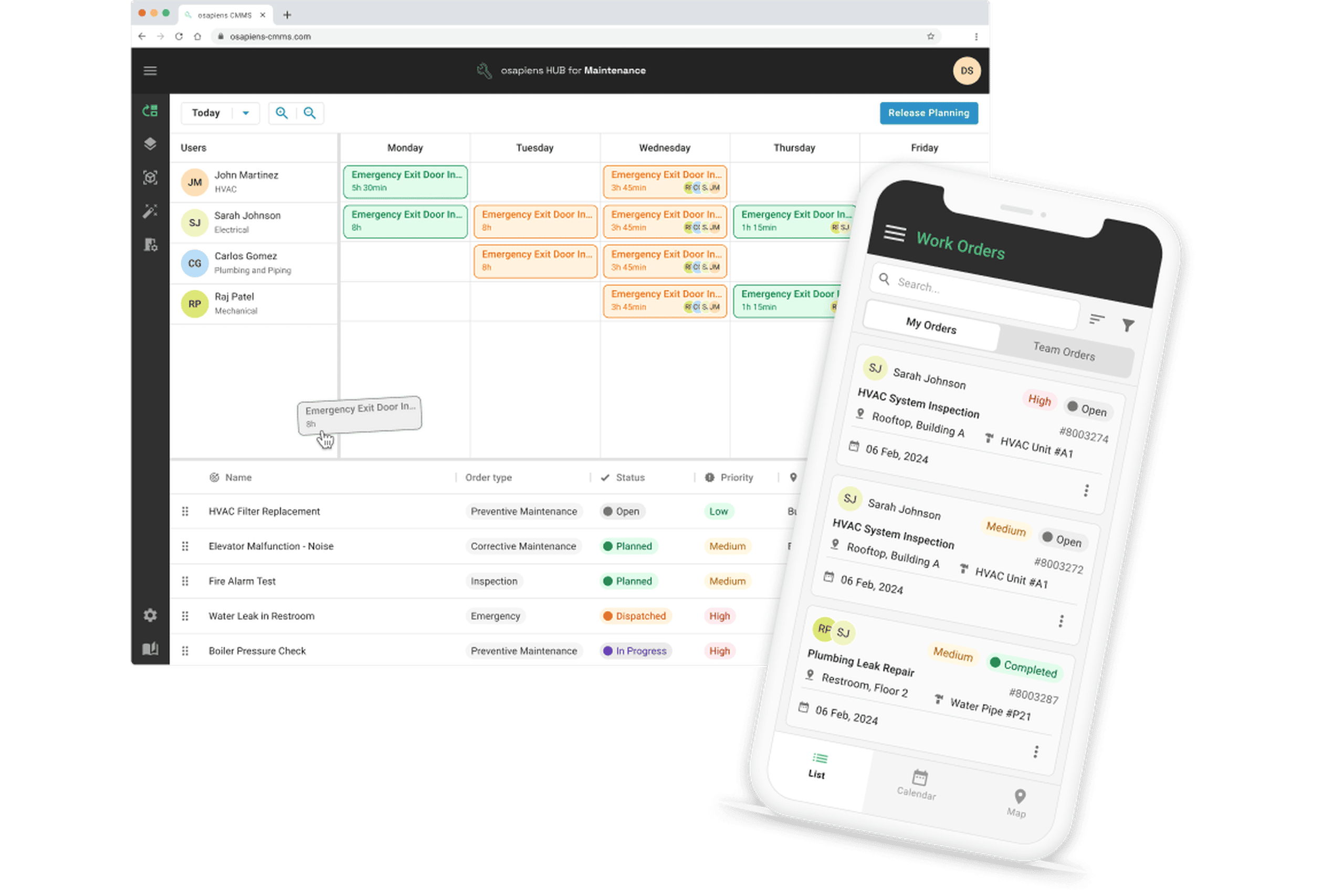
Schedule Maintenance with Ease
Assign work orders with drag and drop. Keep availability, technician qualifications, and preventive maintenance schedules in view at all times.
Work Orders
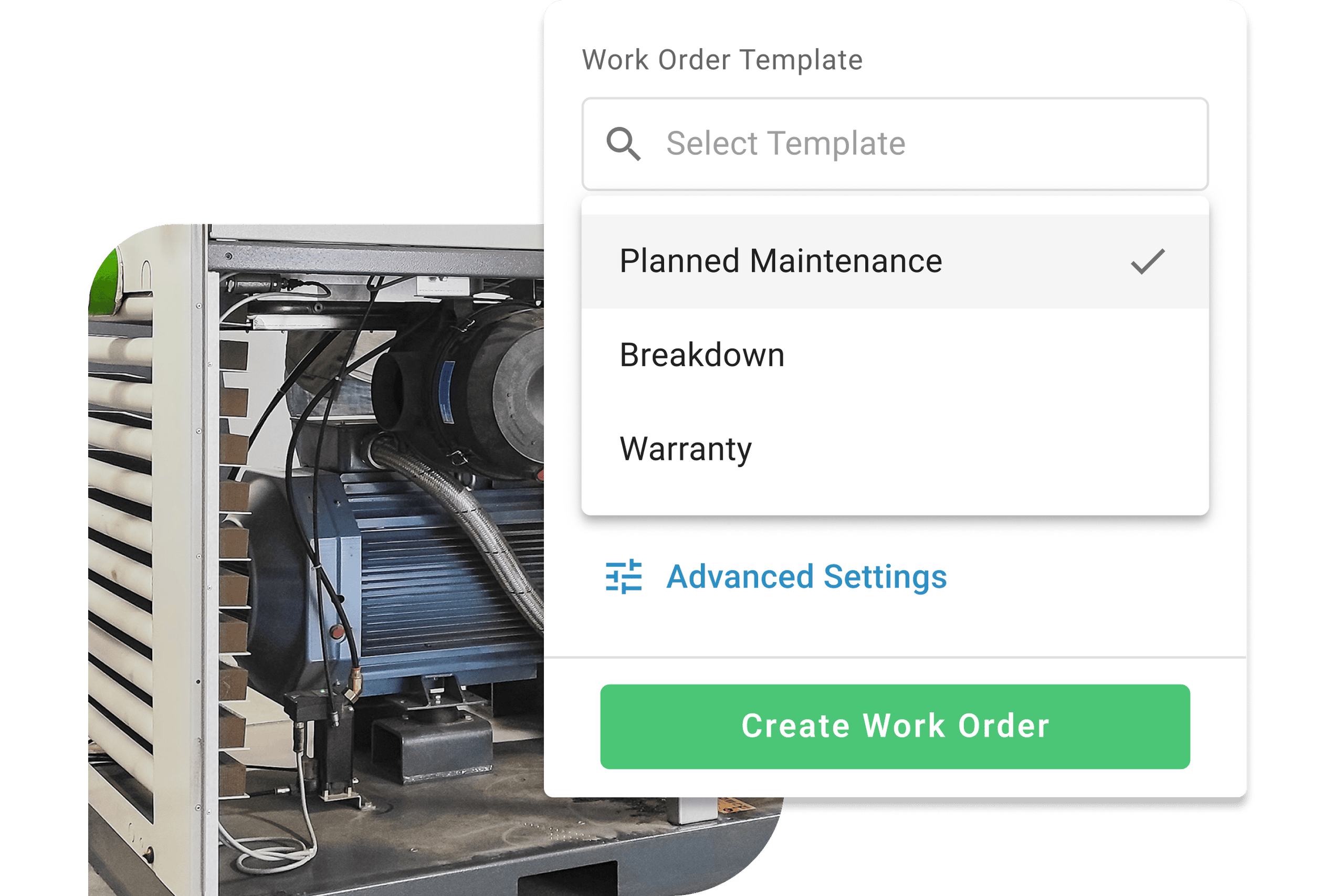
All Information in One Work Order
Technicians can access tasks, documents, maintenance history, and required spare parts on their smartphone, then document their work directly on site.
Checklists
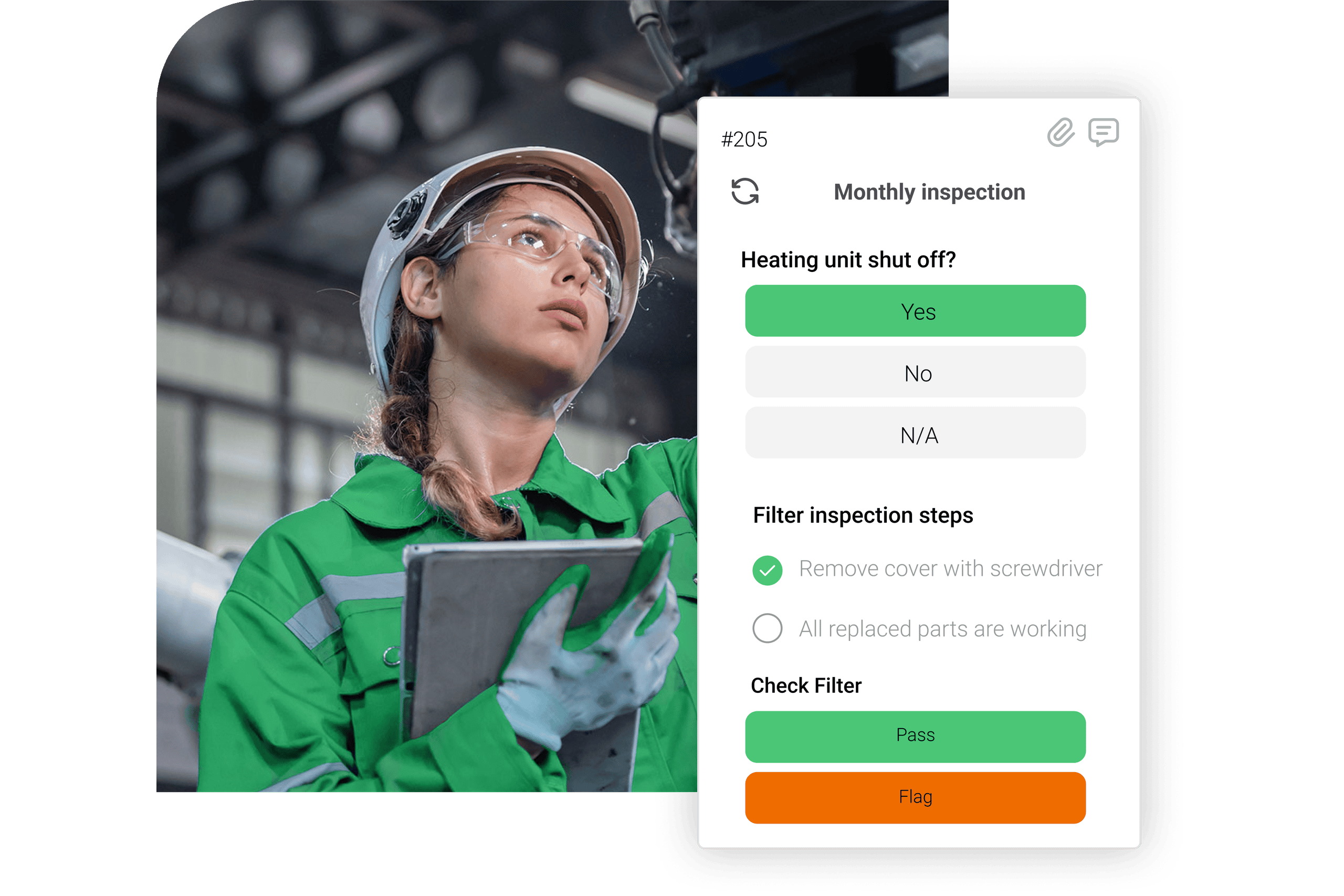
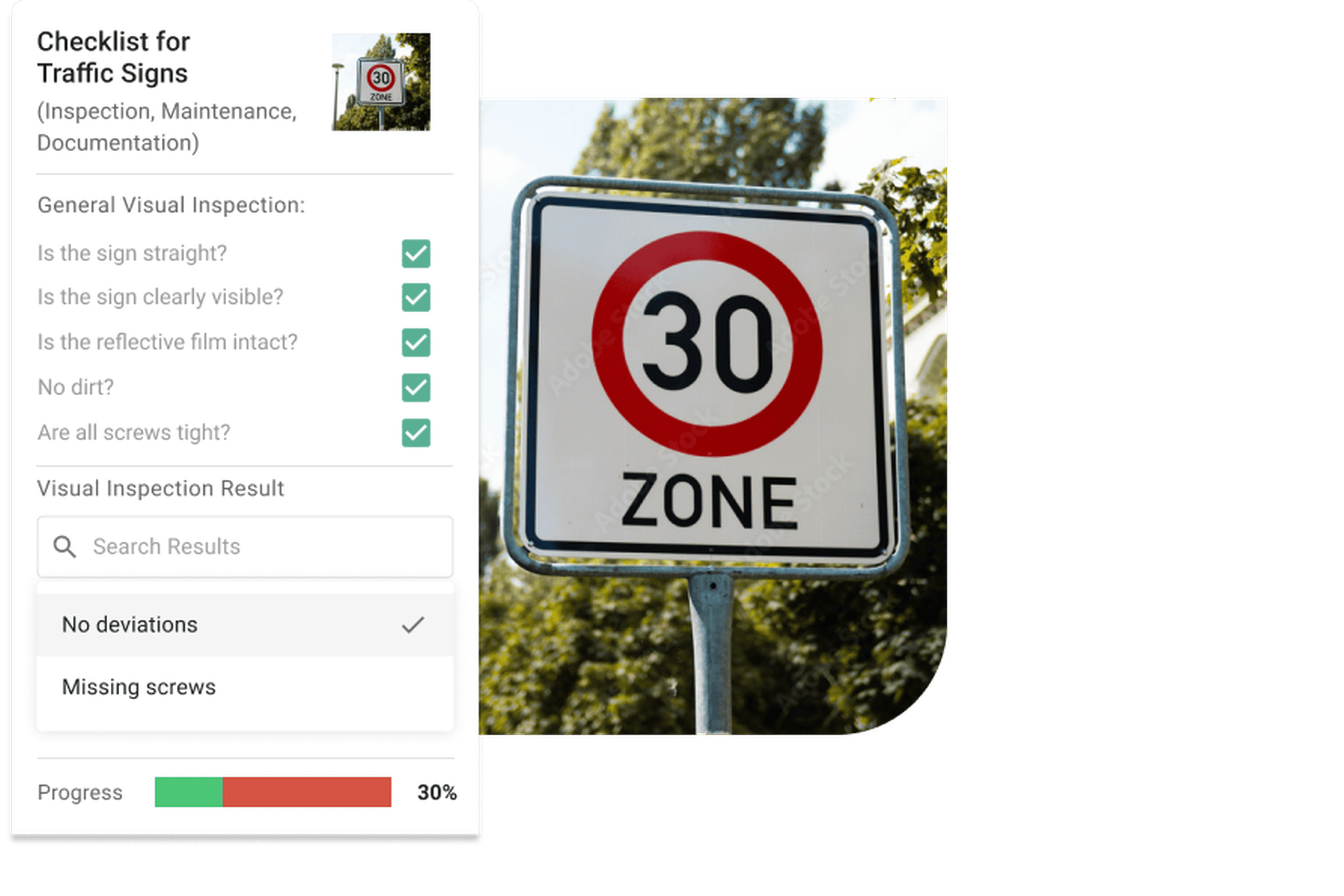
Create Checklists Without Coding
Build work instructions, inspections, and forms with drag and drop. Add required fields, photos, measurements, and automatically trigger follow-up work orders.
Spare Parts
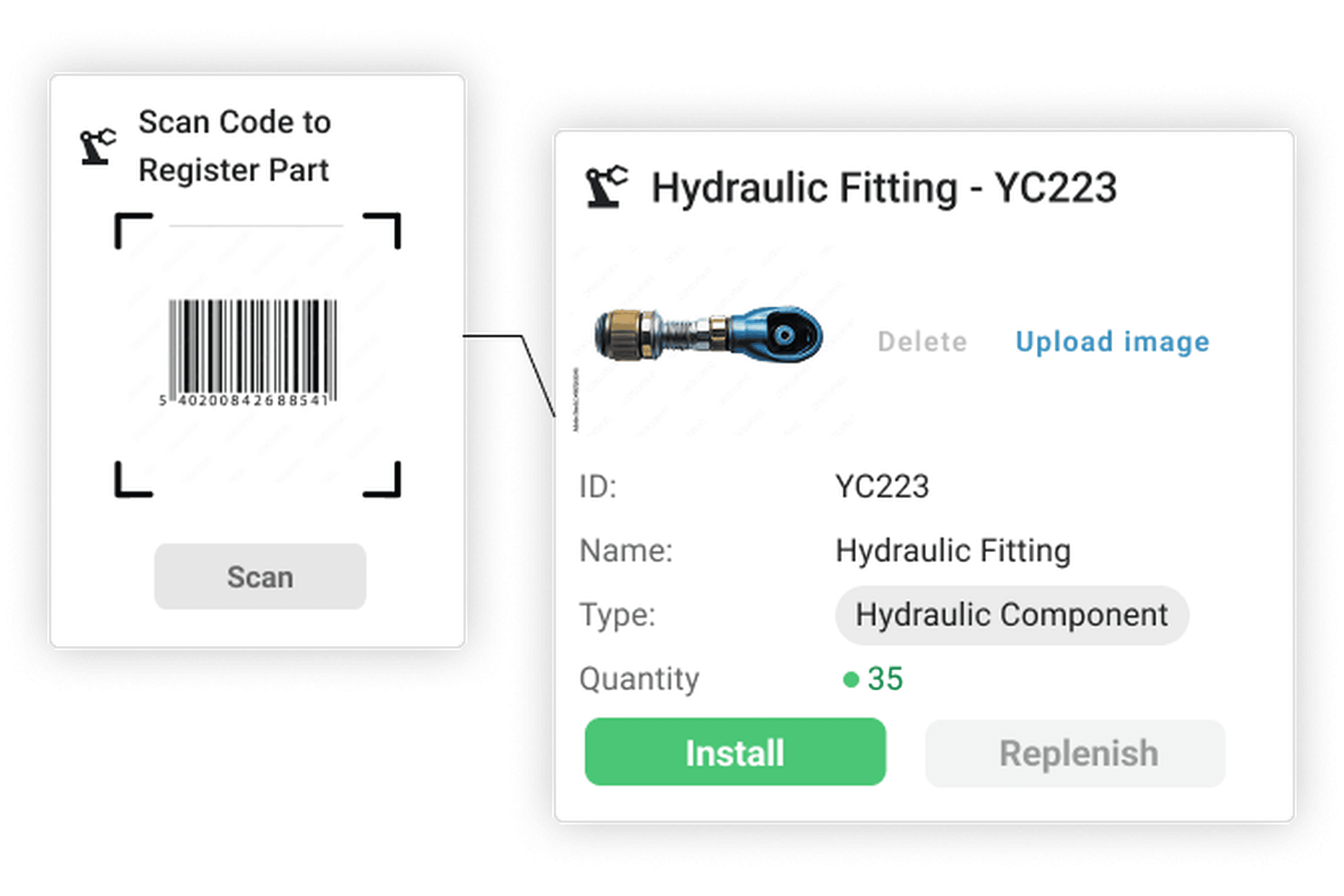
Track Inventory and Reorder Automatically
Reserve spare parts, allocate them directly to work orders, and automatically trigger purchase orders when inventory runs low.
Everything in One Platform
Discover the osapiens HUB for Maintenance tailored to your requirements.
In a personalized demo, we'll show you the features that matter most to your business based on your processes, sites, and existing systems.
Proven in the Field – CONA Case Study
50+ Sites. 1,500+ Users. Fully Integrated with SAP.
osapiens HUB for Maintenance
Working with osapiens has been an outstanding experience for our company. Their innovative solutions and exceptional support have not only met but exceeded our expectations, laying the foundation for a successful long-term partnership.
Pradeep Dalal
Product Director, Planning and Execution, CONA Services
Building an End-to-End Service Architecture
Learn how Nordex, a global manufacturer, installer, and service provider for wind turbines operating in more than 40 countries, uses osapiens to optimize its operational processes and further enhance its Field Service Management (FSM) approach.

Inspection and Asset Management for 1 Million Field Assets
Practical insights into implementing large scale inspection data collection across distributed assets.

How Puratos Manages Maintenance Across 65 Sites
With the osapiens HUB for Maintenance, companies improve the efficiency of their maintenance processes, reduce unplanned downtime, and gain complete visibility across all assets.
Frequently Asked Questions
Can osapiens be integrated with existing ERP systems?
Yes. osapiens integrates with ERP systems and other enterprise applications through standardized interfaces. Data exchange is configured to match your existing system landscape and target processes.
Can Existing Data Be Migrated?
Yes. Assets, spare parts, maintenance plans, and other relevant data can be migrated from existing systems or imported from structured files.
Can Technicians Work Offline?
Yes. Work orders, asset information, documents, and checklists remain available on mobile devices even without a stable network connection. Once connectivity is restored, all data is synchronized automatically.
Which Processes Can Be Automated?
Recurring maintenance, reminders, assignments, approvals, status changes, and follow-up work orders can all be automated.
Does osapiens Support Multiple Sites and Organizational Units?
Yes. Plants, sites, legal entities, teams, and areas of responsibility can all be managed within a single platform. Centralized standards can be combined with the local variations your organization requires.
How Does an Enterprise Rollout Work?
Implementation typically begins with an analysis of the relevant processes, systems, and organizational structures. A clearly defined pilot is then deployed. Once validated, the model can be rolled out step by step across additional sites.
Can Centralized and Local Processes Be Combined?
Yes. Organizations can define centralized templates, roles, and process standards while accommodating local requirements. Which elements are managed centrally and which are managed locally is defined as part of the target operating model.
How Long Does Implementation Take?
The implementation timeline depends on the number of sites, the processes to be mapped, the quality of your data, and the required integrations. Following an initial assessment, a realistic project and rollout plan can be developed.
What Is Covered in the Personalized Demo?
The demo is tailored to your requirements. Topics may include multi-site structures, work order management, mobile execution, maintenance planning, resource management, spare parts management, SAP and ERP integration, roles, governance, and reporting.
Planning a Digitalization or Rollout Project?
Discover in a personalized demo how osapiens connects your sites, processes, and existing systems within a scalable maintenance platform.
Made in Europe · ISO 27001 Certified · GDPR Compliant · Tailored to Your Use Case · No Obligation · Includes Integration & Rollout Support