

CMMS

Marco Kaufmann, osapiens Expert | 19. August 2025 | Lesezeit 2 min.
Updates to the Dashboard Our next-gen Dashboard is the next evolution for maintenance managers. Clean, focused, and built for action. with the KPIs that matter most. Simplified Maintenance Planning Plan, schedule, and assign maintenance tasks with just a few clicks. Fast, Powerful Asset Tree Navigate your entire installed base in seconds, even across complex, multi-site environments. Work Order Re-Design A
Book a demo
More than 2200 companies place their trust in osapiens













Updates to the Dashboard
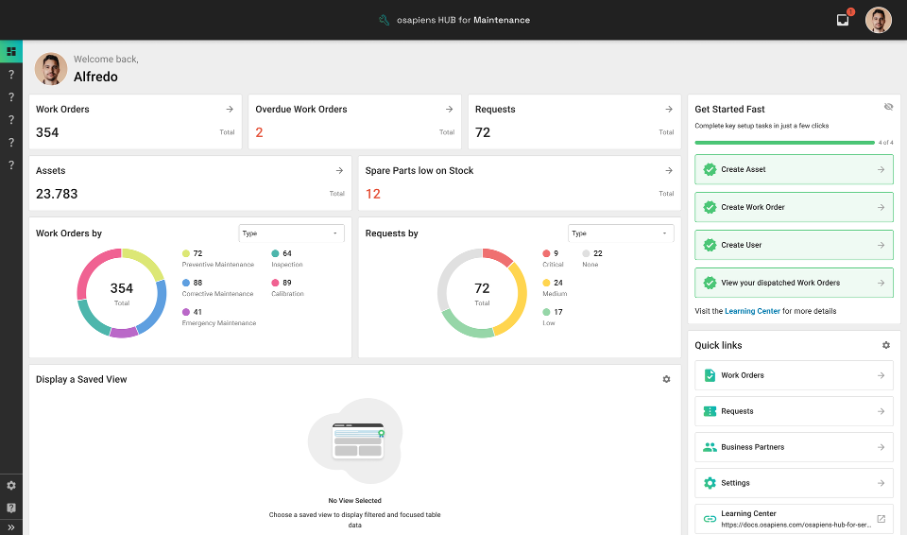
Our next-gen Dashboard is the next evolution for maintenance managers. Clean, focused, and built for action. with the KPIs that matter most.
- See the current status and urgent items at a glance, including work orders, requests, overdue orders and requests, spare parts with low stock, and assets.
- Drill down into overdue work orders or requests from the main dashboard.
Simplified Maintenance Planning
Plan, schedule, and assign maintenance tasks with just a few clicks.
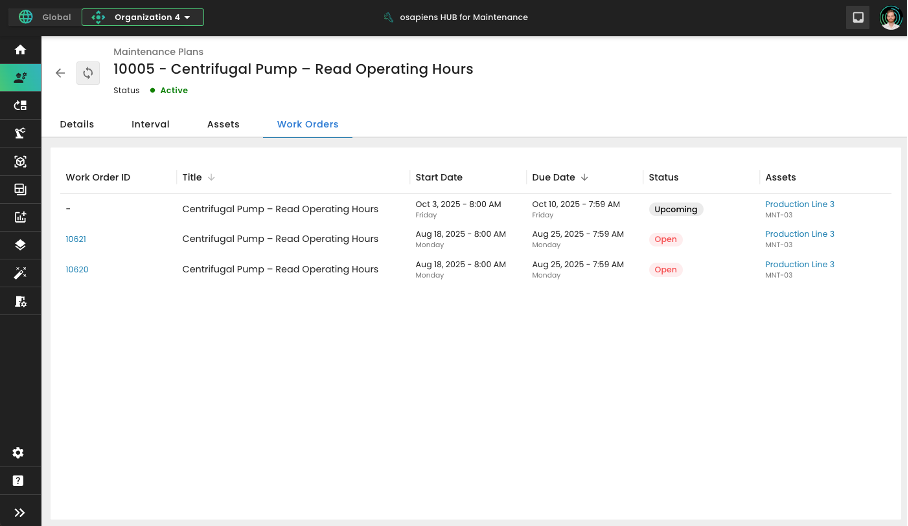
- osapiens HUB for Maintenance now supports preventive maintenance planning for multiple assets. You can add one or more assets to a plan, with dedicated work orders for each asset.
- Our new floating schedule automatically adjusts the next due date based on the last completion date to keep planned intervals consistent.
- Our redesigned planning module provides a clear layout with tabs for details, recurrence, asset scope, and generated/upcoming work orders.
- You may now also clone existing plans to create new ones in seconds.
Fast, Powerful Asset Tree
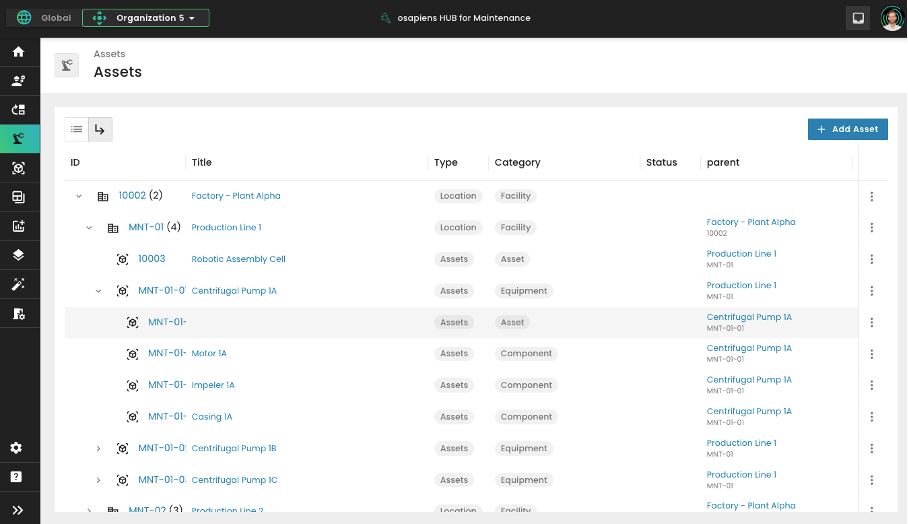
Navigate your entire installed base in seconds, even across complex, multi-site environments.
- Our Location and Asset Tree View allows you to drill down into your site hierarchy with ease.
- You may now add parent/child assets or duplicate existing ones, carrying data through the hierarchy automatically.
- New Asset Pictures make it easier to identify Machines and Equipment on portal and mobile.
- You may now add external URLs to assets for quick access to guides or documentation (also on mobile).
- Mobile asset search has also improved, including a searchable list, and the ability to drill into the hierarchy.
Work Order Re-Design
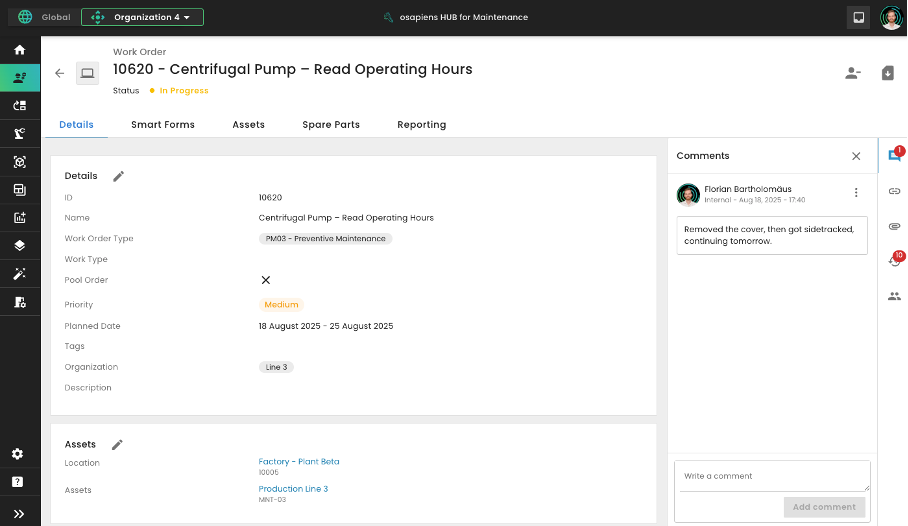
A clearer, faster way to manage your work orders
- New tabbed layout in work order detail for simpler navigation.
- All Orders view – see all team orders and take the work you need.
- Create and edit work order tasks directly on mobile.
Start using osapiens for free
Improve your uptime, extend the life of your equipment, and simplify work order management.
Book a demo
Related content

January 1, 2026
Oxygen Concentrator Maintenance Checklist – Tasks, Documentation & Digital Execution
January 1, 2026
Laminar Flow Hood Maintenance Checklist – Tasks, Compliance & Digital Execution
January 1, 2026
Grinding Machine Maintenance Checklist – Tasks, Safety & Digital Execution
January 1, 2026
Roofing Maintenance Checklist – Tasks, Tips & Best Practices
January 1, 2026
Automated Guided Vehicle Maintenance Checklist – Tasks, Safety & Digital Execution
January 1, 2026
Centrifugal Fan Maintenance Checklist – Tasks, Best Practices & Digital Execution
January 1, 2026
Band Saw Maintenance Checklist – Tasks, Tips & Template

December 1, 2025
Renewable Energy Asset Management: Efficiency and Availability for Wind and Solar Assets
January 1, 2026
Pneumatic System Maintenance Checklist – Essential Tasks & Best Practices
January 1, 2026
Autoclave Maintenance Checklist – Tasks, Tips & Template

July 14, 2025
Unlocking Operational Excellence Through Preventive Maintenance
January 1, 2026