

SAP

Remi Morisot, osapiens Expert | 22. January 2026 | Lesezeit 18 min.
Modern SAP maintenance software keeps your ERP as the system of record. Technicians get mobile-first tools they'll actually adopt. This guide compares seven certified solutions on integration depth, pricing, and implementation speed to help you choose the right platform.
Start with SAP-integrated maintenance software













TRUSTED BY LEADING COMPANIES




ENTERPRISE-READY
 SAP Certification
 ISO 27001
 EU Hosting
 Entra ID & Okta
 Multi-Entity
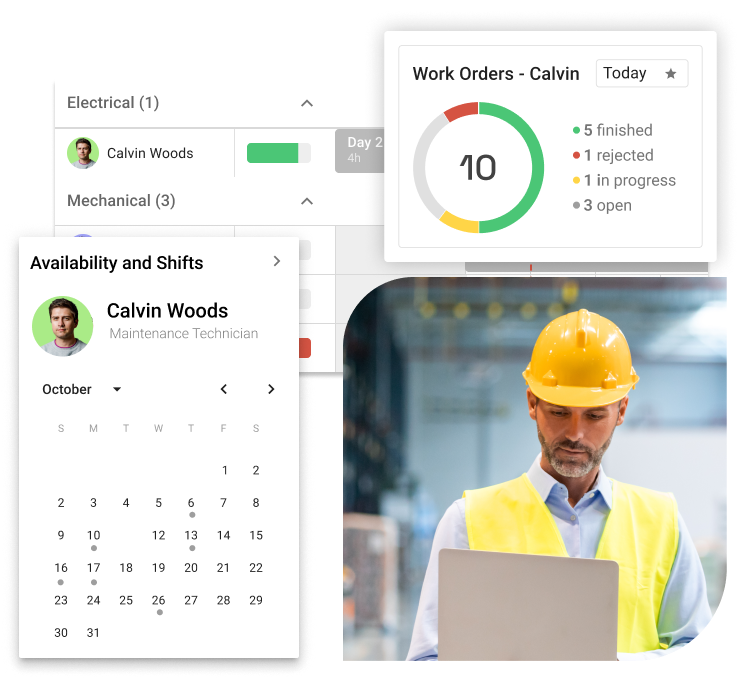
Your maintenance team logs work orders in SAP PM, but technicians still carry printed checklists to the shop floor. Parts get consumed without real-time inventory updates. Downtime reports arrive days late because nobody wants to navigate SAP GUI on a tablet. This disconnect costs you in downtime, efficiency, and asset reliability. Modern SAP-integrated maintenance software bridges this gap. SAP remains your system of record. Technicians get mobile-first tools they’ll actually use.
Key Facts
- SAP-certified integration vs. basic APIs: Certified connectors guarantee stability through SAP updates. They access deep master data structures. API connections often break during upgrades and handle only standard processes. This is critical for complex maintenance operations.
- Mobile-first design drives adoption: Technicians use systems they find intuitive, not feature-rich. Offline-capable mobile apps with simple interfaces deliver higher adoption rates than comprehensive platforms requiring extensive training.
- Bidirectional real-time sync eliminates data silos: Instant synchronization prevents manual data entry and delayed reporting. Work orders, inventory movements, and cost postings sync between maintenance tools and SAP in real time.
- osapiens HUB combines certified SAP integration with standalone flexibility: Unlike pure SAP add-ons, osapiens operates independently or integrates via SAP-certified connector. Optimize your current SAP environment while preserving strategic options if your ERP landscape changes.
What Is SAP-Integrated CMMS and Why Does It Matter?
SAP-integrated CMMS connects bidirectionally with SAP PM, MM, and FI/CO modules. SAP remains the enterprise system of record. Technicians get mobile-first tools to log work orders, track parts, and document repairs in real time. This hybrid approach eliminates manual data entry while maintaining SAP’s financial accuracy and master data integrity.
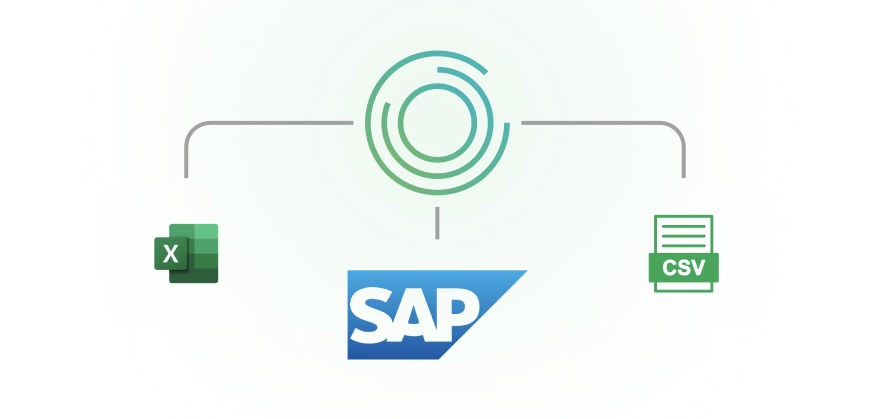
The fundamental problem it solves: SAP PM excels at financial tracking and master data management but struggles with mobile usability and technician adoption. SAP-integrated CMMS platforms give maintenance teams intuitive mobile apps for daily execution. SAP maintains the authoritative record for costs, inventory management, and asset hierarchies. Technicians get user-friendly tools, and finance gets accurate operational data.
Timing matters in 2026 because SAP S/4HANA migration deadlines push companies to modernize their maintenance processes simultaneously. Forward-thinking organizations don’t replicate old SAP PM workflows in the new system. They integrate modern SAP-integrated CMMS platforms. These platforms transform how frontline teams execute maintenance work.
The Hybrid Approach: SAP for Finance, CMMS for Execution
Most organizations don’t replace SAP PM – they extend it. SAP remains the system of record for asset master data, cost accounting, and procurement workflows. The SAP-integrated CMMS becomes the system of action where technicians execute daily work.
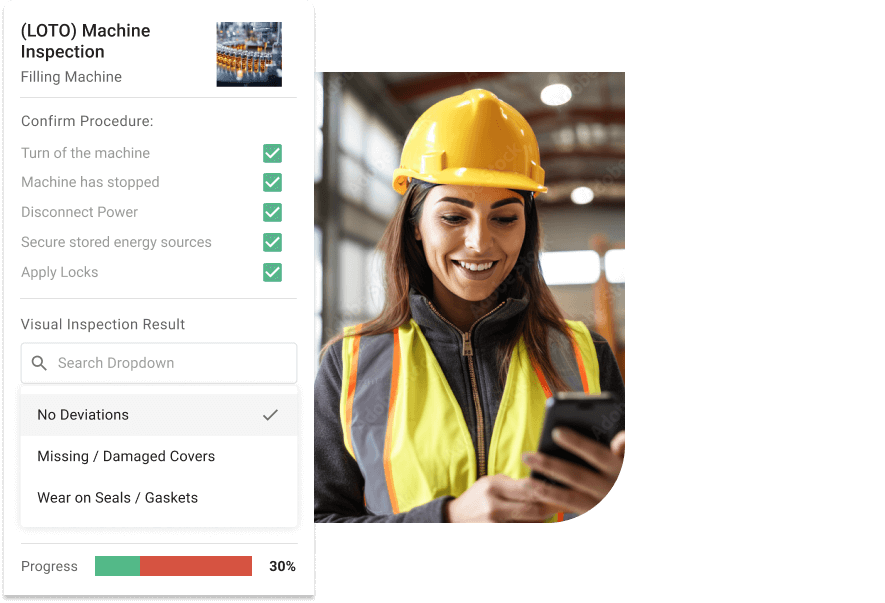
Here’s how data flows in practice:
- SAP PM generates preventive maintenance schedules based on asset hierarchies
- Mobile CMMS receives work orders and pushes them to technicians’ devices
- Technicians complete tasks, log parts usage, and upload photos—all offline if needed
- CMMS syncs completed work orders, labor hours, and material consumption back to SAP PM
- Finance sees real maintenance costs in SAP reports without manual data entry
Three Strategic Approaches to SAP Maintenance Integration
Before comparing individual solutions, understanding the fundamental architectural approaches helps frame your decision. SAP maintenance software falls into three distinct categories, each with different strategic implications for your organization’s long-term flexibility.
Approach 1: SAP Add-On (SAP-Dependent)
SAP add-ons enhance SAP PM usability and mobile access but cannot operate without active SAP licenses and infrastructure. These solutions run natively inside SAP systems, using SAP’s data structures and business logic directly. Strategic consideration: Choosing an SAP add-on locks you into SAP’s ecosystem permanently—migrating away from SAP PM requires replacing your entire maintenance management platform.
Players: Neptune, evora, SAP Fiori
Approach 2: Standalone CMMS with SAP Integration (API-Based)
Standalone CMMS platforms operate independently with API-based connections to SAP. SAP serves as the system of record for master data, while the CMMS handles maintenance operations execution. Integration typically happens through REST APIs or middleware platforms like MuleSoft. Strategic consideration: API integrations often break during SAP updates, requiring continuous development resources. Synchronizing transactional data (work orders, labor hours, material consumption) proves more complex than basic master data exchange.
Players: Fabrico, IBM Maximo, MaintainX
Approach 3: Hybrid Evolution Model (Certified + Standalone)
The hybrid approach combines deep SAP integration via SAP-certified connector with full standalone capability using the same platform. Organizations maintain tight SAP connectivity today while preserving the option to operate independently tomorrow—without replacing their maintenance software. This model provides maximum flexibility for S/4HANA migration, multi-ERP scenarios, or future technology strategy changes.
Players: osapiens HUB for Maintenance (exclusive to this approach)
Quick Comparison: Strategic Approaches
| Factor | SAP Add-On | Standalone + API | Hybrid Model |
|---|---|---|---|
| Operates without SAP | ✗ No | ✓ Yes | ✓ Yes |
| SAP Integration Depth | Native | API-based | SAP-certified |
| Future ERP Flexibility | ✗ Locked to SAP | ✓ Independent | ✓ Independent |
| Integration Maintenance | SAP-managed | High | Low |
| Best For | SAP-committed orgs | SAP-light environments | Strategic flexibility |
Best SAP-Integrated Maintenance Software: Detailed Comparison
Finding the right SAP-integrated maintenance software requires understanding integration depth, mobile capabilities, and total cost of ownership – not just features lists.
osapiens HUB for Maintenance: Best All-Round SAP-Integrated CMMS with Freemium Access
osapiens HUB for Maintenance delivers the rare combination of deep SAP integration with standalone CMMS strength. The platform operates independently as a comprehensive maintenance management system or integrates seamlessly via SAP-certified connector – giving you optimization today without locking you into a single ERP strategy tomorrow. Built on Mobile-First architecture, osapiens prioritizes what actually drives results: technician adoption and real-world usability on the shop floor.
Unlike pure SAP add-ons that chain you permanently to SAP PM, osapiens HUB gives you strategic flexibility. Maintain tight SAP integration today, then migrate to standalone operations tomorrow if your ERP landscape evolves, without replacing your entire maintenance management platform.
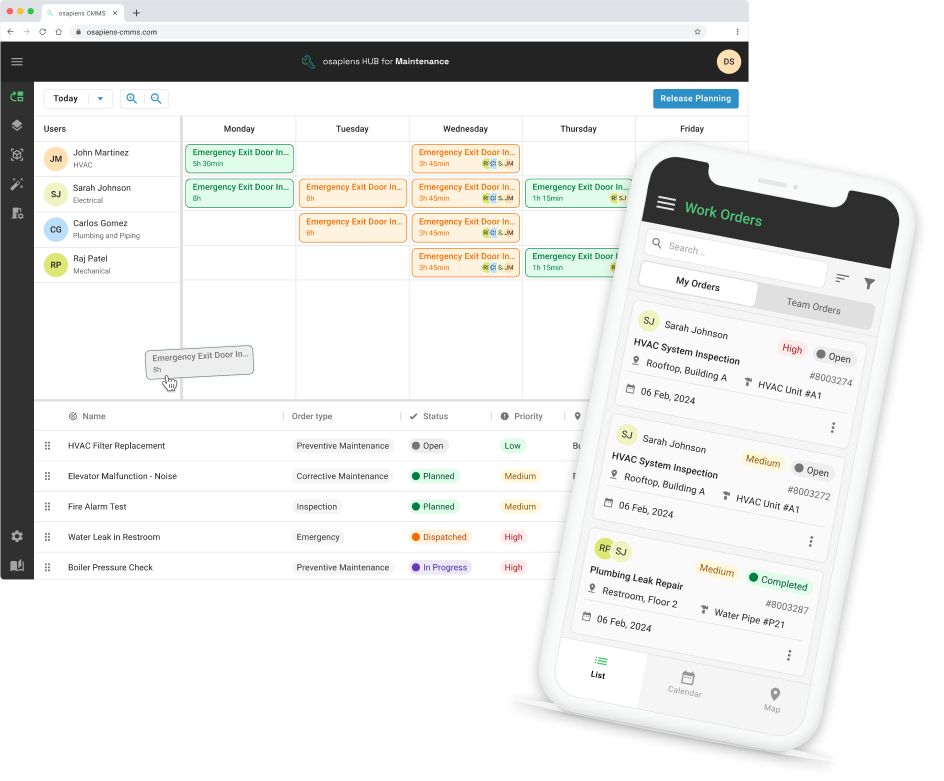
Key Strengths:
- SAP-certified integration: Bidirectional real-time sync for work orders, notifications, master data, and inventory movements ensures SAP systems remain the single source of truth while technicians work in intuitive interfaces.
- True offline functionality: Maintenance teams complete work requests, document repairs with photos, and update spare parts consumption without connectivity. Data syncs automatically when online, eliminating disruption in basements or remote assets.
- Comprehensive feature set: Asset management, preventive maintenance scheduling, inventory management, planning board with drag-and-drop, and smart forms – all unified in one platform instead of fragmented add-ons.
- Rapid deployment: Weeks instead of months for implementation, with freemium onboarding allowing smaller teams to start immediately and scale as maintenance processes mature.
- European data sovereignty: ISO 27001 certified with GDPR-compliant hosting in Germany and France – critical for organizations with privacy requirements or concerns about US-based vendors.
- Proven at scale: Coca-Cola North America manages 35 plants with 1,500 users, while Nordex optimizes wind energy operations, demonstrating enterprise reliability across industries.
Best For:
- SAP PM/S/4HANA users seeking mobile-first extension
- Manufacturing, energy & utilities, pharmaceutical industries
- Multi-site enterprises (50+ assets, 10+ technicians)
- European organizations requiring GDPR-compliant hosting
- Companies planning ERP migration or modernization
Pricing: Free plan available; then 29–49 € per user and month (SAP integration part of enterprise plan)
Bridge the Gap Between SAP PM and Shop Floor Reality
osapiens HUB delivers SAP-certified integration with full bidirectional sync while maintaining standalone CMMS capability – optimize your SAP environment today without locking into a single ERP strategy tomorrow.
Start with SAP-integrated maintenance software
Fabrico: Best for OEE-Focused Manufacturing Operations
Fabrico is an agile layer approach to SAP integration, implementing a clear division of responsibilities: SAP handles finance and procurement as the “System of Record,” while Fabrico manages execution as the “System of Action”. This architectural separation allows maintenance teams to work in fast, intuitive interfaces while preserving SAP’s role as the authoritative source for master data and financial tracking.
The platform connects via API-based integration, pulling master data from SAP systems down to the shop floor and pushing labor hours, material consumption, and operational data back to SAP for cost tracking. This bidirectional flow maintains data consistency without forcing technicians to navigate complex SAP interfaces during field execution.
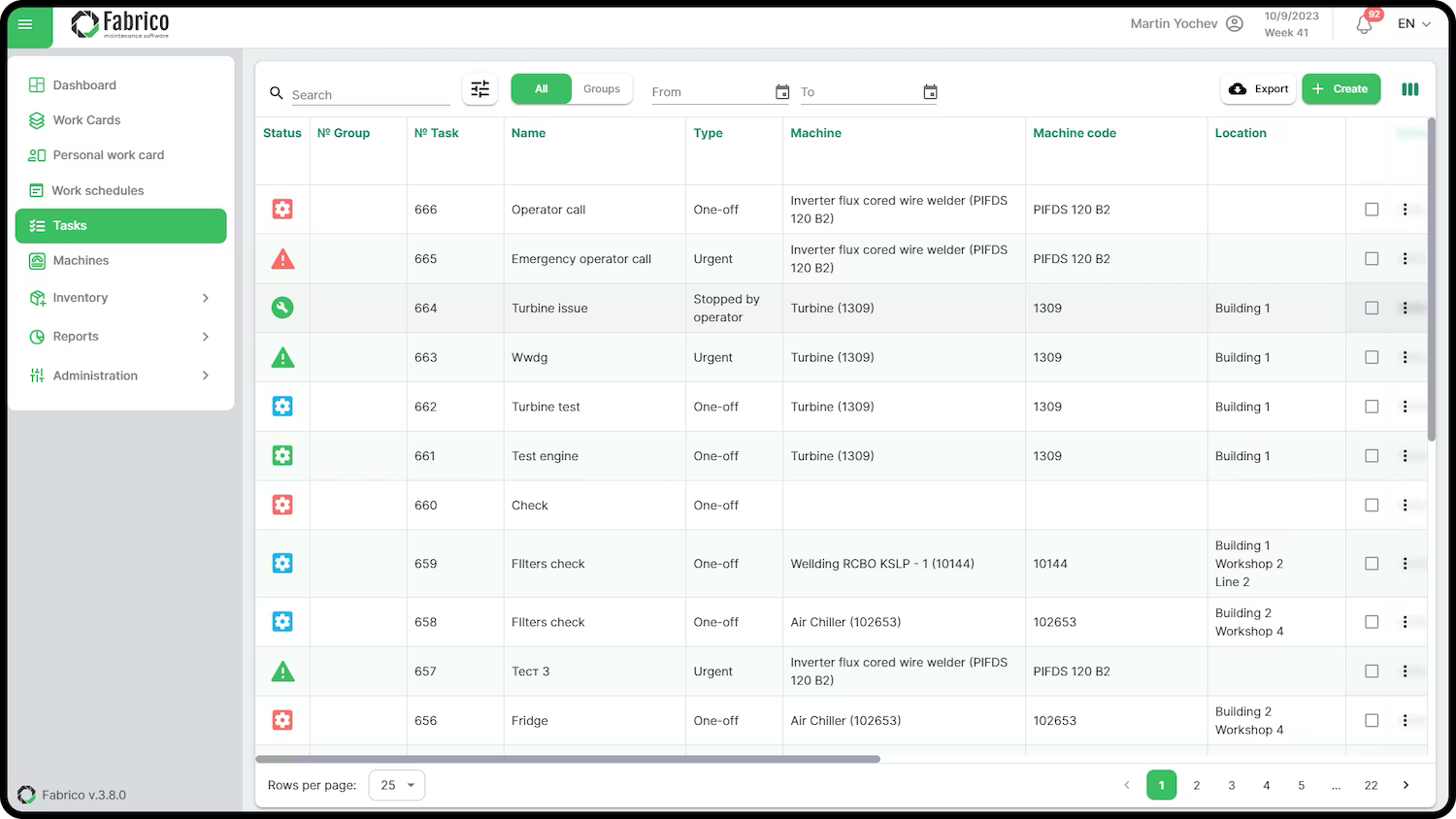
Key Strengths:
- Native OEE tracking integration: Links maintenance operations directly to machine performance metrics, correlating maintenance costs with equipment effectiveness for informed preventive maintenance investments and asset reliability decisions.
- Full offline functionality: Technicians execute routine tasks without connectivity, with automatic synchronization when online, eliminating disruption in production environments.
- Rapid API deployment: Standard API integration enables weeks-to-live implementation instead of multi-year SAP project cycles typical of traditional solutions.
- Bidirectional data flow: Real-time sync of work orders, labor hours, material consumption, and operational data maintains SAP as single source of truth.
Limitation to note: API integration lacks the depth of SAP-certified connectors for complex custom workflows, potentially restricting functionality in heavily customized SAP environments.
Best For:
- Discrete and process manufacturers with existing SAP ECC or S/4HANA
- Organizations prioritizing OEE visibility alongside maintenance execution
- Companies with standard SAP configurations (not heavily customized)
- Mid-market manufacturers (100–500 employees) seeking agile implementation
Pricing: Upon request
Neptune: Best for Custom SAP Maintenance Applications
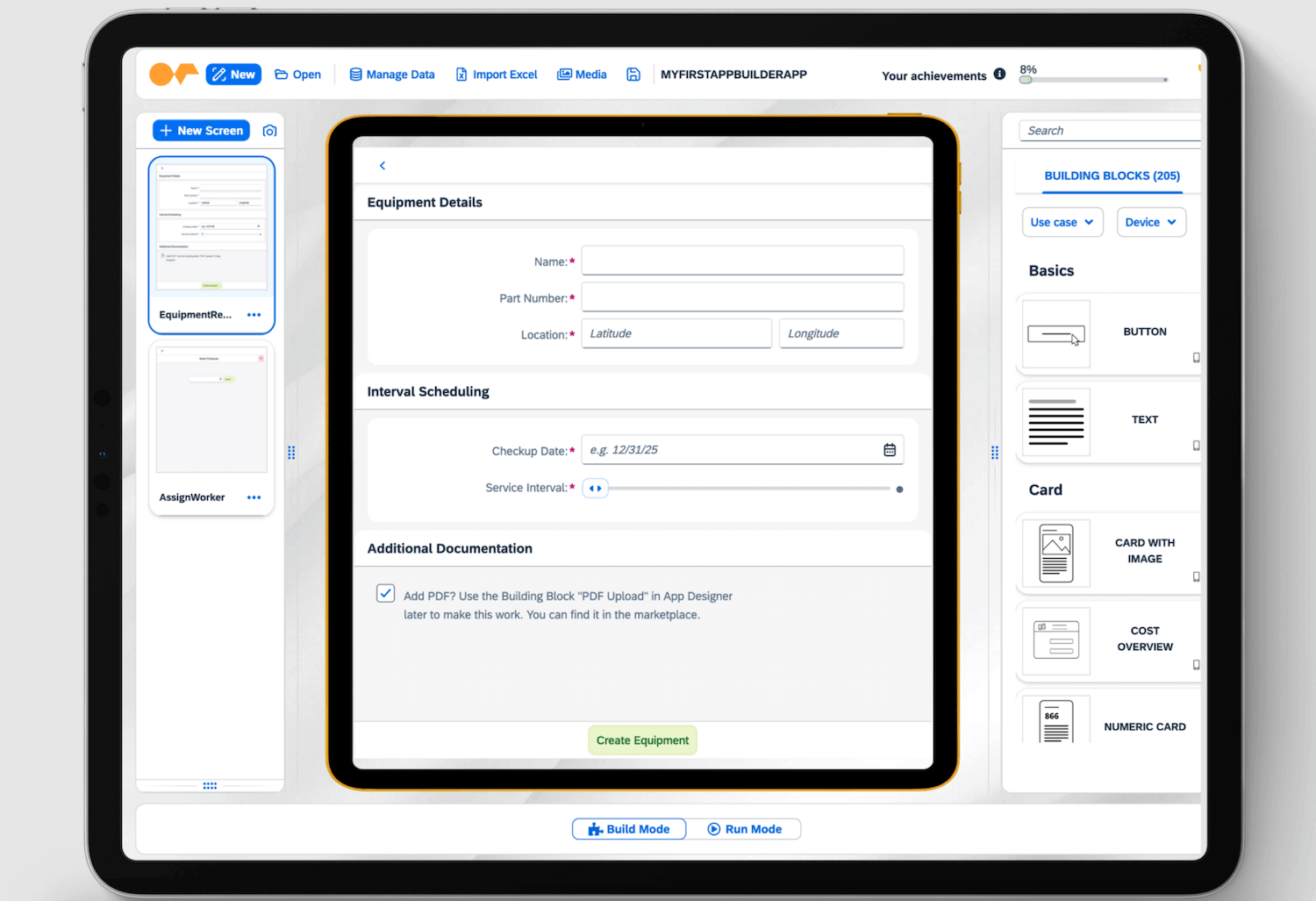
Neptune Software delivers a low-code development platform (DXP) for building custom SAP maintenance apps, fundamentally different from ready-to-use CMMS solutions. Rather than providing finished maintenance software, Neptune gives you the tools to create exactly the applications your unique processes demand.
The platform runs natively inside SAP systems (both ECC and S/4HANA), leveraging existing ABAP logic, authorizations, and master data structures without requiring middleware layers. This native integration means custom apps inherit SAP’s security model and access internal data structures that external tools cannot reach through standard APIs.
Key Strengths:
- Native SAP integration: Runs directly inside SAP systems without middleware, accessing internal data structures and ABAP logic that external CMMS platforms cannot reach.
- Unlimited customization flexibility: Build precisely what frontline teams need. Industry-specific workflows, specialized checklists, or complex approval processes that standard CMMS platforms struggle to accommodate.
- SAP security inheritance: Custom apps automatically adopt existing SAP authorizations, roles, and security models without additional configuration.
- Low-code development speed: Visual development tools accelerate custom app creation compared to traditional ABAP programming.
- Multi-SAP module integration: Connect maintenance workflows with MM, PM, QM, and other SAP modules seamlessly through native data access.
Limitation to note: Neptune requires internal developers or certified partners to build and maintain applications over time. You purchase a toolkit requiring ongoing development resources, not a finished product ready for immediate deployment. Factor significant initial investment in development time plus ongoing maintenance burden as SAP systems evolve into total ownership calculations.
Best For:
- Large enterprises with dedicated IT development teams (5+ ABAP/low-code developers)
- Organizations with highly specialized, industry-specific maintenance workflows
- Heavily customized SAP environments where standard CMMS solutions cannot adapt
- IT departments prioritizing control and customization over rapid deployment
Pricing: Upon request
evora: Best for SAP PM-Committed Organizations
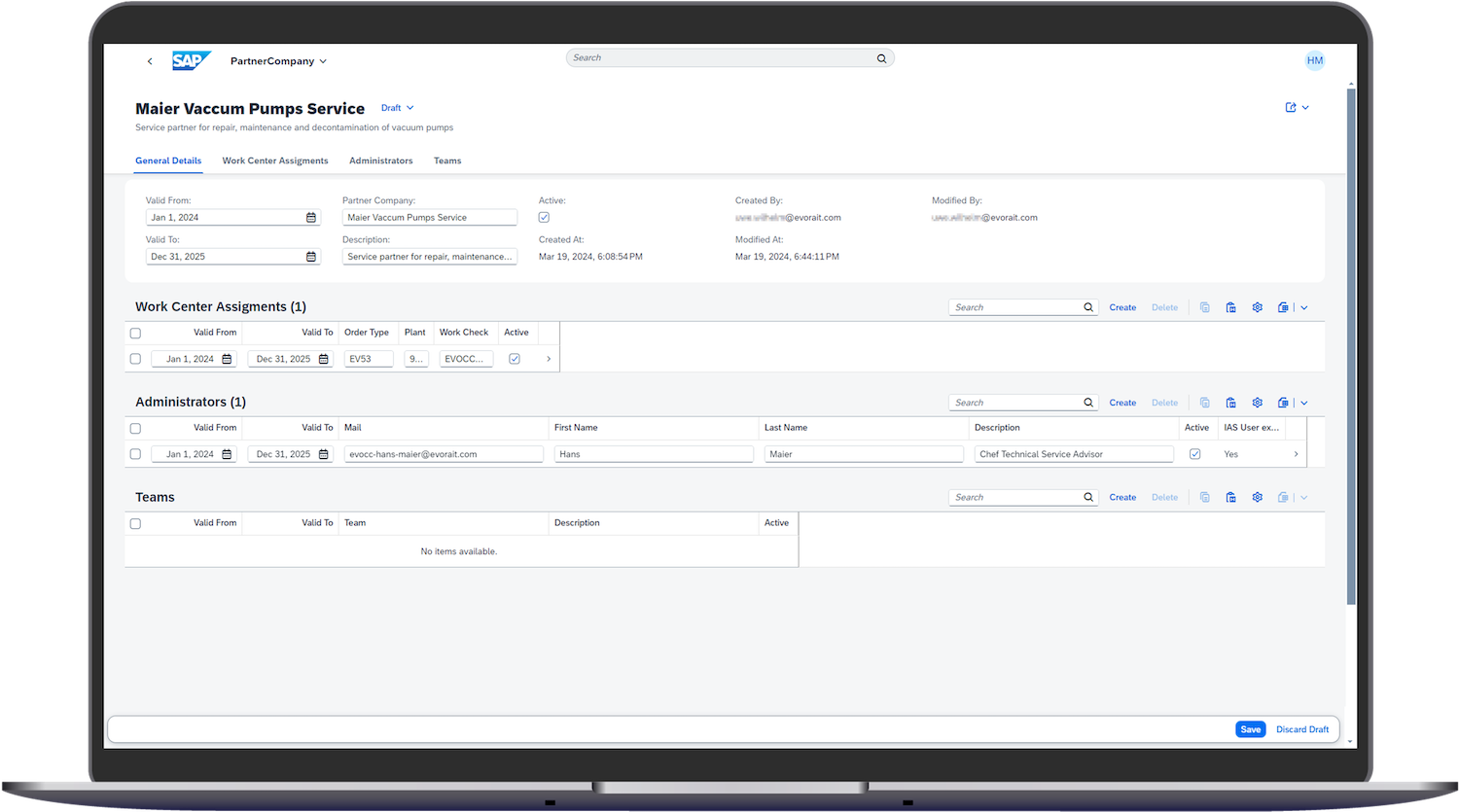
evora functions as a pure SAP PM mobile extension with strong presence in German-speaking markets, focusing exclusively on mobilizing existing SAP processes rather than replacing or reimagining SAP PM. The solution preserves your current SAP PM configuration while adding mobile accessibility for maintenance teams, making it ideal for organizations committed long-term to SAP’s ecosystem.
Built on Fiori/SAPUI5 technology, evora’s apps mirror SAP PM workflows on mobile devices, allowing technicians to execute work orders, document repairs, and update asset data from smartphones and tablets. The interface maintains SAP’s logic and data structures while presenting them in formats optimized for touchscreens and field execution.
Key Strengths:
- Deep SAP PM specialization: Years of focused SAP expertise ensure compatibility with complex custom SAP PM configurations that organizations have invested heavily in developing.
- Fiori/SAPUI5 native architecture: Built on SAP’s own mobile technology stack, guaranteeing seamless integration and future compatibility with SAP roadmap updates.
- EvoPlan scheduling capabilities: Sophisticated planning and backlog management tools optimize resource allocation and maintenance scheduling beyond standard SAP PM functionality.
- SAP-aligned updates: Platform evolution follows SAP’s release cycles and strategic direction, reducing upgrade conflicts.
Limitation to note: evora cannot operate standalone and requires active SAP PM licenses and infrastructure. If your organization later decides to move away from SAP systems, evora provides no migration path. You would need to replace your entire maintenance management platform.
Best For:
- Companies deeply committed to SAP PM with no plans to evaluate alternative maintenance approaches
- Organizations with heavily customized SAP PM configurations requiring mobile extension
- Enterprises prioritizing SAP ecosystem alignment over standalone flexibility
Pricing: Upon request
IBM Maximo: Best for Complex Asset-Intensive Enterprises
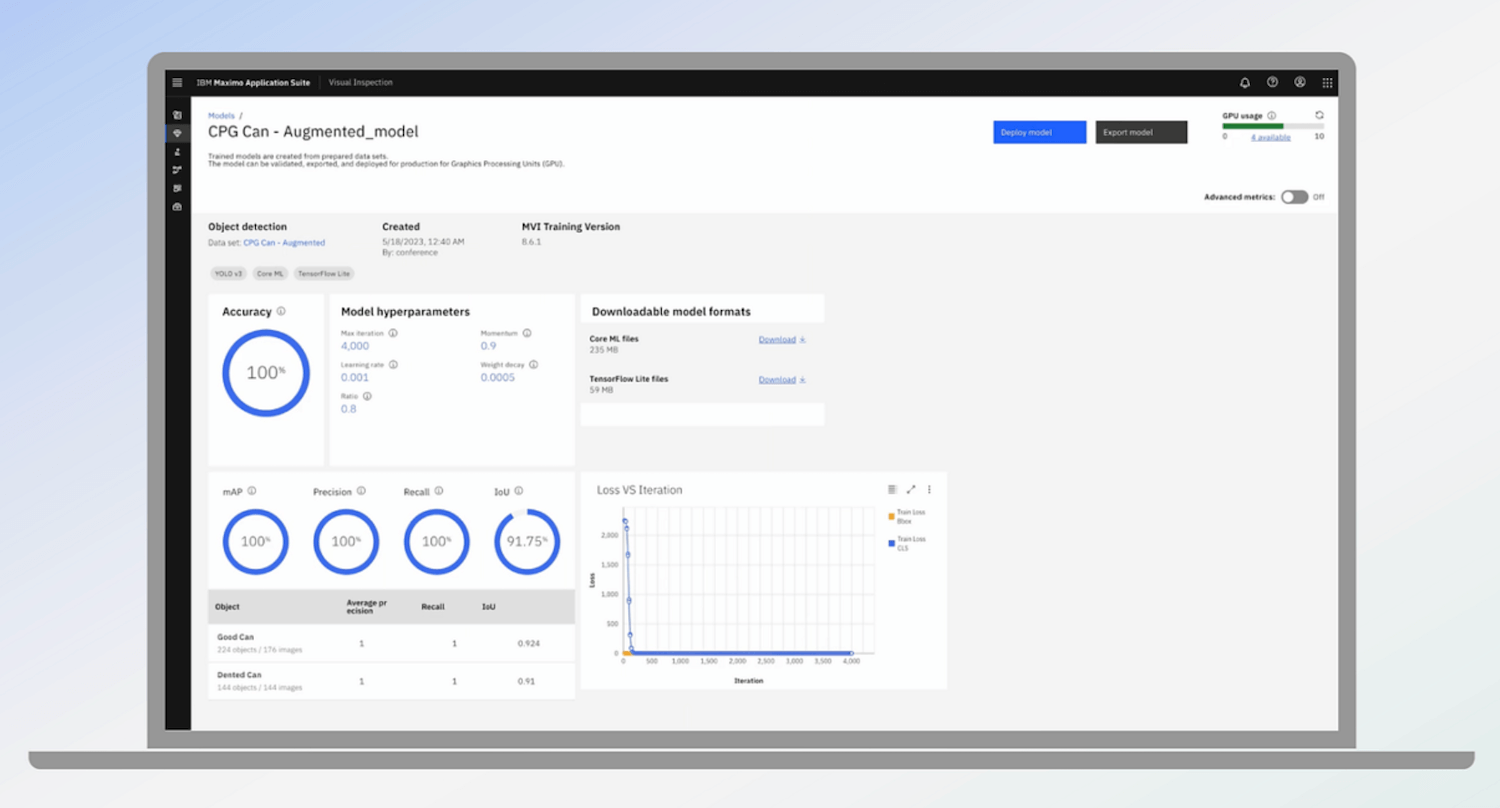
IBM Maximo represents a comprehensive Enterprise Asset Management system that can integrate with SAP or replace SAP PM entirely, positioning it differently from pure SAP add-ons. Rather than simply extending SAP’s capabilities, Maximo offers a complete alternative for organizations reconsidering their maintenance management architecture or managing extremely complex asset portfolios across utilities, oil & gas, or heavy manufacturing.
Key Strengths:
- Complete EAM platform: Comprehensive asset lifecycle management from procurement through disposal, functioning as SAP PM replacement or integration partner depending on organizational strategy.
- Sophisticated reliability engineering: Advanced failure analysis, root cause investigation tools, and reliability-centered maintenance (RCM) capabilities exceed standard CMMS functionality.
- Maximo Mobile with full offline capability: Field technicians execute complex tasks, access technical documentation, capture photos and signatures, and update equipment data without connectivity.
- Heavy industry specialization: Purpose-built workflows for utilities, oil & gas, transportation, and facilities management with industry-specific compliance and safety features.
- Middleware-based SAP integration: Flexible enterprise service bus connections allow bidirectional data exchange while maintaining architectural separation between systems.
Limitation to note: Implementation involves 6–18 month projects with significant consulting costs and complex customization requirements. Organizations should budget for substantial change management efforts as maintenance teams transition to Maximo’s comprehensive framework.
Best For:
- Utilities, oil & gas, mining, transportation, and heavy manufacturing with critical asset portfolios
- Asset-intensive enterprises where equipment reliability directly determines business outcomes
- Companies requiring sophisticated reliability engineering and failure analysis capabilities
- Large enterprises with dedicated IT teams (10+ staff) to support ongoing platform optimization
- Organizations ready for multi-year EAM transformation investment
Pricing: 3.500 € per month and user
MaintainX
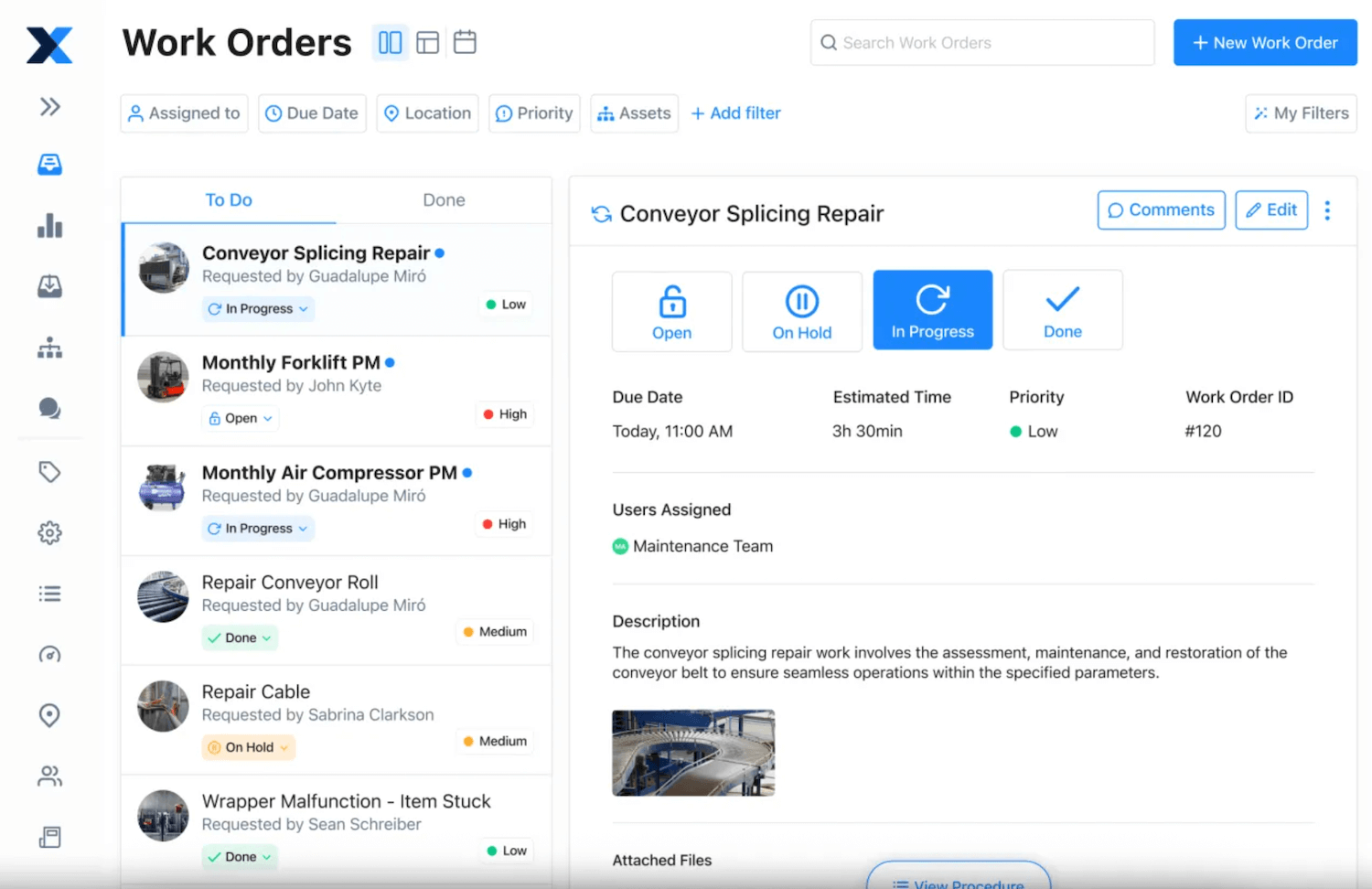
MaintainX positions itself as the user-friendly CMMS option with emphasis on rapid adoption and ease of use, offering basic SAP connectivity for organizations seeking quick wins without complex integration projects. The platform’s modern, mobile-first architecture prioritizes intuitive interfaces that frontline teams can master within minutes rather than weeks, making it particularly attractive for smaller facilities or divisions within larger SAP organizations.
Key Strengths:
- Freemium accessibility: Free tier for up to 10 users allows risk-free evaluation and immediate value for small maintenance teams.
- Mobile-first design: Purpose-built for smartphones and tablets with photo capture, barcode scanning, and offline work order management optimized for field execution.
- Low-code workflow builder: Customize forms, checklists, and approval processes without technical resources. Maintenance managers configure directly.
- REST API integration: Basic SAP connectivity enables work order synchronization, asset data exchange, and completion posting back to SAP for cost tracking.
Limitation to note: Integration depth remains limited compared to SAP-certified connectors, lacking real-time bidirectional sync for complex master data structures or custom SAP fields. Organizations with heavily customized SAP PM configurations may find MaintainX’s integration capabilities insufficient for specialized workflows or advanced inventory management scenarios requiring deep SAP data access.
Best For:
- Small-to-medium enterprises (10–100 maintenance staff) with basic SAP integration needs
- Hospitality, retail, light manufacturing, and facility management operations
- Maintenance operations where SAP serves primarily for financial tracking (not operational execution)
Pricing: Free plan; then $20–65 per user and month
SAP Fiori: Best for SAP-Only Environments
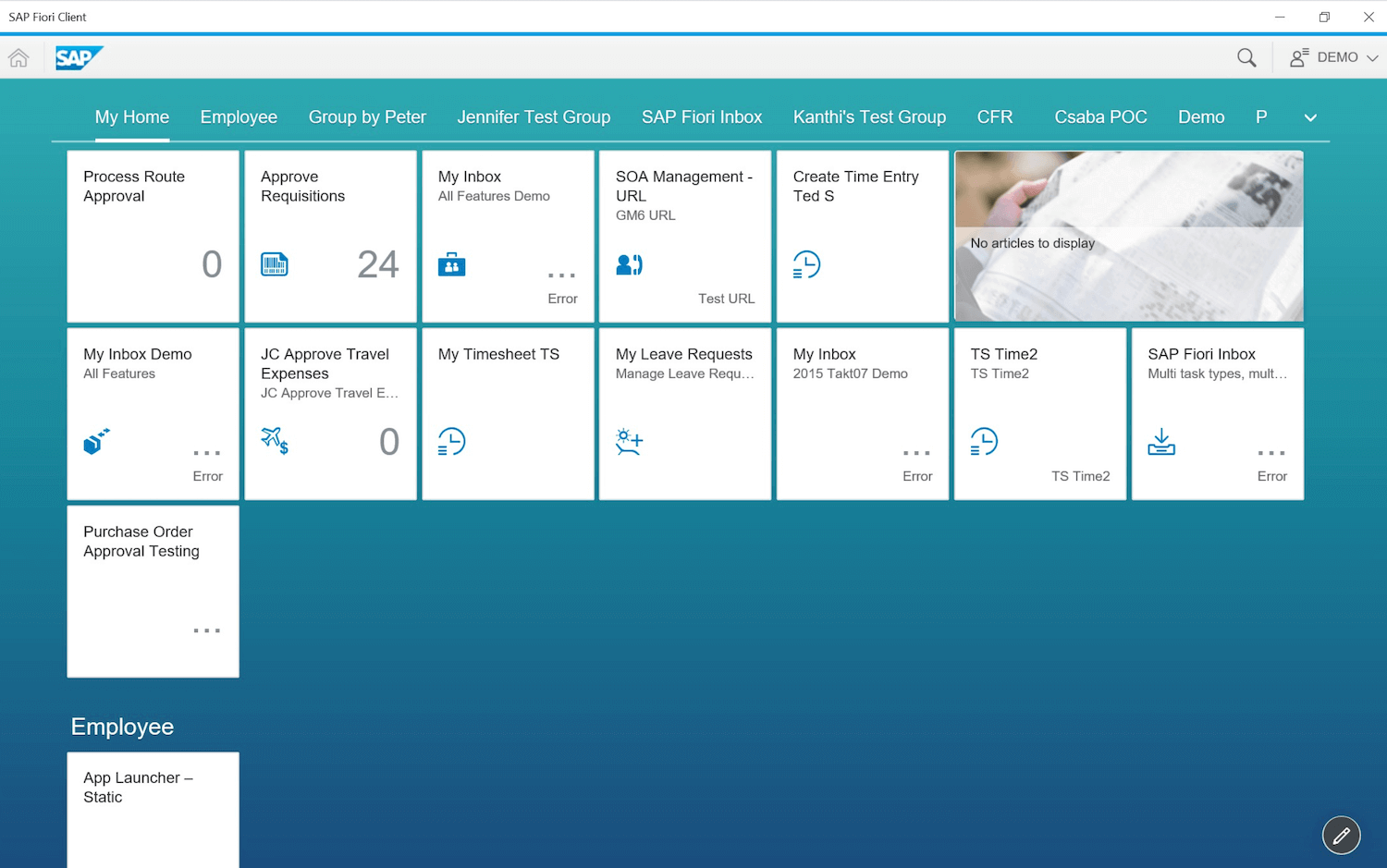
SAP Fiori represents SAP’s native attempt to modernize SAP PM interfaces through role-based apps, functioning not as a separate CMMS but as a UI layer over existing SAP PM functionality. Rather than replacing SAP’s complex backend, Fiori provides individual apps for discrete maintenance tasks, create notification, complete work order, view asset data, accessed through the Fiori Launchpad portal.
Key Strengths:
- Zero integration complexity: Runs natively within SAP systems using the same data structures, authorizations, and business logic as traditional SAP GUI. No middleware, no synchronization delays, no compatibility issues during SAP updates.
- Included with SAP license: No additional software licensing costs for organizations already invested in SAP S/4HANA or newer SAP ECC versions with Fiori activation.
- Enterprise security inheritance: Automatic adoption of existing SAP authorizations, roles, and audit trails without additional security configuration.
- SAP roadmap alignment: Platform evolution follows SAP’s strategic direction, ensuring long-term support and feature updates aligned with core SAP PM development.
Limitation to note: The fragmented user experience breaks workflow continuity as technicians jump between apps. Many advanced SAP PM capabilities remain inaccessible through Fiori, forcing users back to traditional SAP GUI for complex tasks. Configuration overhead multiplies with separate app tiles per user role. Limited offline capabilities create problems in areas with poor connectivity.
Best For:
- Organizations with strict SAP-only mandates prohibiting third-party maintenance software
- Enterprises seeking incremental SAP PM usability improvements without additional software costs
- IT departments with limited budget for third-party CMMS tools
- SAP purists prioritizing ecosystem consistency over best-of-breed functionality
Pricing: Upon request
| Solution | Integration Type | Standalone Capable | Mobile-First | Best For |
|---|---|---|---|---|
| osapiens HUB | SAP-Certified | Yes | Yes | Flexible SAP integration + future-proof |
| Fabrico | API | Yes | Yes | OEE-focused manufacturers |
| Neptune | Native SAP | No | Custom | Custom app development |
| evora | SAP Add-on | No | Yes | SAP PM loyalists (DACH) |
| IBM Maximo | Middleware | Yes | Partial | Enterprise EAM replacement |
| MaintainX | API | Yes | Yes | SME quick wins |
| SAP Fiori | Native SAP | No | Partial | SAP-only mandates |
Key Features to Look For
Effective SAP-integrated maintenance software must deliver specific capabilities that bridge the gap between enterprise data management and frontline execution. The following features determine whether your investment drives measurable improvements in asset reliability and operational efficiency or simply adds another system technicians avoid using.
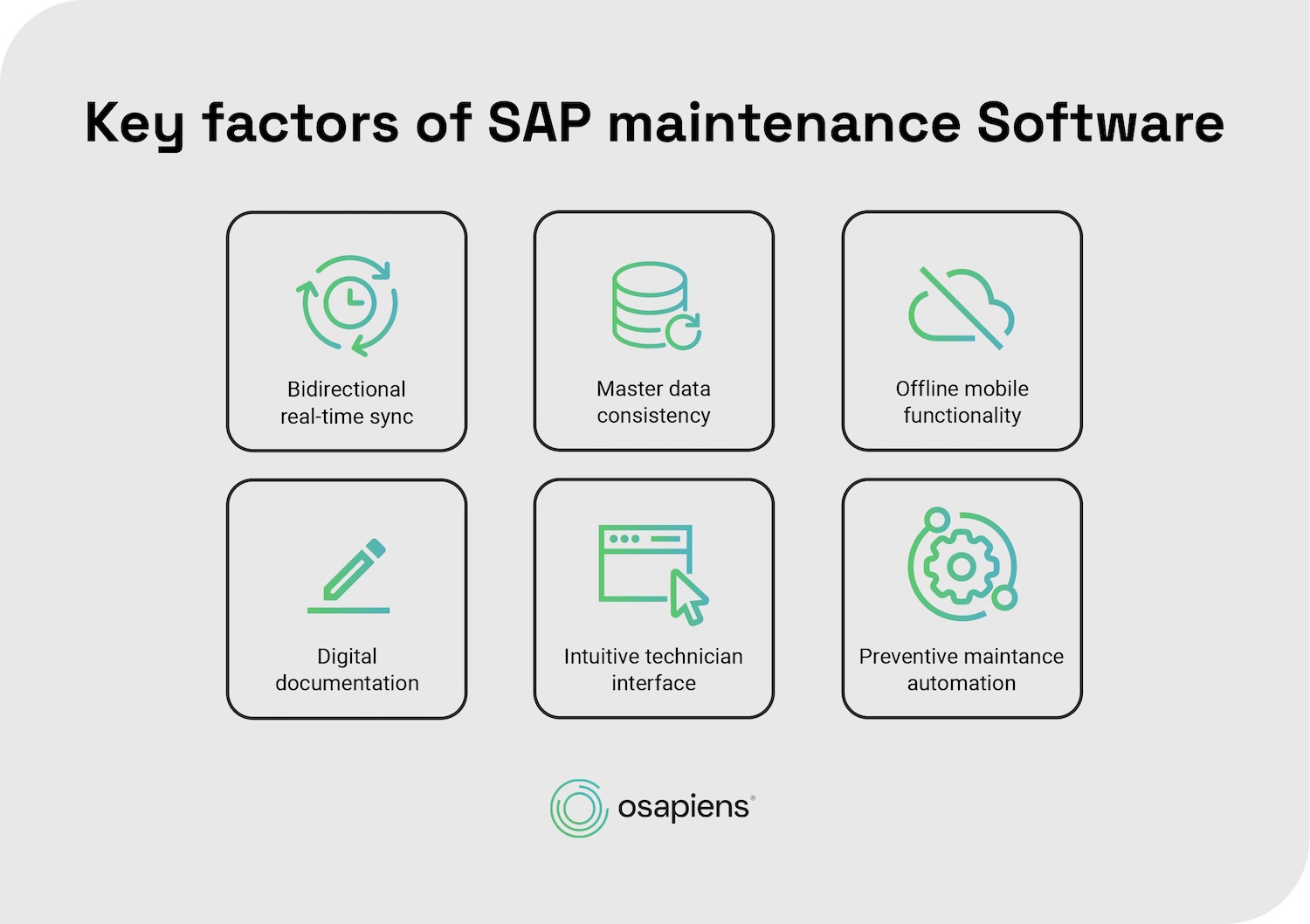
Bidirectional real-time sync
Changes flow instantly in both directions – work order updates, material consumption, cost postings – eliminating batch jobs or synchronization delays. When technicians mark spare parts consumed on mobile devices, SAP inventory levels update immediately, ensuring accurate stock data for procurement decisions and preventing the data lag that creates duplicate orders or stockouts.
Master data consistency
Assets, equipment hierarchies, cost centers, and materials synchronize automatically from SAP systems as the single source of truth. This prevents the master data fragmentation that occurs when maintenance teams maintain separate asset lists in spreadsheets or disconnected tools, ensuring financial reporting aligns with physical assets and maintenance operations reference accurate equipment specifications.
Offline mobile functionality
Technicians complete maintenance work without connectivity requirements, with data syncing automatically when online. This is essential for basements, remote sites, and production floors where network availability remains inconsistent. Offline capability prevents workflow disruption and ensures documentation happens at the point of service rather than hours later when technicians return to offices with Wi-Fi access.
Digital documentation
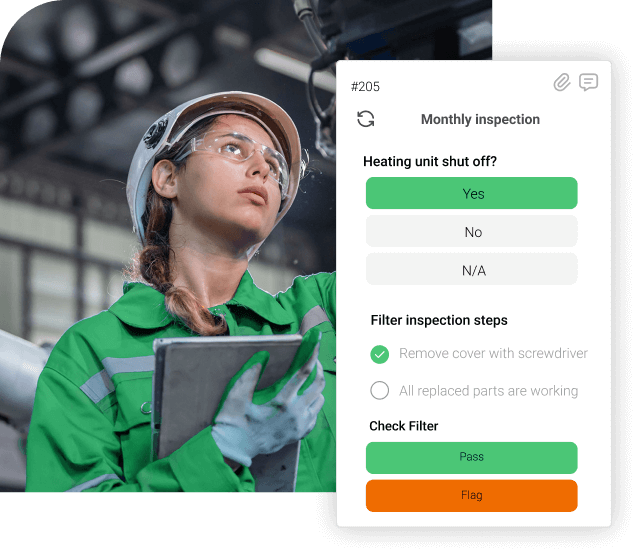
Photos, videos, signatures, and sensor readings get captured directly in work orders rather than emailed separately or lost on paper. This integrated documentation improves compliance tracking, enables better root cause analysis for recurring failures, and provides visual evidence for warranty claims or regulatory inspections – all linked to specific assets and maintenance events in SAP systems.
Intuitive technician interface
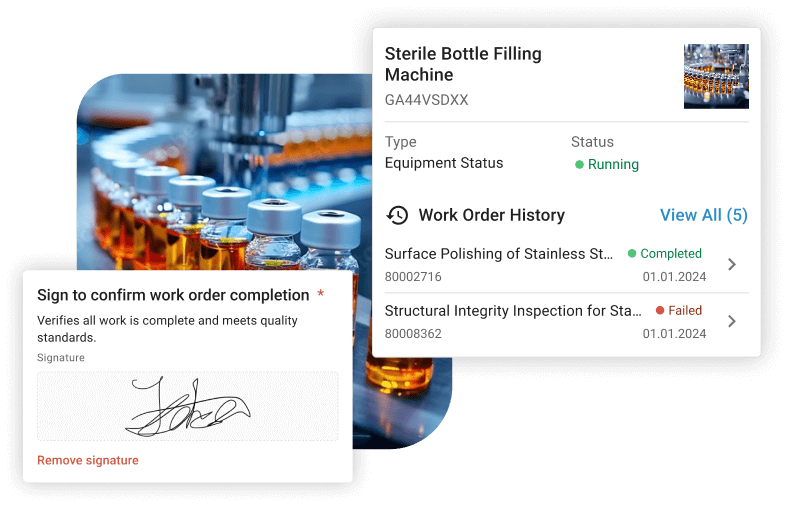
Mobile apps require minutes to learn instead of weeks of training. Complex interfaces that replicate SAP GUI’s transaction-based logic on smartphones fail in practice because frontline teams simply stop using them, reverting to paper checklists and manual data entry that undermine your entire digital maintenance strategy.
Preventive maintenance automation
Time-based and condition-based plans generate work orders automatically, integrated with SAP cost tracking and resource scheduling. Automated scheduling ensures preventive tasks happen on time, reduces unplanned downtime from neglected maintenance, and provides accurate cost forecasting by linking planned maintenance activities to SAP budgeting and procurement processes.
Find Your Best SAP-Integrated Maintenance Software
The “best” SAP maintenance software depends less on feature counts and more on strategic fit: integration depth matching your SAP commitment, mobile UX driving technician adoption, and deployment speed aligning with business urgency. Organizations that prioritize vendor presentations over actual workflow testing often implement systems that look impressive in demos but fail on the shop floor where maintenance work happens.
Solutions like osapiens that combine SAP-certified integration with standalone CMMS capabilities offer the rare advantage of optimizing today’s SAP environment while preserving tomorrow’s strategic flexibility. This dual capability matters because business strategies evolve, ERP landscapes change, and maintenance teams need tools that adapt rather than lock you into rigid technology dependencies that become liabilities during digital transformation.
Ready for SAP-integrated Maintenance Software?
SAP PM excels at financial tracking but struggles with mobile usability and technician adoption. osapiens HUB solves this with SAP-certified integration that keeps your ERP as the system of record while giving technicians mobile-first tools they'll actually use.
Start with osapiens
FAQ
What is the best maintenance management software?
The best maintenance management software balances robust functionality with user adoption. For SAP environments, osapiens HUB for Maintenance leads with SAP-certified integration, mobile-first design, and standalone flexibility. Solutions should offer real-time sync, offline capabilities, preventive maintenance automation, and intuitive interfaces technicians actually use.
Does SAP have a maintenance module?
Yes, SAP PM (Plant Maintenance) manages work orders, preventive maintenance, and asset data within SAP ERP and S/4HANA. However, SAP PM’s complex interface and limited mobile functionality drive many organizations to integrate modern CMMS solutions like osapiens that provide user-friendly front-ends while maintaining SAP as the financial backbone.
Which SAP software is best?
SAP S/4HANA represents SAP’s current-generation ERP platform, replacing older ECC systems by 2027. For maintenance specifically, SAP PM within S/4HANA handles core functions, but most organizations enhance it with specialized CMMS tools. The “best” SAP software depends on your industry, operational complexity, and whether you prioritize native SAP functionality or integrated best-of-breed solutions.
Does SAP have CMMS?
SAP PM functions as a CMMS within the broader SAP ecosystem, managing maintenance operations, assets, and work orders. However, it lacks modern CMMS features like intuitive mobile apps, offline functionality, and user-friendly interfaces. Most SAP users integrate dedicated CMMS platforms like osapiens to gain mobile capabilities and technician-friendly tools while preserving SAP’s master data and financial integration.
Start using osapiens for free
Improve your uptime, extend the life of your equipment, and simplify work order management.
Book a demo
ENTERPRISE CAPABILITIES
- SAP ECC & S/4HANA Certified
- Infor & MS Dynamics
- Microsoft Entra ID / Okta
- ISO 27001 & 9001
- EU Cloud · Data Sovereignty
- Development, Test, and Production Environments
- Multi-Entity & Multi-Site
- Power BI Integration
- Audit Trail & Compliance
Related content

May 23, 2025
Whitepaper: How to Build a Strong Business Case for a CMMS

January 1, 2026
Baghouse Maintenance Checklist: What to Inspect, When, and How to Go Digital
January 1, 2026
Circuit Breaker Maintenance Checklist – Tasks, Tips & Template
January 9, 2026
Work Order Software: How Modern Solutions Transform Maintenance Operations
January 1, 2026
Arc Welding Machine Preventive Maintenance Checklist – Tasks, Safety & Digital Execution
January 1, 2026
Air Compressor Maintenance Checklist – Tasks, Tips & Template
February 26, 2026
CMMS Migration Made Simple: How to Switch Maintenance Software Without Data Loss
May 20, 2026
SAP IS-U vs. SAP PM: What Utilities Really Need for Maintenance Management

June 25, 2025
How Utilities Can Modernize Workforce and Asset Management and Drive Efficiency
January 1, 2026
Warehouse Maintenance Checklist – Tasks, Systems & Digital Execution
January 1, 2026
Fleet Maintenance Checklist – Tasks, Tips & Template
January 1, 2026