

Blog

Florian Bartholomäus, osapiens Expert | 1. September 2026 | Lesezeit 10 min.
Your CMMS already tracks work orders and asset history, but the question how do we add AI usually stalls at vague vendor promises rather than a real plan. Without clean asset records and structured sensor data feeding it, an AI layer has no real material to learn from, and the investment stalls before it starts. osapiens HUB for Maintenance connects that data, from SAP PM master data through to meter readings, so AI-supported workflows have something to work with from day one.
Discuss Your Data Readiness













TRUSTED BY LEADING COMPANIES




ENTERPRISE-READY
 SAP Certification
 ISO 27001
 EU Hosting
 Entra ID & Okta
 Multi-Entity
Table of Contents
- Key Takeaways
- That’s Why “Which AI Feature Should I Buy” Is the Wrong First Question
- AI-Powered Predictive Maintenance: What It Actually Looks Like in a CMMS Today
- Three Concrete Examples of Condition-Based Triggers
- AI Supports the Technician, It Doesn’t Replace the Decision
- Bringing AI Into an Already-Established CMMS With osapiens HUB
- Predictive Maintenance in osapiens HUB for Maintenance: Why Data Comes Before AI
- FAQ
Your maintenance team already runs a CMMS. Work orders get logged, asset histories build up, technicians log their hours. Then a plant manager asks: what are we doing about AI? The honest answer is often silence, because most teams have no clear idea what AI-powered predictive maintenance would change in their daily process, or what their existing system needs to supply for it to work. AI-powered predictive maintenance in your CMMS is not a distant project. It is available today, but only once your existing maintenance data is structured enough to use.
Key Takeaways
-
AI-driven predictive maintenance is available now: its value depends on your CMMS’s data quality, not on which AI feature you buy.
-
Most maintenance organizations are still early in their digital journey: the AI layer has less usable data to work with than many teams assume.
-
AI in maintenance today mostly automates workflows and supports decisions: it does not yet make decisions on its own.
-
osapiens HUB for Maintenance connects SAP-fed asset and sensor data: the result is concrete AI-supported workflows, including condition-based work orders triggered from meter readings.
That’s Why “Which AI Feature Should I Buy” Is the Wrong First Question
Every CMMS vendor now sells some version of an AI feature. Predictive alerts, smart prioritization, automated forecasting, the language changes but the pitch stays the same: buy this, and your maintenance gets smarter. In practice, much of what gets sold under that label is a chatbot layered on top of the existing system: a conversational interface that answers questions about your data, with limited or no autonomous agent capability and little of the actual predictive analytics the marketing promises. That framing skips the actual constraint. AI does not create insight out of nothing. It finds patterns in data that already exists, structured, consistent, and connected to the assets it describes. If that data is not there, the AI feature has nothing to learn from.
According to FMJ, 92% of European companies say they are confident in the impact of digital maintenance tools, yet the same survey found they are struggling to make progress in their digitalization to drive a return on investment. Buying an AI feature does not close that gap. Fixing the data underneath it does.
The Real Gate: Is Your CMMS’s Data Actually Ready for AI?
The prerequisite for AI-powered predictive maintenance is not the AI itself, it is a clean asset history and structured sensor data your CMMS can actually feed into a model. Without both, an AI tool has no material to work with, no matter how advanced its algorithm is.
osapiens and Fraunhofer IML developed a Maintenance Maturity Index to track exactly this. According to FMJ‘s coverage of the underlying survey, 35% of European maintenance organizations sit at Stage 2 of that index, having digitized only the basics, another 25% have reached Stage 3 with structured systems such as a CMMS or ERP module, and a quarter remain at the lowest, reactive stage. Only 15% have progressed further, 10% integrating maintenance into production planning and just 5% operating a fully predictive system.
Being ready for AI means three things in practice:
-
asset records consistent across sites
-
work order history in one structured system rather than split across Excel and paper, and
-
sensor or meter data flowing into the CMMS itself.
See How AI-Ready Your Maintenance Data Really Is
Most maintenance teams are closer to "structured but disconnected" than they think. A short review is often enough to see exactly where your own asset and sensor data stands today.
Check Your Data Readiness
AI-Powered Predictive Maintenance: What It Actually Looks Like in a CMMS Today
Strip away the marketing language, and AI-powered predictive maintenance in a modern CMMS does a handful of concrete things:
-
it forecasts likely failures from historical and sensor data
-
flags anomalies before they become breakdowns
-
helps rank work orders by urgency, and forecasts which spare parts will run low.
None of this is autonomous decision-making. It is pattern recognition applied to data a person still reviews and acts on.
Most established CMMS users already run a simpler version of this: condition-based maintenance. A meter or sensor reading crosses a defined threshold, and the system triggers an action instead of waiting for a fixed calendar interval. AI builds on exactly this foundation. It does not replace condition-based triggers, it adds pattern recognition on top of the same underlying data once enough history has accumulated.
SAP as the Data Pipeline for AI-Ready Maintenance
For SAP-using enterprises, the practical path to AI-ready data is rarely a brand-new sensor network. It is SAP PM master data and transactional history flowing into the CMMS, instead of technicians entering the same information twice in two systems. That structured pipeline is what makes AI-powered predictive maintenance credible for a company already running SAP PM, and it is exactly what most competing CMMS platforms leave unaddressed.
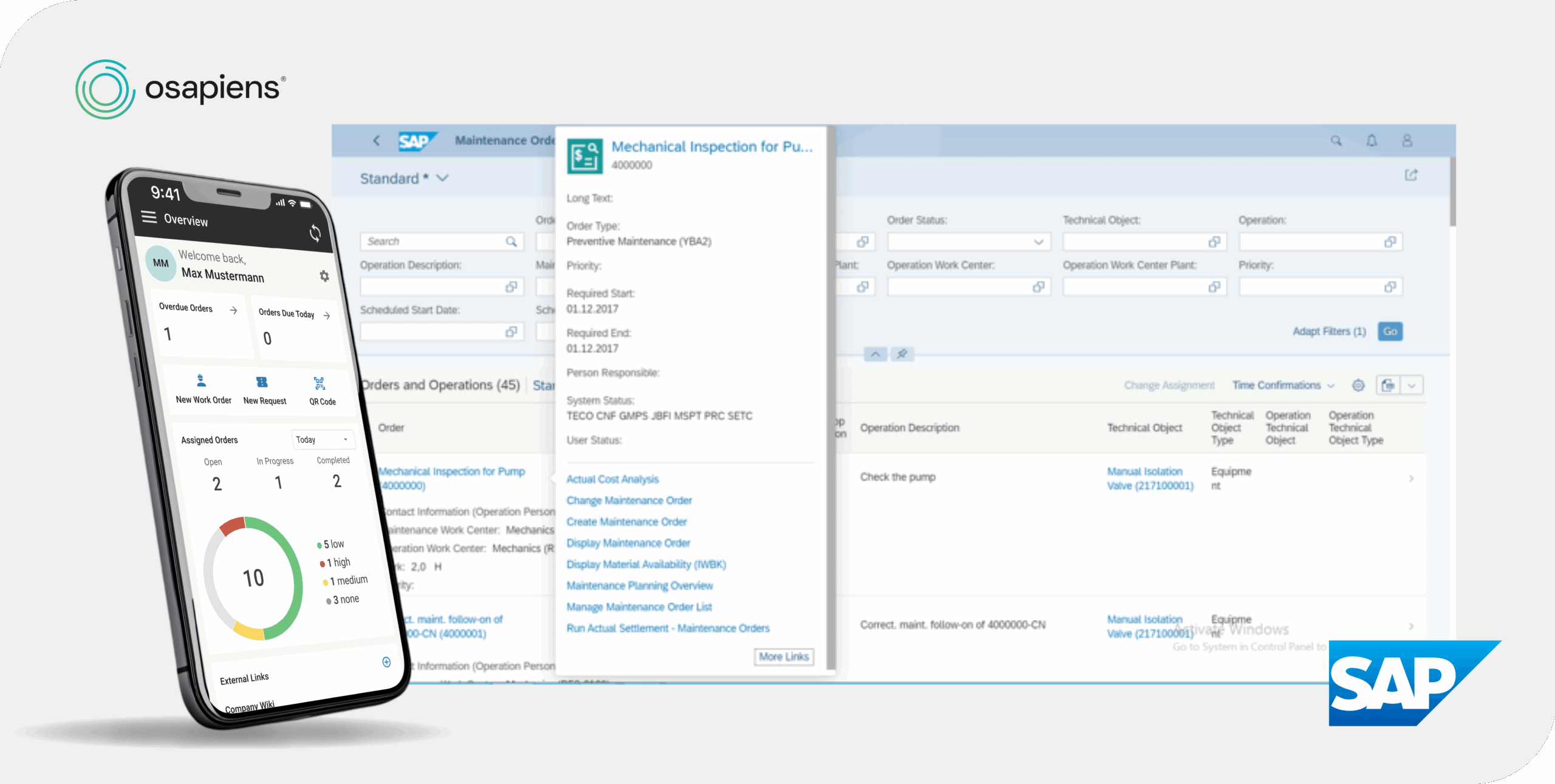
osapiens HUB for Maintenance is built around this SAP PM integration, and the connection works both ways: enterprises with SAP can feed structured asset and work order data straight into the HUB, while companies without SAP still run the platform standalone. The SAP layer is a data pipeline you can plug into later, not a prerequisite to get started.
Three Concrete Examples of Condition-Based Triggers
Here is what a condition-based trigger looks like in practice, across three common situations. In each case, the pattern is the same: a defined threshold gets crossed, the system creates a ticket, and a work order follows.
-
Meter reading to ticket: a meter reading, a counter reading on a piece of equipment, crosses a defined threshold. The system flags the condition and creates a ticket, a notification for someone to look into it.
-
Machine hours to inspection work order: accumulated operating hours on a machine cross a defined limit, and the system creates a ticket for a routine inspection instead of waiting for a fixed calendar date.
-
Tool breaks to replacement job: a tool or consumable is logged as broken or worn beyond its usable limit, and the system creates a ticket to replace it before it holds up the next job.
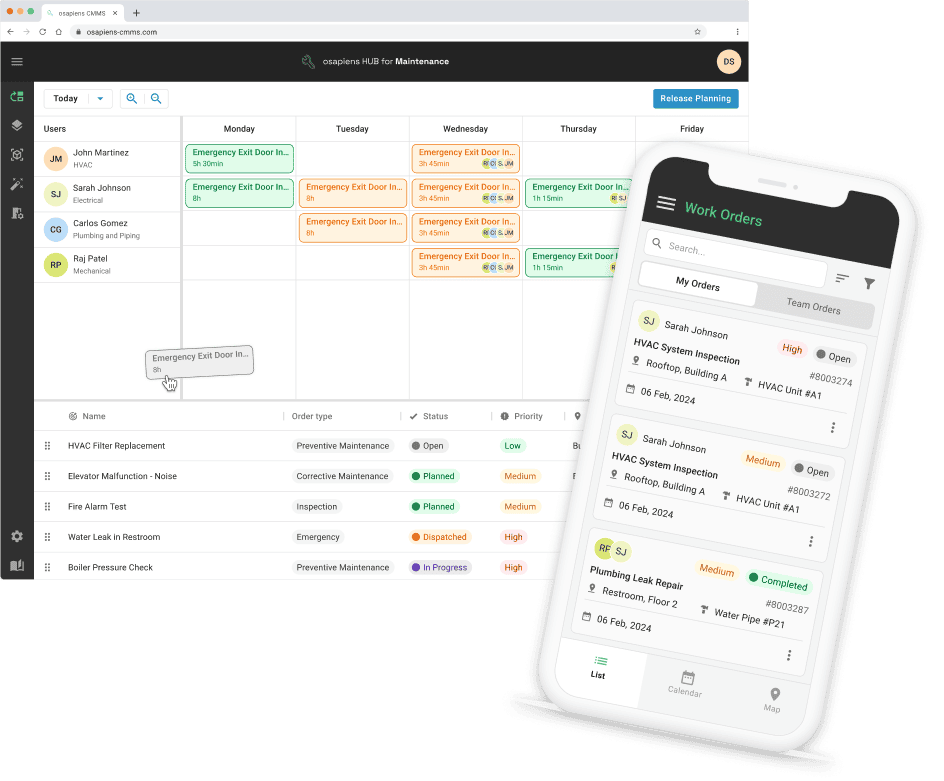
From any of these tickets, a work order gets created, then assigned to a technician or disponent who reviews it on the planning board and confirms or reassigns it before any technician is actually dispatched, and completed once the work is done.
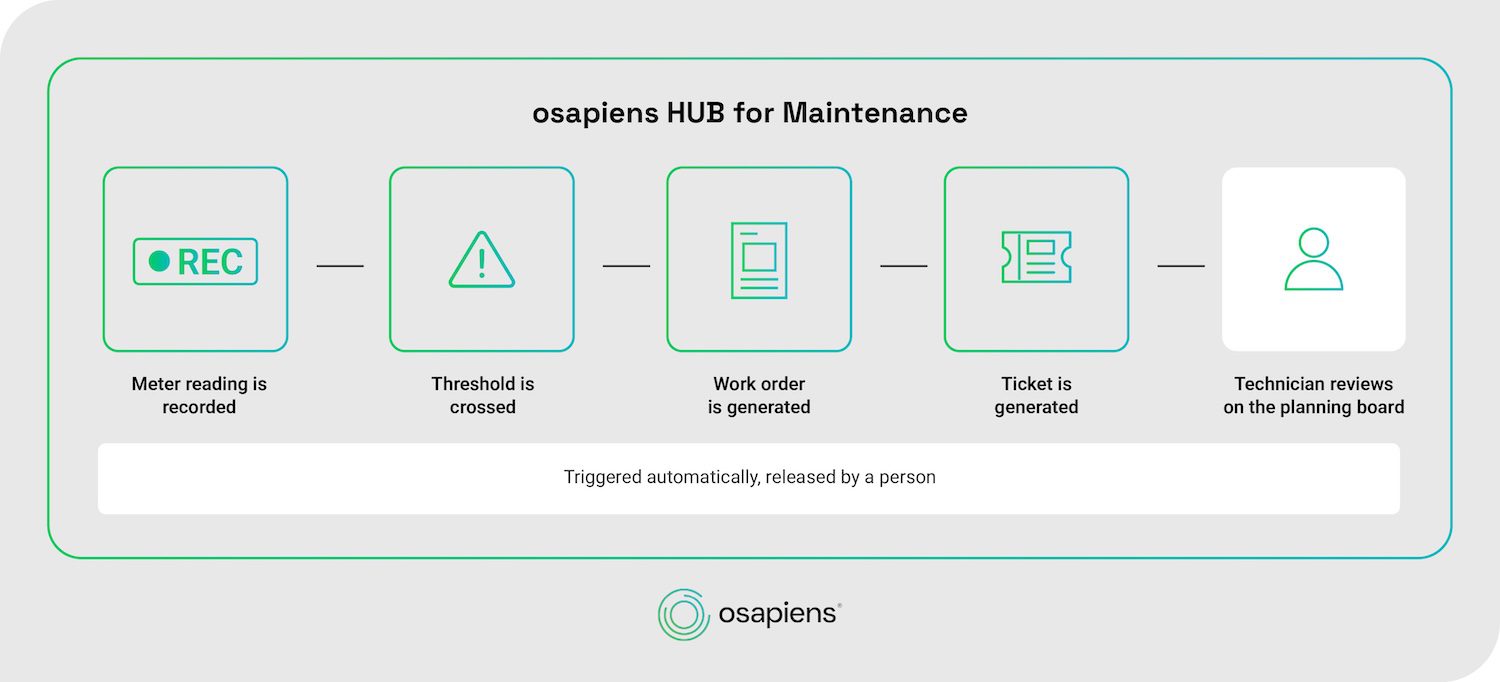
That last step matters. The trigger is automatic, the dispatch is not. osapiens HUB for Maintenance supports this kind of condition-based order triggering today, and it is the practical entry point for AI-powered prediction: as more meter and sensor history accumulates through the same SAP-fed pipeline described above, the system can move from a single fixed threshold to a pattern-based forecast, still surfaced to a person who makes the final call, never an autonomous decision made without one.
Bring Condition-Based Triggers Into Your Own Maintenance Workflow
If your meter and sensor data already exists but nothing acts on it automatically yet, that gap is usually closer to solved than it looks. A short conversation is often enough to map out where a first condition-based trigger would have the most impact on your own assets.
Discuss Your Trigger Setup
AI Supports the Technician, It Doesn’t Replace the Decision
Survey data reported by FMJ on how organizations actually use AI in maintenance backs this up: 43% use it for workflow automation, 40% for knowledge management through chatbots, and 34% for anomaly detection. Very little of it is autonomous action, most of it supports a person who is still doing the work.
That matches how osapiens approaches AI internally. As Florian Bartholomäus, Head of Growth at osapiens, puts it: “We’re working on suggestion features that show the operator the right info based on past work orders, asset condition, and other factors. The idea is to make it easier to get the job done right and reduce errors.”
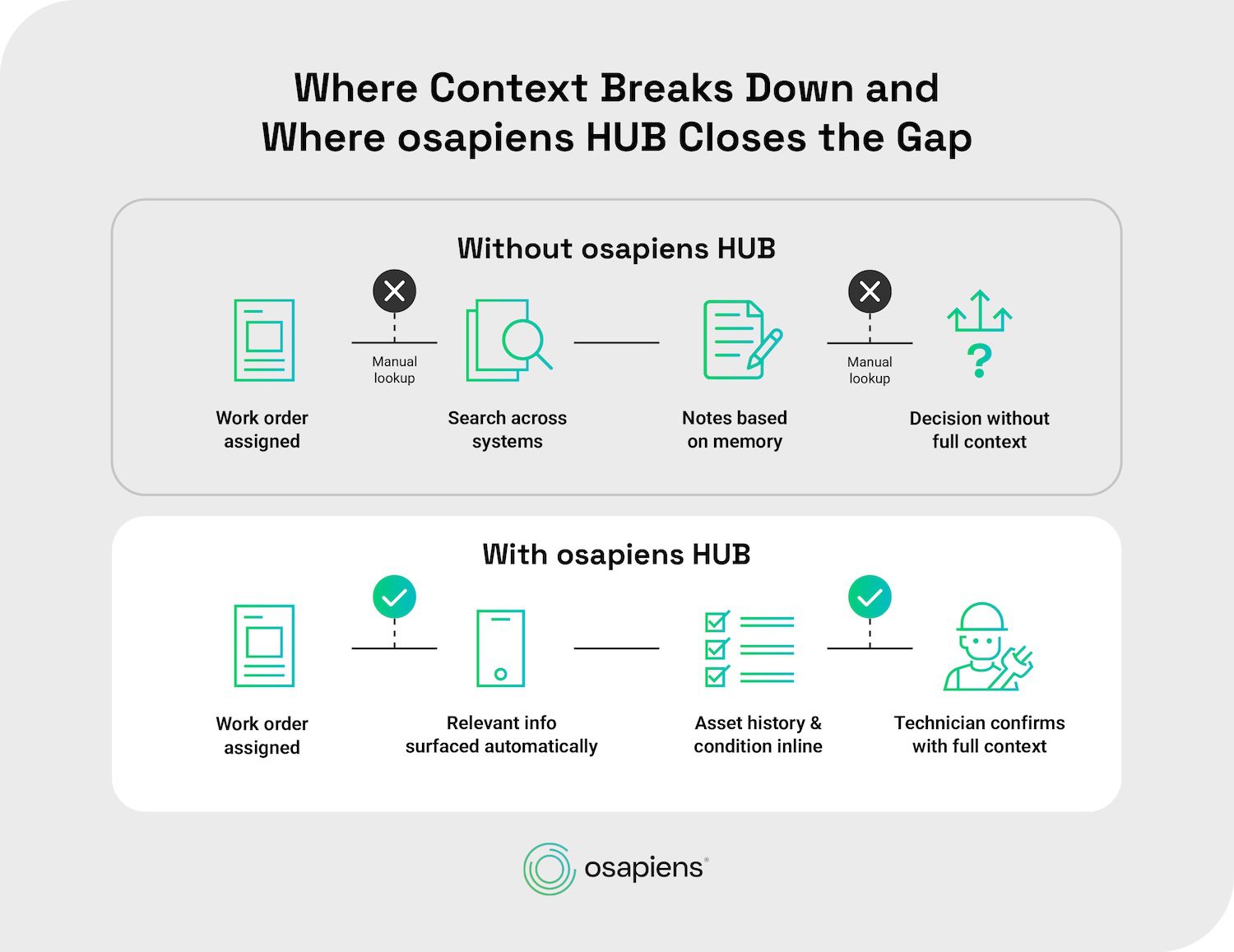
Inside osapiens HUB for Maintenance, that principle matches how dispatch already works: assigning a work order to a technician stays a manual or planning board-assisted decision, whether the order came from a fixed schedule, a meter-reading trigger, or eventually an AI-based forecast. AI changes what information reaches the decision-maker. It does not remove the decision-maker.
Bringing AI Into an Already-Established CMMS With osapiens HUB
If your team already runs SAP PM, or any CMMS, the practical way to add AI is not to bolt on a separate tool. It is to make sure the system you already have can supply clean, structured data first. osapiens HUB for Maintenance is built for exactly that starting point: a SAP-certified integration that turns existing SAP PM master data into a usable pipeline, and condition-based triggering, like the meter-reading example above, that works today, without waiting for an AI model to mature.
Deployment does not require a dedicated IT project either. osapiens HUB for Maintenance runs standalone in 1–3 weeks, or with full SAP integration in 4–12 weeks, considerably faster than a traditional enterprise platform rollout. Whichever path fits your organization, the AI direction stays the same: suggestion-based support for the people making maintenance decisions, not automation that replaces them.
Predictive Maintenance in osapiens HUB for Maintenance: Why Data Comes Before AI
AI-powered predictive maintenance in your CMMS is not a distant upgrade, it works today, but only once your data is ready: clean asset history, structured work orders, and sensor or meter data flowing through one connected system rather than three disconnected ones, the gate this article opened with, and the reason a strong AI feature alone gets you nowhere.
osapiens HUB for Maintenance already closes that gap: SAP-certified integration turns your existing master data into a usable pipeline, and the meter-reading triggers described above generate real work orders today, with AI-based prediction layering on top as that history grows.
Turn Your Maintenance Data Into AI-Ready Data
See exactly what a SAP-connected, condition-based setup would look like for your own assets. A demo walks through it directly against your maintenance data, no dedicated IT project required to get started.
Start Your AI-Ready Setup
FAQ
How much sensor and asset history data does a CMMS need before AI-based predictive maintenance is useful?
There is no fixed data volume that unlocks AI-based prediction. What matters more is consistency: asset records that are complete and up to date, work order history captured in one structured system rather than split across Excel and paper, and sensor or meter data that flows into the CMMS continuously. Most organizations reach usable AI predictions gradually, as this structured history accumulates, not through a one-time data import.
Can a Head of Maintenance running SAP PM add AI-based maintenance insights without replacing their existing setup?
Yes. A certified integration layers on top of SAP PM rather than replacing it, pulling master data and transactional history into a connected CMMS. osapiens HUB for Maintenance works this way, keeping SAP PM as the system of record while adding the mobile usability and AI-ready structure SAP PM alone does not provide.
Does AI in a CMMS create maintenance decisions automatically, or does it just support the technician?
It supports the technician. Current AI-powered maintenance tools mostly automate routine workflow steps and surface information, such as flagging an anomaly or suggesting a likely cause, rather than making dispatch decisions on their own. In osapiens HUB for Maintenance specifically, assigning a work order to a technician always stays a manual or planning board-assisted decision.
What actually triggers an AI-powered work order, a sensor reading, a meter value, or a fixed schedule?
Today, the most concrete and widely available trigger is a condition-based one: a meter or sensor reading crosses a defined threshold, and the system creates a ticket for someone to review. From there, a work order gets created, assigned, and completed. Fixed-interval scheduling still has its place for routine tasks, but it does not adapt to actual equipment condition the way a threshold-based trigger does. AI adds pattern recognition on top of this same condition-based foundation as more history builds up.
How long does it take to connect osapiens HUB to an existing SAP PM setup without a dedicated IT project?
A standalone deployment of osapiens HUB for Maintenance typically takes 1–3 weeks. Adding full SAP PM integration extends that to 4–12 weeks, considerably faster than a traditional enterprise rollout, and without requiring a dedicated internal IT project team to manage it.
Start using osapiens for free
Improve your uptime, extend the life of your equipment, and simplify work order management.
Book a demo
ENTERPRISE CAPABILITIES
- SAP ECC & S/4HANA Certified
- Infor & MS Dynamics
- Microsoft Entra ID / Okta
- ISO 27001 & 9001
- EU Cloud · Data Sovereignty
- Development, Test, and Production Environments
- Multi-Entity & Multi-Site
- Power BI Integration
- Audit Trail & Compliance
Related content
January 1, 2026
Preventive Maintenance Checklist: A Template Organized by Component, Not by Calendar
July 22, 2025
Simplify Maintenance with SAP and osapiens
January 1, 2026
Welding Machine Maintenance Checklist – What to Inspect, When & How
January 1, 2026
Building Automation System Maintenance Checklist – Tasks, Tips & Template
January 1, 2026
Industrial Preventive Maintenance Checklist – Tasks, Tips & Digital Tools
January 1, 2026
Switchgear Maintenance Checklist – Tasks, Tips & Template

July 9, 2026
Boehringer Ingelheim standardizes plant maintenance globally with osapiens
January 1, 2026
Robotic Assembly System Maintenance Checklist – Tasks, Tips & Digital Execution
January 1, 2026
Machine Maintenance Checklist: What to Inspect, How to Execute, and Why Digital Checklists Reduce Downtime
January 1, 2026
Lightning Arrester Maintenance Checklist – Tasks, Tips & Best Practices
January 1, 2026
Pallet Jack Maintenance Checklist – Essential Tasks, Safety Checks & Digital Execution
July 6, 2026