

CMMS

Florian Bartholomäus, osapiens Expert | 4. December 2025 | Lesezeit 15 min.
Not all SAP integrations are created equal. Some vendors promise "SAP connectivity" but deliver only one-way API connections that still require manual data entry in both systems. Look for SAP-certified bidirectional sync that automatically synchronizes work orders, inventory movements, and cost centers in real-time without custom development.
Find your UpKeep alternative
More than 2200 companies place their trust in osapiens













Your CMMS should eliminate firefighting, not create it. Yet as maintenance operations scale from hundreds to thousands of assets, many organizations discover their platform can’t keep pace. SAP data synchronization breaks down, mobile apps freeze during critical field operations, and the solution that streamlined your single facility now buckles under multi-site complexity.
We examine the top 6 enterprise-grade UpKeep alternatives for 2026, comparing solutions purpose-built for challenges that emerge at scale: SAP-certified bidirectional integration, the ability to manage assets across complex hierarchies, compliance management across multiple jurisdictions, and pricing models that remain sustainable beyond 100+ users.
Key Facts
- Enterprise maintenance challenges are costly: Manufacturing plants experience an average of 25 unplanned downtime incidents per month, with each incident costing thousands of Euro per hour.
- SAP integration is a critical differentiator: For organizations already invested in SAP PM, the ability to seamlessly sync maintenance data between systems determines operational efficiency.
- Scalability matters more than initial simplicity: While user-friendly interfaces drive adoption, enterprise organizations need preventive maintenance tools that scale across multiple sites, support complex asset hierarchies, and accommodate varying regulatory compliance requirements without performance degradation or exponential cost increases.
- osapiens HUB bridges the enterprise gap: Purpose-built for SAP environments, osapiens HUB offers SAP-certified integration that connects complex ERP systems with intuitive mobile maintenance management. Organizations using osapiens HUB for Maintenance save an average of 17 minutes per work order while increasing team productivity by 14%.
Why Should You Consider UpKeep Alternatives?
UpKeep has established itself as a solid CMMS solution for maintenance teams, particularly those transitioning from paper-based systems or Excel spreadsheets. However, as organizations grow or face more complex operational requirements, they often discover limitations that impact efficiency and scalability.
Common Limitations of UpKeep:
Rising per-user costs: While UpKeep’s pricing appears reasonable for smaller teams, costs escalate significantly when scaling to 50+ users across multiple sites. Additional charges for advanced features can push total costs beyond budget.
Limited SAP integration depth: Organizations already invested in SAP ecosystems struggle with basic API connections that don’t eliminate manual data entry or provide bidirectional synchronization between maintenance and ERP systems.
Restricted customization options: Complex maintenance workflows, particularly in regulated industries like pharmaceuticals or energy production, require deeper customization than UpKeep’s standard templates provide.
When Enterprise and SME Organizations Need Alternatives
For enterprise operations, these limitations become critical barriers:
- Managing complex asset hierarchies across production lines and multiple facilities
- Operating across multiple countries with varying regulatory frameworks
- Implementing predictive maintenance programs that require IoT sensor integration and advanced analytics
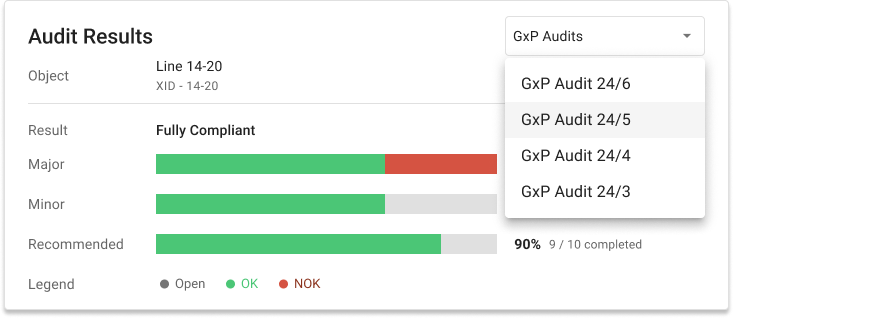
- Meeting GxP compliance requirements in pharmaceutical manufacturing with comprehensive audit trails and electronic signatures
For small and mid-sized companies, different challenges emerge:
- Budget constraints when scaling beyond initial implementation
- Need for enterprise-level features without enterprise-level pricing
- Desire for transparent, freemium entry points that grow with the business
- Requirement for mobile-first functionality that actually works offline

Solutions like osapiens HUB for Maintenance were designed to bridge this gap. With a freemium model for up to 5 users, SMEs can begin digitizing maintenance operations immediately. As needs grow, the platform scales seamlessly with SAP-certified integration, multi-site management capabilities, and enterprise-grade features available at the Premium and Enterprise levels.
UpKeep Alternatives: Top 6 Comparison
Choosing the right CMMS means evaluating capabilities beyond basic work order management. The six alternatives below represent strong options for organizations needing enterprise-grade functionality or seeking scalable solutions that grow from small team deployments to multi-site operations.
| Solution | Best For | Starting Price Range | SAP Integration | Key Differentiator |
|---|---|---|---|---|
| osapiens HUB | SAP environments & multi-site operations | Freemium model; then €29–49 per user/month | SAP-certified bidirectional sync | Enterprise depth with SME-friendly UX |
| Limble | Global teams needing mobile-first simplicity | Custom pricing | Limited API connections | 30+ languages, intuitive QR tracking |
| MaintainX | Quick deployment with consistent UX | Free plan; then $20 per user/month | Basic API integrations | Affordable, streamlined adoption |
| eMaint | Facilities with audit requirements | $69 per user/month | Standard ERP connections | Interactive floor plans, compliance tools |
| Fiix | Data-driven teams prioritizing analytics | Free plan; then $45–75 per user/month | API-based ERP integration | AI-powered predictive insights |
| IBM Maximo | Asset-intensive industries at scale | €3.500 per month | Deep ERP integration ecosystem | Comprehensive EAM with IoT |
This analysis will help you identify which platform best aligns with your operational requirements, existing technology infrastructure, and strategic maintenance objectives.
osapiens HUB for Maintenance
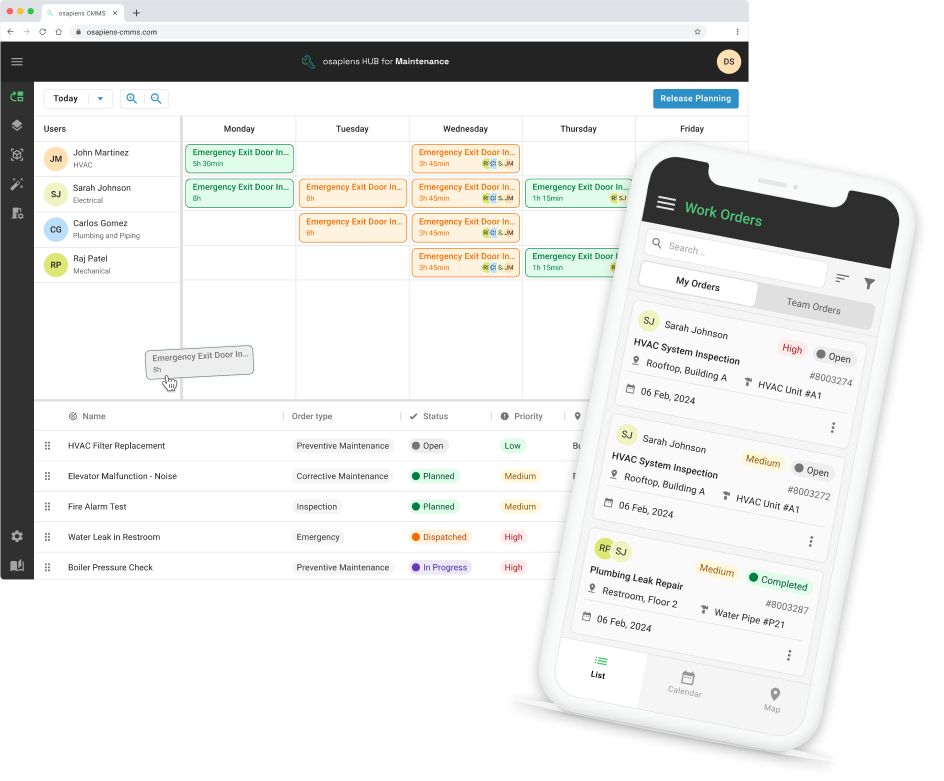
osapiens HUB bridges the gap between complex SAP PM systems and modern, mobile-first maintenance management that technicians actually want to use. Trusted by enterprises like Coca-Cola Nordamerica (35 plants, 1,500 users) and Nordex (11,400+ wind turbines), the platform delivers enterprise functionality with an accessible freemium entry point for SMEs.
Key Features
- SAP-certified bidirectional sync: eliminates duplicate data entry and ensures seamless data flow between CMMS and ERP systems
- Mobile-first with offline capability: technicians work in areas without connectivity, with automatic sync when online
- Freemium model: risk-free evaluation with genuine functionality (€0 for up to 5 users)
- Multi-site management: centralized visibility with site-specific workflows and compliance requirements
- Preventive & condition-based maintenance: schedule tasks based on time, usage metrics, or real-time monitoring data
- Comprehensive analytics: real-time dashboards and customizable reports for data-driven decisions
Pricing: Freemium model or 29–49 € per user/month
Best for: Small to mid-sized businesses (10–2.000+ employees) with growth plans, SAP users needing mobile maintenance, and organizations requiring enterprise features without enterprise complexity. Start for free
When Your CMMS Can't Keep Pace With Growth
Your platform streamlined operations at small scale, but now SAP data synchronization breaks down, mobile apps freeze during critical field work, and costs escalate beyond budget as you scale to 50+ users across multiple sites?
Start with osapiens
Limble
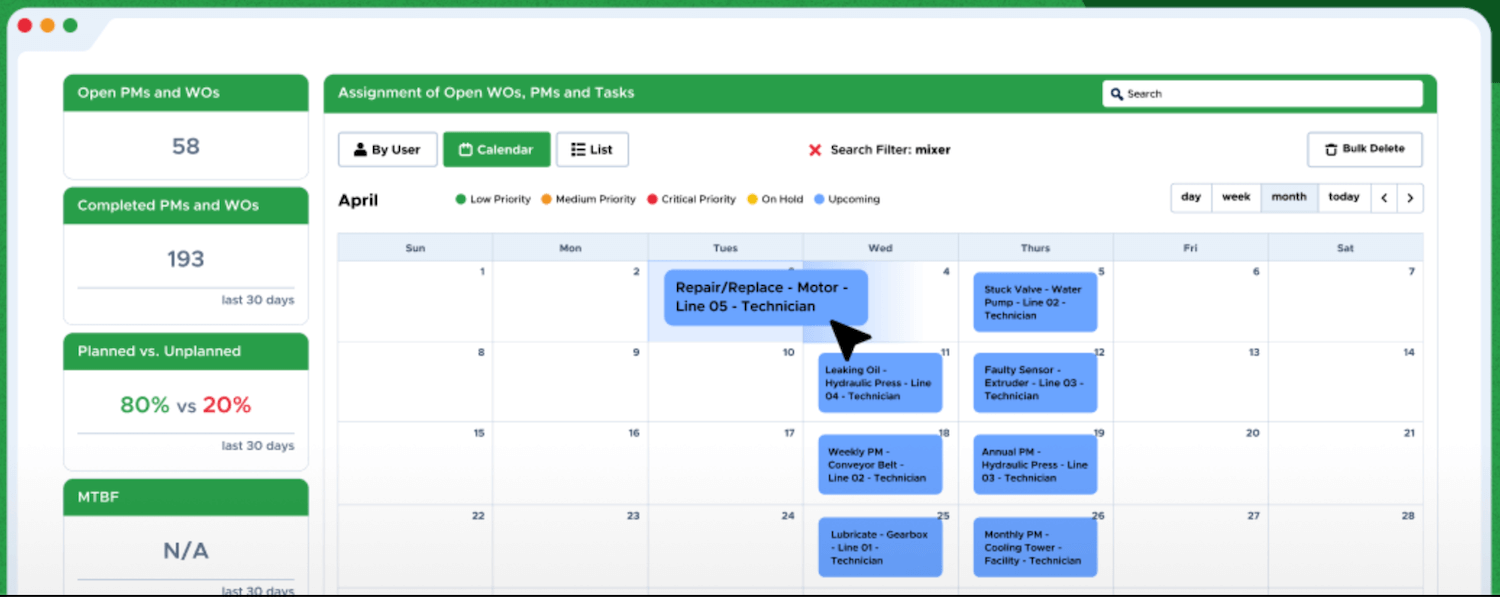
Limble delivers an intuitive CMMS experience that prioritizes mobile usability and rapid team adoption. With support for 30+ languages and visual QR code asset tracking, the platform removes complexity barriers for distributed teams managing maintenance across multiple locations.
Key Features:
- Mobile-first design: full functionality on mobile devices with excellent performance for field technicians
- QR code and barcode scanning: instant access to asset information, maintenance history, and work order initiation
- Real-time team communication: built-in messaging within work orders and asset contexts
- Preventive maintenance scheduling: recurring tasks based on time intervals or meter readings
- Multi-language support: 30+ languages for global operations
Pricing: Custom pricing
MaintainX
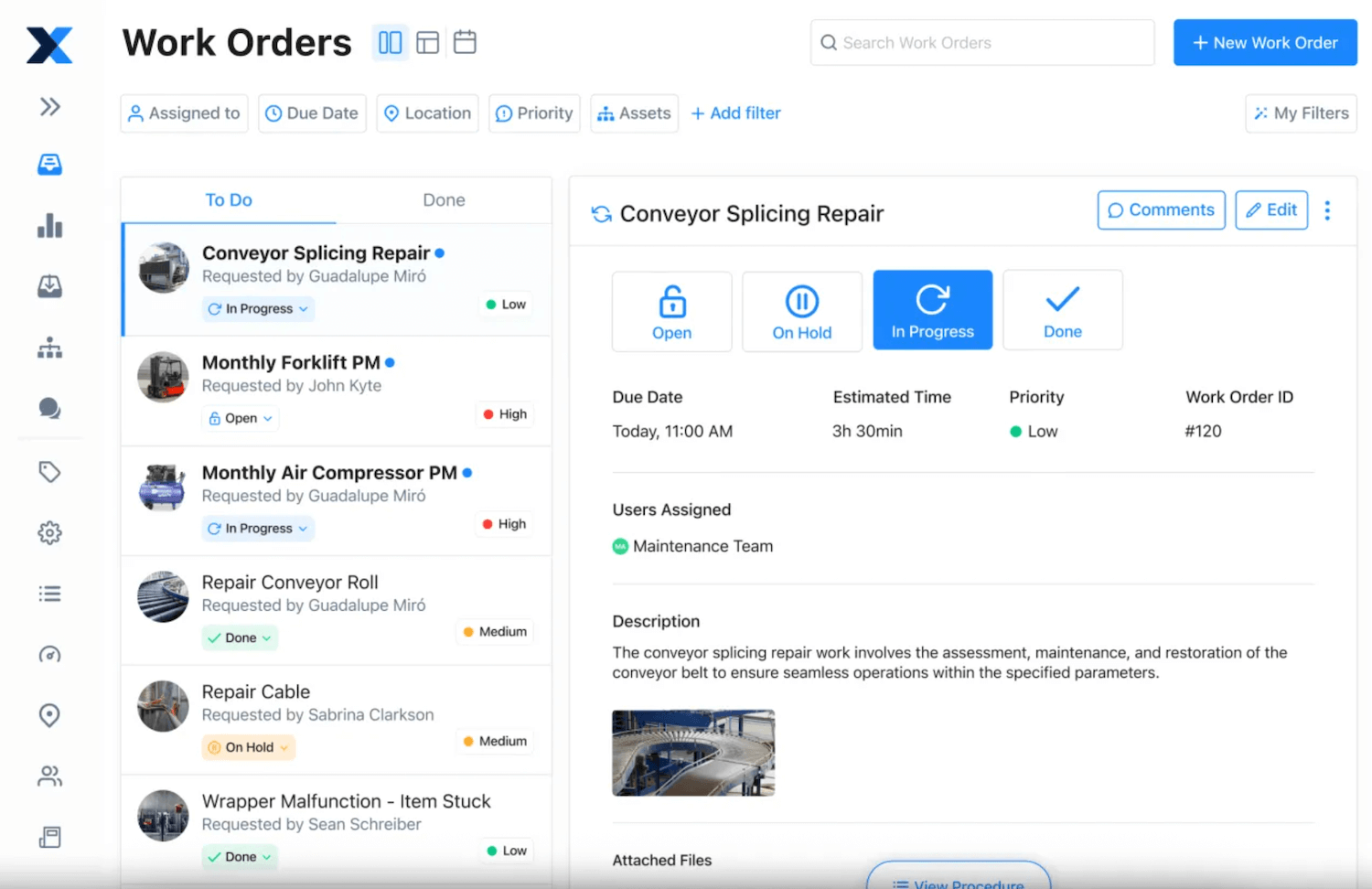
MaintainX focuses on simplicity and affordability without sacrificing essential functionality. With a consistent experience across desktop and mobile devices and built-in real-time messaging, the platform accelerates adoption for mid-market organizations seeking to digitize maintenance operations quickly.
Key Features:
- Streamlined work orders: minimal clicks for fast creation and assignment, quick response to equipment issues
- Real-time messaging within platform: team collaboration directly within work orders, no switching between apps
- Preventive maintenance: recurring tasks based on time intervals or usage metrics
- Digital inspection checklists: ensures consistency across team members
- Good mobile app: intuitive interface with consistent functionality across devices
Pricing: Free plan with unlimited work orders. Essential plan $20 per user/month. Premium plan $65 per user/month. Enterprise plans with custom pricing.
eMaint
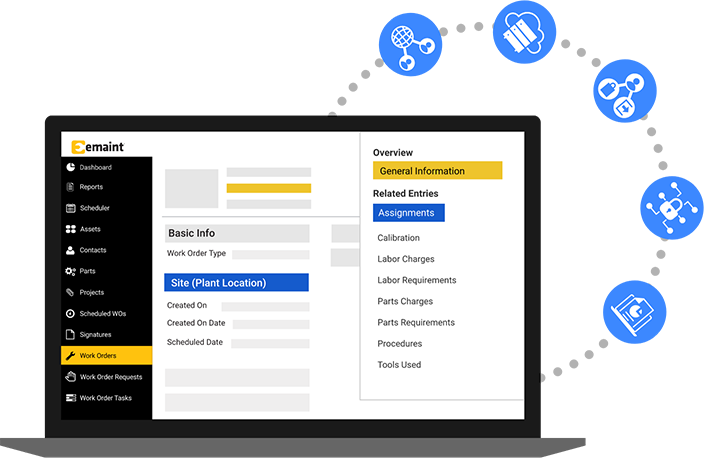
eMaint delivers comprehensive CMMS functionality particularly well-suited for compliance-heavy environments where detailed audit trails and documentation are non-negotiable. The platform’s interactive floor plan mapping and automated workflows help organizations standardize maintenance processes while meeting regulatory standards.
Key Features:
- Interactive floor plans and image mapping: click directly on facility layouts to access equipment information and initiate work orders
- Comprehensive audit trails: detailed logging of all system activities for regulatory compliance and quality management
- Automated workflows: standardized approval chains and notifications reduce administrative burden
- Asset lifecycle tracking: complete records from acquisition through disposal, supporting data-driven replacement decisions
- Customizable reporting: detailed analytics on maintenance costs, asset performance, and work order completion
Pricing: Team plan $69 per user/month. Professional plan $85 per user/month. Enterprise plans with custom pricing for large-scale deployments.
Fiix
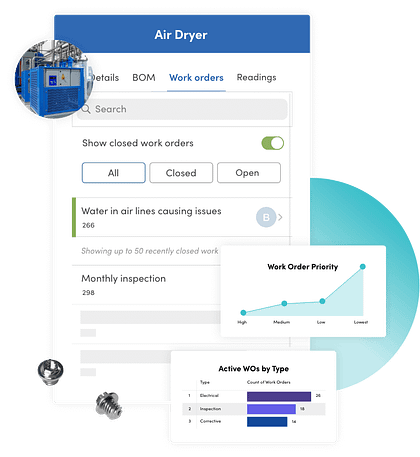
Fiix distinguishes itself through AI-powered analytics and predictive insights that transform maintenance data into actionable intelligence. Owned by Rockwell Automation, the platform benefits from deep industrial automation expertise and strong IoT sensor integration, making it ideal for organizations seeking to shift from reactive to proactive asset management.
Key Features:
- AI-powered predictive insights: Fiix Foresight analyzes asset performance data, identifies failure trends, and recommends optimal maintenance timing
- IoT sensor integration: native support for condition monitoring sensors enables condition-based maintenance strategies
- Multi-site management: centralized reporting with site-specific workflows for regional operational differences
- API access: robust integration capabilities with ERP and procurement platforms
Pricing: Free tier with up to 25 active preventive maintenance tasks. Basic plan $45 per user/month. Professional plan $75 per user/month. Enterprise plans with custom pricing.
IBM Maximo
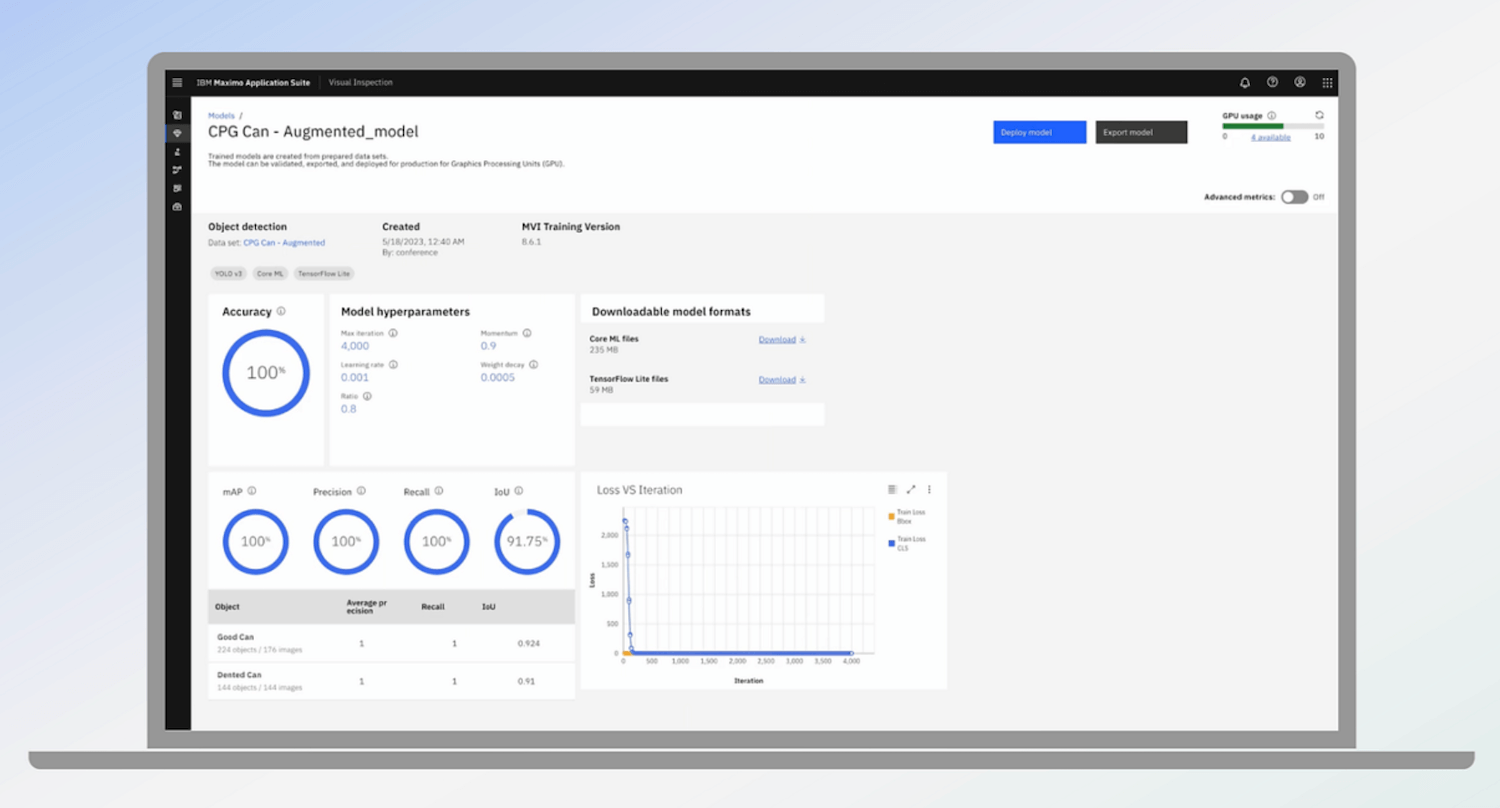
IBM Maximo is a solution for enterprise asset management whose functions go beyond traditional CMMS capabilities. With lifecycle management from procurement to disposal, Maximo offers breadth and depth, but with significant complexity and corresponding costs.
Key Features:
- Advanced predictive maintenance: machine learning algorithms identify failure patterns and optimize scheduling
- Comprehensive compliance tools: built-in functionality for regulatory compliance, safety management, and quality assurance
- ERP integration: native connections to SAP, Oracle, and other enterprise systems with bidirectional data flow
- IoT and sensor data integration: connect SCADA systems and industrial IoT devices for condition-based maintenance at scale
- Mobile EAM: offline capability ensures productivity in remote locations
Pricing: Starting at €3.500 per month for 25 user
Key Features to Look for in Upkeep Alternatives
Selecting the right CMMS requires understanding which capabilities matter for your specific operational context. A pharmaceutical manufacturer needs different functionality than a facilities management company, just as a single-site operation has different requirements than a global enterprise coordinating maintenance across multiple locations. The key is identifying features that address your current pain points while providing room for growth as your maintenance operations mature.
Core CMMS Functionality
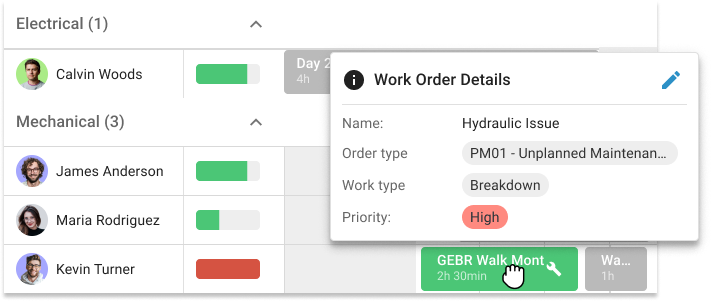
Work order management enables you to create, assign, prioritize, and track work orders efficiently, determining how quickly your maintenance teams respond to issues and complete tasks across facilities. Asset tracking provides comprehensive records that capture maintenance history, performance trends, and lifecycle data, supporting informed decisions about repairs versus replacements. Preventive maintenance scheduling automates scheduling based on time intervals, usage metrics, or condition monitoring data, helping you reduce unexpected breakdowns. Inventory and spare parts management delivers real-time visibility into spare parts availability and storage locations, preventing maintenance delays caused by missing materials.

Integration Capabilities
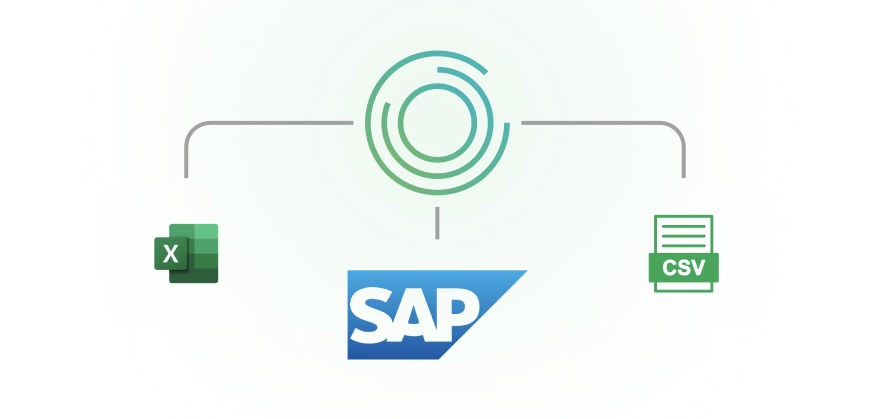
ERP and SAP integration with bidirectional data synchronization eliminates duplicate data entry and ensures maintenance data flows seamlessly across your organization. For SAP environments, SAP-certified integration like osapiens HUB provides proves critical for maintaining data consistency without custom development. API availability enables robust connections with procurement systems, building automation platforms, and specialized software that extend CMMS functionality. IoT sensor connectivity with native support for condition monitoring enables predictive maintenance strategies that respond to actual asset performance rather than arbitrary schedules. Legacy system compatibility ensures your CMMS investment doesn’t require abandoning existing systems that still deliver value.
Mobile and Accessibility
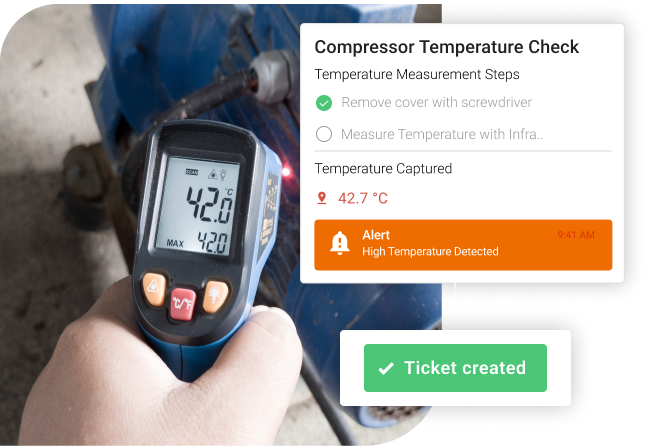
Offline mobile access allows technicians working in areas without reliable connectivity to access work orders, update asset records, and complete maintenance tasks with automatic synchronization when connection resumes. Intuitive mobile UX with a user-friendly interface designed for mobile use drives adoption among field technicians and reduces training requirements. QR and barcode scanning provides quick asset identification, eliminating time spent searching through lists and reducing errors in asset tracking. Photo and video documentation improves communication between maintenance teams by allowing technicians to attach visual documentation directly to work orders.
Analytics and Reporting
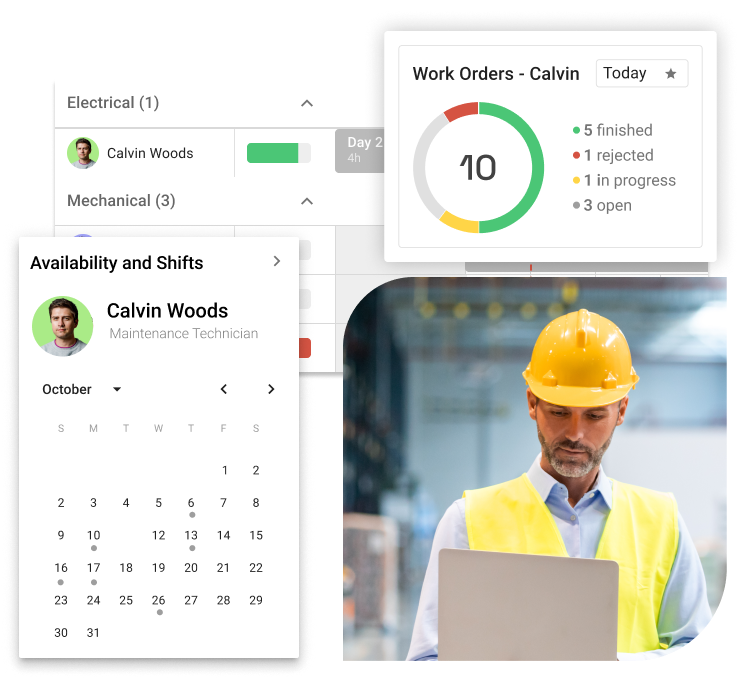
Real-time dashboards provide live visibility into work order status, asset performance, and maintenance costs, enabling proactive management rather than reactive problem-solving. Customizable reports tailored to your specific KPIs and stakeholder needs help you demonstrate maintenance efficiency and justify budget requests. Predictive insights that identify failure patterns and recommend optimal maintenance timing help teams shift from reactive firefighting to strategic asset management. KPI tracking of maintenance costs, asset performance, downtime metrics, and team productivity provides the measurement foundation for continuous improvement.
Scalability and Multi-Site Management
Multiple location management combines centralized visibility with site-specific customization, allowing corporate maintenance managers to monitor performance across their portfolio while accommodating regional differences. Role-based permissions with granular access control ensure that users see only information relevant to their responsibilities while protecting sensitive data. Customizable workflows per site accommodate different approval processes, compliance procedures, and maintenance requirements without creating separate systems. Centralized visibility through executive dashboards aggregates data across all locations for strategic resource allocation decisions.
Compliance and Security
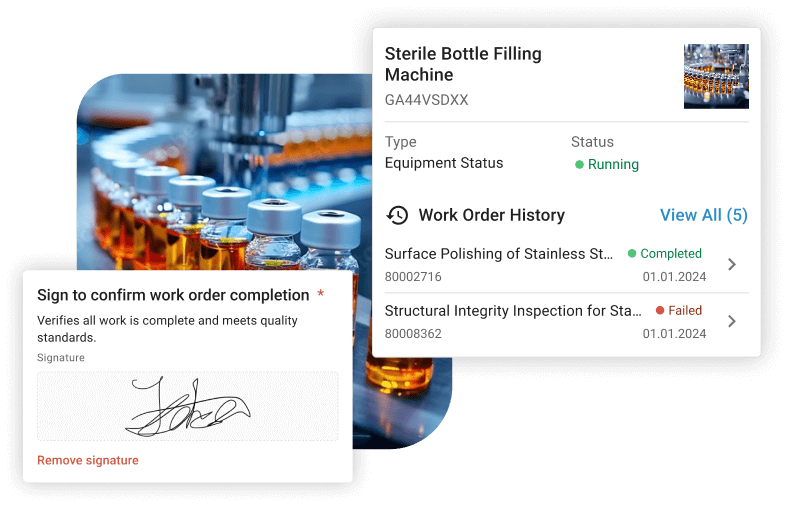
Audit trails with comprehensive logging of all system activities provide the documentation required for regulatory compliance and quality management systems. E-signatures that meet regulatory standards enable paperless workflows while maintaining validation and accountability. GxP compliance tools for pharmaceutical organizations streamline validation, change control, and documentation requirements that FDA and EMA standards mandate. Data security certifications including ISO certifications and SOC 2 compliance provide assurance that your maintenance data remains secure.
Solutions like osapiens HUB were designed with these enterprise requirements as core architectural principles, ensuring that organizations don’t outgrow the platform as their maintenance operations mature and requirements become more sophisticated.
Expert tip from osapiens
Not all SAP integrations are created equal. Some vendors promise "SAP connectivity" but deliver only one-way API connections that still require manual data entry in both systems. Look for SAP-certified bidirectional sync that automatically synchronizes work orders, inventory movements, and cost centers in real-time without custom development.
Florian Bartholomäus, osapiens Expert
How To Choose Your UpKeep Alternative
Selecting a CMMS solution represents one of the most consequential technology decisions your maintenance organization will make. The platform you choose fundamentally shapes how your teams operate daily, influences productivity across facilities, and directly impacts asset uptime and maintenance costs. Rather than searching for a universal “best” solution, your goal should be identifying the platform that fits your specific operational context and strategic objectives.
Key Evaluation Criteria:
- Assess your SAP environment: Organizations deeply invested in SAP ecosystems need solutions with SAP-certified integration like osapiens HUB rather than generic platforms with basic API connections that create data silos.
- Identify your primary pain point: Understanding your core challenge helps you prioritize features that address real problems rather than accumulating capabilities you’ll never use. Is unplanned downtime disrupting production? Are compliance audits revealing documentation gaps? Does inefficient spare parts management delay repairs?
- Define non-negotiable requirements: For pharmaceutical manufacturers, GxP compliance tools with comprehensive audit trails are fundamental. Organizations managing field technicians in remote locations need offline mobile access.
- Consider your team’s capabilities: The most powerful CMMS delivers no value if your teams won’t use it. Assess technical proficiency honestly. Will they embrace sophisticated systems or need intuitive interfaces requiring minimal training?
- Evaluate scalability and growth: Solutions that work brilliantly at small scale sometimes buckle under enterprise complexity. Look for platforms that scale, like osapiens HUB’s progression from freemium (€0) to enterprise tiers.
- Calculate total cost of ownership: Per-user pricing represents just one component. Factor in implementation expenses, training costs, integration development (especially for SAP environments), and ongoing support.
- Test with real workflows: Take advantage of free trials or freemium tiers like osapiens’ model. Involve the people who’ll use the system daily, maintenance technicians’ perspectives on mobile usability matter more than executives’ reactions to dashboards.
Ready to see how the right solution fits your specific requirements? Solutions like osapiens HUB offer free trials and dedicated onboarding support to ensure successful implementation. Book a personalized demo to explore how SAP-certified integration, intuitive mobile access, and enterprise scalability can address your unique maintenance challenges and deliver measurable ROI.
Conclusion: How osapiens HUB Stands Out Among Upkeep Alternatives
After examining six robust UpKeep alternatives, one truth becomes clear: there’s no universal “best” CMMS solution. MaintainX excels at affordable simplicity, Limble delivers intuitive mobile experiences, eMaint provides compliance depth, Fiix offers AI-powered analytics, and IBM Maximo delivers comprehensive EAM for the largest enterprises. Each platform brings strengths to specific operational contexts.
What makes osapiens HUB for Maintenance uniquely positioned is its purpose-built approach to a specific enterprise challenge: organizations using SAP PM who need modern, scalable maintenance management without abandoning their ERP investment. Rather than forcing companies to choose between deep SAP integration and intuitive user experience, osapiens delivers both through SAP-certified bidirectional synchronization wrapped in a mobile-first interface that technicians actually want to use.
The platform’s scalability from freemium (€0) to enterprise tiers provides flexibility for organizations at different maturity stages. Organizations save an average of 17 minutes per work order, reduce equipment downtime by 8 % through better preventive maintenance scheduling, and increase team productivity by 14 %.
Ready to see how osapiens HUB can transform your SAP-connected maintenance operations? Book a personalized demo to explore SAP integration capabilities and discuss your specific requirements, or start with the freemium tier to test core functionality with your actual workflows.
FAQ
What are the different types of UpKeep?
The term “upkeep” in maintenance refers to different activities: preventive maintenance following scheduled intervals, corrective maintenance addressing failures, and predictive maintenance using data to anticipate issues. Understanding both software tiers and maintenance strategies helps you select capabilities aligned with operational requirements.
What is the difference between limble and UpKeep?
Limble emphasizes QR code asset tracking and supports 30+ languages for global operations, making it strong for distributed teams, while UpKeep focuses on IoT sensor integration and advanced analytics. Limble offers simpler, faster implementation; UpKeep provides deeper reporting capabilities. Neither offers deep SAP integration – alternatives like osapiens HUB for Maintenance provide SAP-certified bidirectional synchronization that eliminates data silos between maintenance and ERP systems.
What is a synonym for maintenance UpKeep?
Common synonyms include maintenance management, asset upkeep, facility maintenance, equipment servicing, and preventive maintenance. In software contexts, the technical terms are CMMS (Computerized Maintenance Management System) or EAM (Enterprise Asset Management), which describe platforms that digitize and optimize maintenance processes. Understanding these variations helps when researching solutions across different industries and regions.
What is UpKeep in business?
UpKeep refers to both a cloud-based CMMS platform that manages maintenance operations, tracks assets, and schedules preventive maintenance, and the business concept of ongoing maintenance activities required to keep equipment functioning properly. Effective upkeep strategies reduce equipment downtime, extend asset lifespan, and lower total cost of ownership. Modern businesses increasingly use CMMS solutions to move from reactive maintenance toward preventive and predictive strategies that prevent problems before disruptions occur.
Start using osapiens for free
Improve your uptime, extend the life of your equipment, and simplify work order management.
Book a demo
Related content
February 9, 2026
Maintenance Audit Checklist: How to Systematically Review Your Maintenance Operations

November 21, 2025
Field Service Management Solutions Comparison: The 6 Best FSM Solutions for Small Businesses

January 1, 2026
Dump Truck Maintenance Checklist: What to Inspect & When
January 1, 2026
Centrifugal Fan Maintenance Checklist – Tasks, Best Practices & Digital Execution
January 1, 2026
Lightning Arrester Maintenance Checklist – Tasks, Tips & Best Practices
January 1, 2026
Metal Stamping Press Maintenance Checklist – Tasks, Tips & Template
January 1, 2026
Fire Apparatus Maintenance Checklist – Tasks, Tips & Best Practices
January 1, 2026
Industrial Preventive Maintenance Checklist – Tasks, Tips & Digital Tools

February 2, 2026
Too many unplanned service calls? Here’s how to get service tickets and priorities under control
July 22, 2025
Simplify Maintenance with SAP and osapiens
December 19, 2025
Best MRO Asset Management Software: Top 6 Comparison 2026

May 23, 2025