

CMMS

Florian Bartholomäus, osapiens Expert | 20. January 2026 | Lesezeit 9 min.
Start with 3–5 critical machines and equipment instead of all at once. This way you establish sustainable maintenance routines without overwhelm and expand systematically after initial successes.
Download for free













TRUSTED BY LEADING COMPANIES




ENTERPRISE-READY
 SAP Certification
 ISO 27001
 EU Hosting
 Entra ID & Okta
 Multi-Entity
Table of Contents
- Key Takeaways
- What is a Maintenance Schedule Template?
- Why You Should Use a Maintenance Schedule Template
- Create a Maintenance Plan: Using the osapiens Maintenance Schedule Template
- Expert tip from osapiens
- Excel Template vs. Professional Maintenance Software: When Excel Reaches Its Limits
- Conclusion: Start with the Maintenance Schedule Template – Grow with osapiens HUB for Maintenance
- FAQ
Unplanned machine failures cost small businesses an average of €3,000 to €10,000 per hour – often caused by chaotic maintenance planning without a system. A structured maintenance schedule template provides immediate relief: It systematically captures all machines and equipment, defines clear maintenance intervals, and documents every maintenance task in compliance with industry standards. Whether you’re a maintenance manager, plant manager, or technician – with the right template, you keep all maintenance work in view, avoid costly downtime, and meet compliance requirements effortlessly.
Key Takeaways
- Reduce downtime by up to 32%: Structured maintenance schedules for machines and equipment demonstrably minimize unplanned outages. Preventive maintenance is 5–10x cheaper than reactive repairs – systematic maintenance planning pays off measurably.
- Excel templates as the ideal starting point: For companies with up to 20–30 machines, free maintenance schedule templates offer an immediately usable solution. They structure maintenance work, define maintenance intervals, and create transparency without implementation effort.
- Complete documentation: Maintaining records of all maintenance measures is legally required. A structured template meets these requirements and protects against liability risks during audits.
- Seamless scaling with osapiens HUB: When Excel reaches capacity limits, osapiens HUB offers automated maintenance planning, mobile work execution, and SAP integration – the logical next step for growing maintenance organizations.
What is a Maintenance Schedule Template?
A maintenance schedule template is a structured document that systematically captures all maintenance work for machines and equipment, including dates, responsibilities, and tasks. It serves for planning, execution, and compliant documentation of maintenance measures, replacing chaotic paper trails with structured processes.
A maintenance planner answers central questions:
- Which machines and equipment need maintenance?
- When are maintenance tasks due?
- Who performs the maintenance?
- What tasks need to be completed specifically?
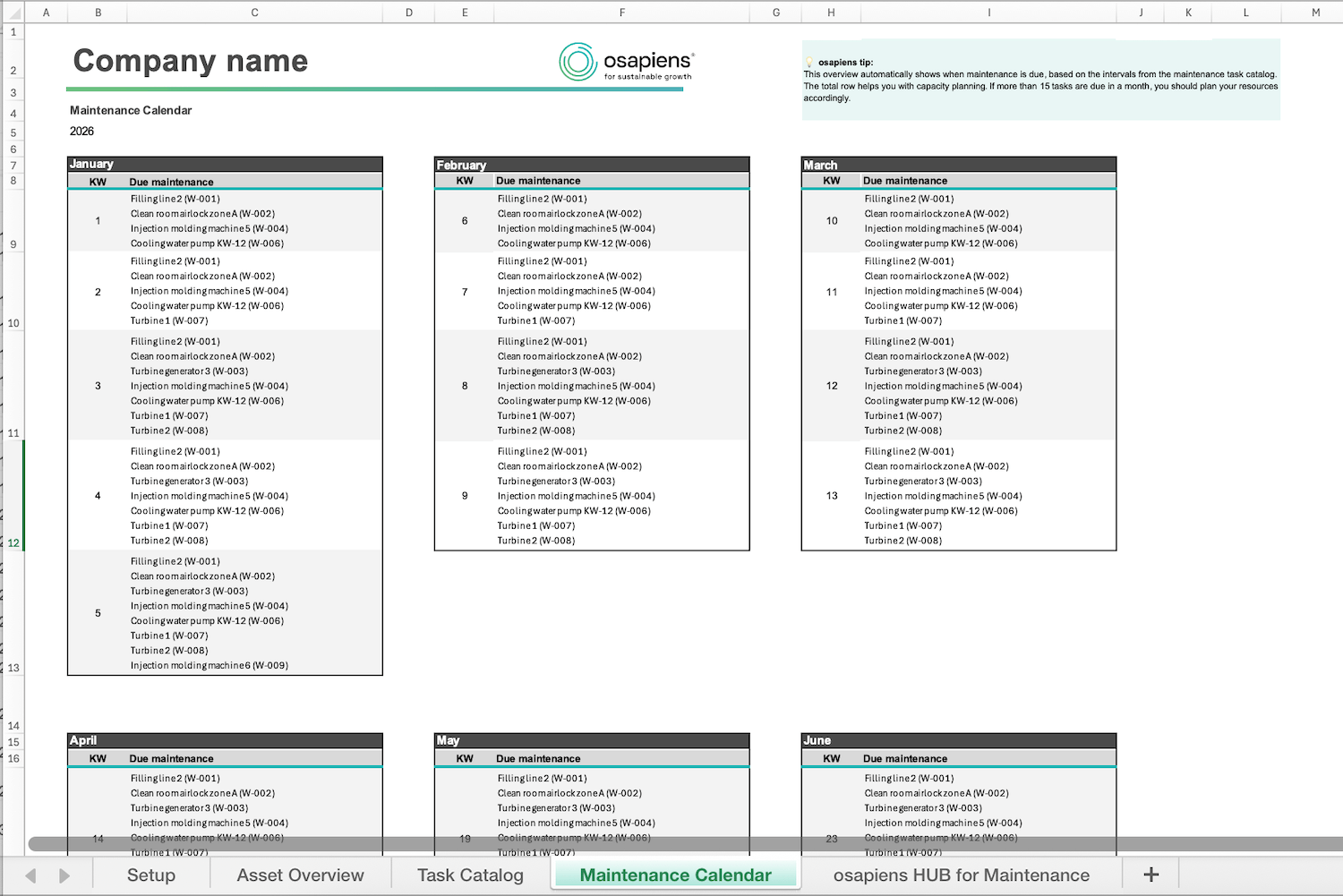
When do you need a maintenance planner? As soon as you regularly maintain more than 3–5 machines, you quickly lose track without a structured system. The template is ideal for companies wanting to switch from reactive to preventive maintenance but not yet using CMMS software.
Stop Building Schedules From Scratch
Managing hundreds of assets across multiple sites without a structured system doesn't scale. This free Excel template gives your team a ready-to-use asset overview, task catalog, and maintenance calendar in one place.
Download for free
Why You Should Use a Maintenance Schedule Template
Missed maintenance appointments, chaotic organization, and missing records – many maintenance teams know these problems. Unplanned failures of machines and equipment don’t just cost time but cause massive financial damage. A structured maintenance schedule template systematically solves these pain points and creates measurable improvements in maintenance planning.
The 5 most important benefits of a maintenance template:
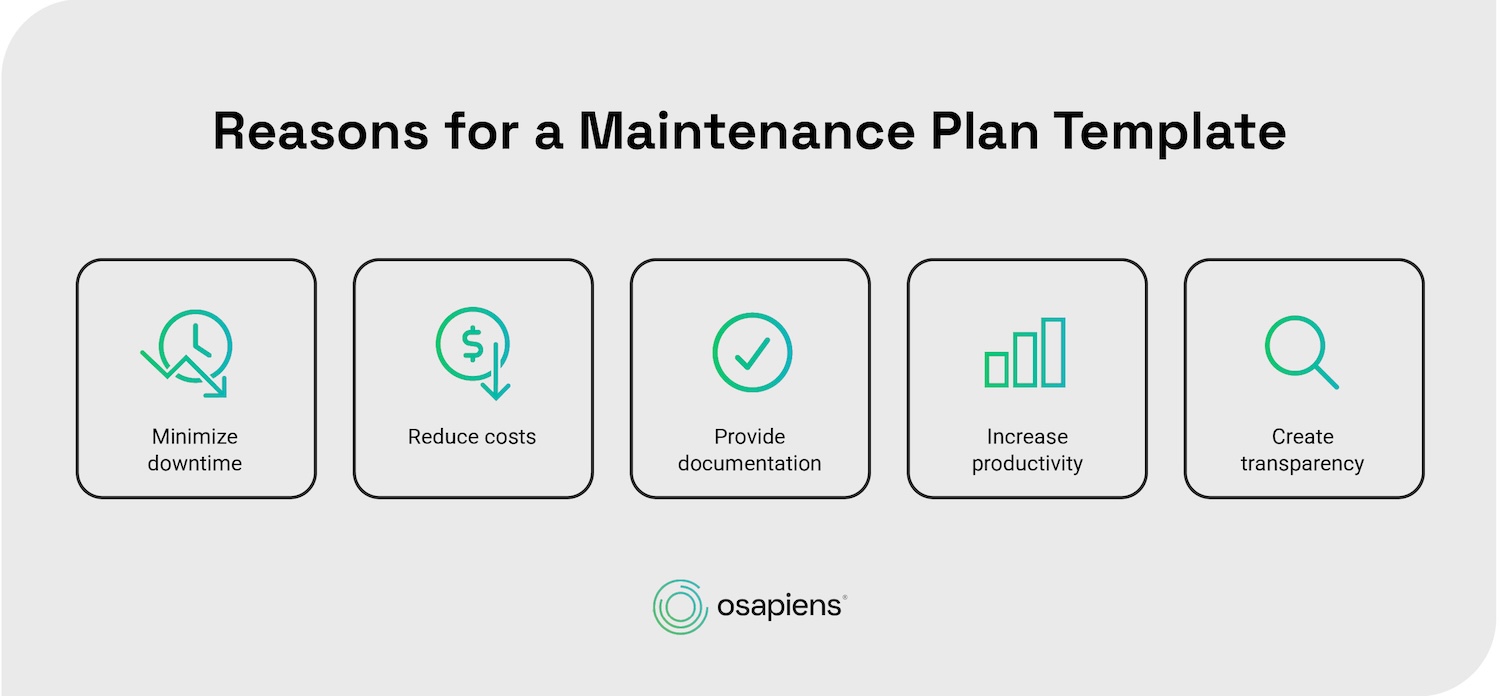
1. Minimize Downtime Through Preventive Maintenance
Structured maintenance schedules reduce unplanned machine failures by up to 32%. Through clear maintenance intervals and timely reminders for maintenance appointments, you prevent critical failures before they occur.
Your machines and equipment remain productive longer, availability increases measurably. A maintenance schedule template ensures no maintenance work is overlooked.
2. Reduce Costs Through Plannable Maintenance
Preventive maintenance is 5–10x cheaper than reactive repairs after machine failures. With a maintenance schedule template, you plan maintenance work strategically during low-production periods, avoid expensive emergency orders for spare parts, and optimize your resources. Organizing all maintenance measures in a template makes budgets plannable and transparent.
3. Maintain Complete Records
Industry standards require companies to maintain complete documentation of all maintenance work. A maintenance schedule template meets these requirements: Every maintenance appointment, every completed measure, and every responsibility is systematically recorded.
During audits or liability questions, these records serve as proof of proper maintenance.
4. Increase Productivity Through Clear Responsibilities
A maintenance schedule template precisely defines who performs which maintenance work when. This clarity eliminates misunderstandings, reduces search times, and accelerates processes. Maintenance technicians know exactly which tasks are upcoming and can prepare optimally.
5. Create Transparency for Better Decisions
With a central maintenance schedule template, you maintain overview of all machines and equipment. You recognize at a glance:
- Which maintenance intervals are upcoming
- Where bottlenecks threaten
- Which resources are needed
This transparency enables informed decisions in maintenance planning and improves the organization of your entire maintenance operation.
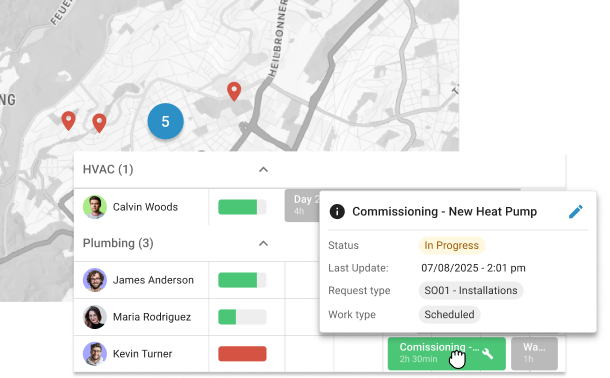
While Excel templates facilitate getting started, professional maintenance management systems like osapiens HUB for Maintenance fully automate these processes – from automatic reminders to mobile maintenance execution directly at the machine.
Create a Maintenance Plan: Using the osapiens Maintenance Schedule Template
The osapiens maintenance planner offers you an immediately ready-to-use Excel solution for structured maintenance work on machines and equipment. Specifically developed for smaller companies wanting to start with systematic maintenance planning, this template contains all essential elements for professional maintenance management based on industry best practices.
The template is based on proven best practices from over 200 implementations and is available free of charge.
Download the free maintenance schedule template now and start immediately
Expert tip from osapiens
Start with 3–5 critical machines and equipment instead of all at once. This way you establish sustainable maintenance routines without overwhelm and expand systematically after initial successes.
Florian Bartholomäus, osapiens Expert
What Information Does a Maintenance Schedule Template Contain?
A complete maintenance schedule template contains the following core elements:
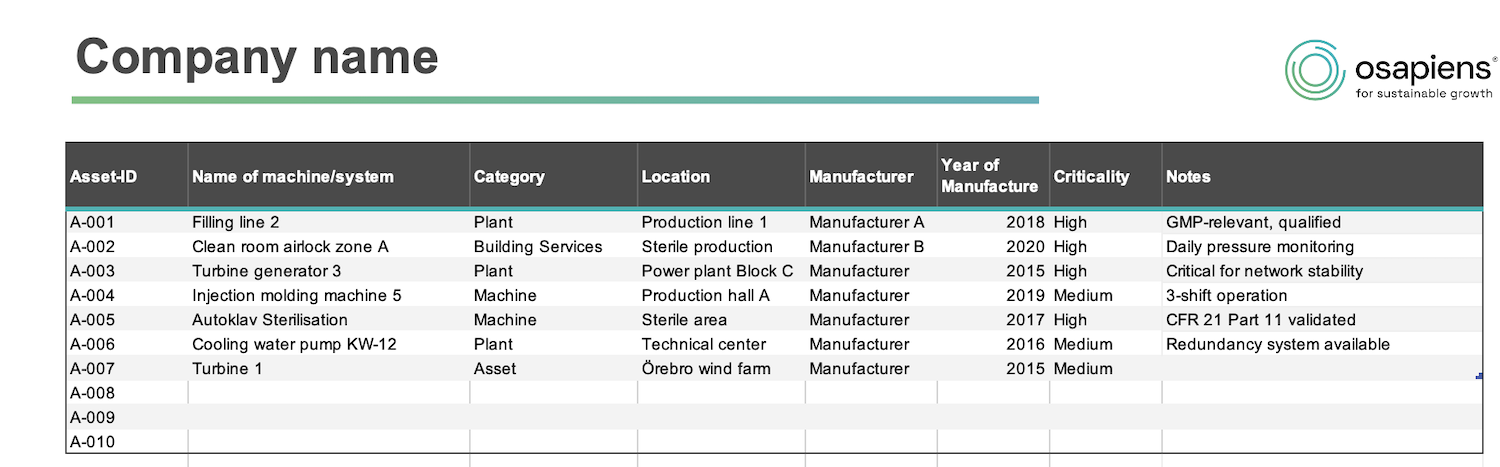
- Machine ID and equipment designation: Unique identification of each machine or equipment for precise assignment of all maintenance measures
- Maintenance intervals: Definition of maintenance frequency (daily, weekly, monthly, quarterly, annually) based on manufacturer specifications or operating hours
- Next maintenance appointment: Specific date for upcoming maintenance for timely planning and resource allocation
- Responsibilities (maintenance technicians): Assignment of qualified employees to specific maintenance work for clear accountabilities
- Maintenance tasks: Detailed description of work to be performed (cleaning, lubrication, inspection, replacement)
How to Use the Maintenance Schedule Template in 5 Steps
Using the free cmms excel template is easier than you think. With this practical guide, you bring structure to your maintenance planning and start immediately with systematic maintenance of your machines and equipment.
Capture machines and equipment: Enter all maintenance-required assets with ID, designation, location, manufacturer-specific information, and criticality.
Define maintenance intervals: Based on manufacturer specifications, determine when which maintenance is due.
Assign responsibilities: Determine which technician is responsible for which maintenance work.
Detail tasks: Describe specifically which activities must be performed.
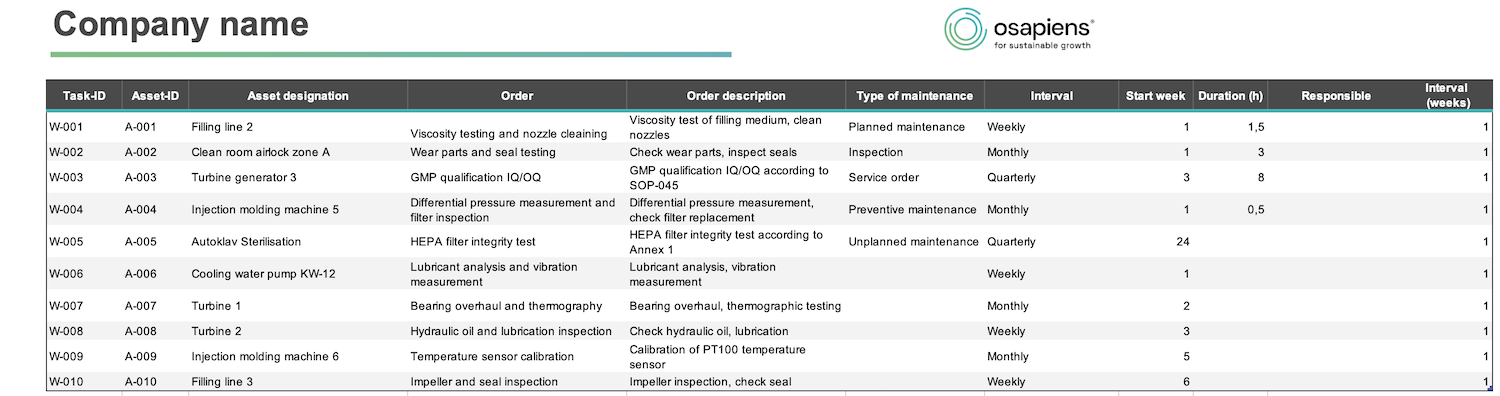
Use maintenance schedule: Use the maintenance schedule on an annual basis to maintain a permanent overview of upcoming maintenance.
Turn Asset Chaos Into a Structured Maintenance Plan
This free maintenance schedule template gives you the structured foundation your team needs now, and when you're ready to move beyond spreadsheets, the osapiens HUB for Maintenance is the next logical step.
Download for free
Excel Template vs. Professional Maintenance Software: When Excel Reaches Its Limits
Excel templates are the ideal entry point for smaller operations or for initial structuring of your maintenance planning. They are immediately available, free and familiar to most teams. For companies with 20–30 machines and equipment or simple maintenance intervals, Excel templates offer a practical solution to manage basic maintenance appointments.
However, limitations become apparent with growth: As soon as more machines are managed, multiple maintenance technicians work in parallel, or regulatory compliance requirements become stricter, Excel reaches its capacity limits. Manual updates require increasingly more effort, version conflicts arise with simultaneous editing, and mobile use directly at the equipment is impossible. Automatic reminders, workflow management, and audit-proof documentation are completely absent.
Professional maintenance software like osapiens HUB starts exactly where Excel templates reach their limits. The solution fully automates maintenance processes, enables mobile work execution via app, and integrates seamlessly into existing SAP systems. Particularly in regulated industries like pharmaceuticals or manufacturing, this documentation is indispensable.
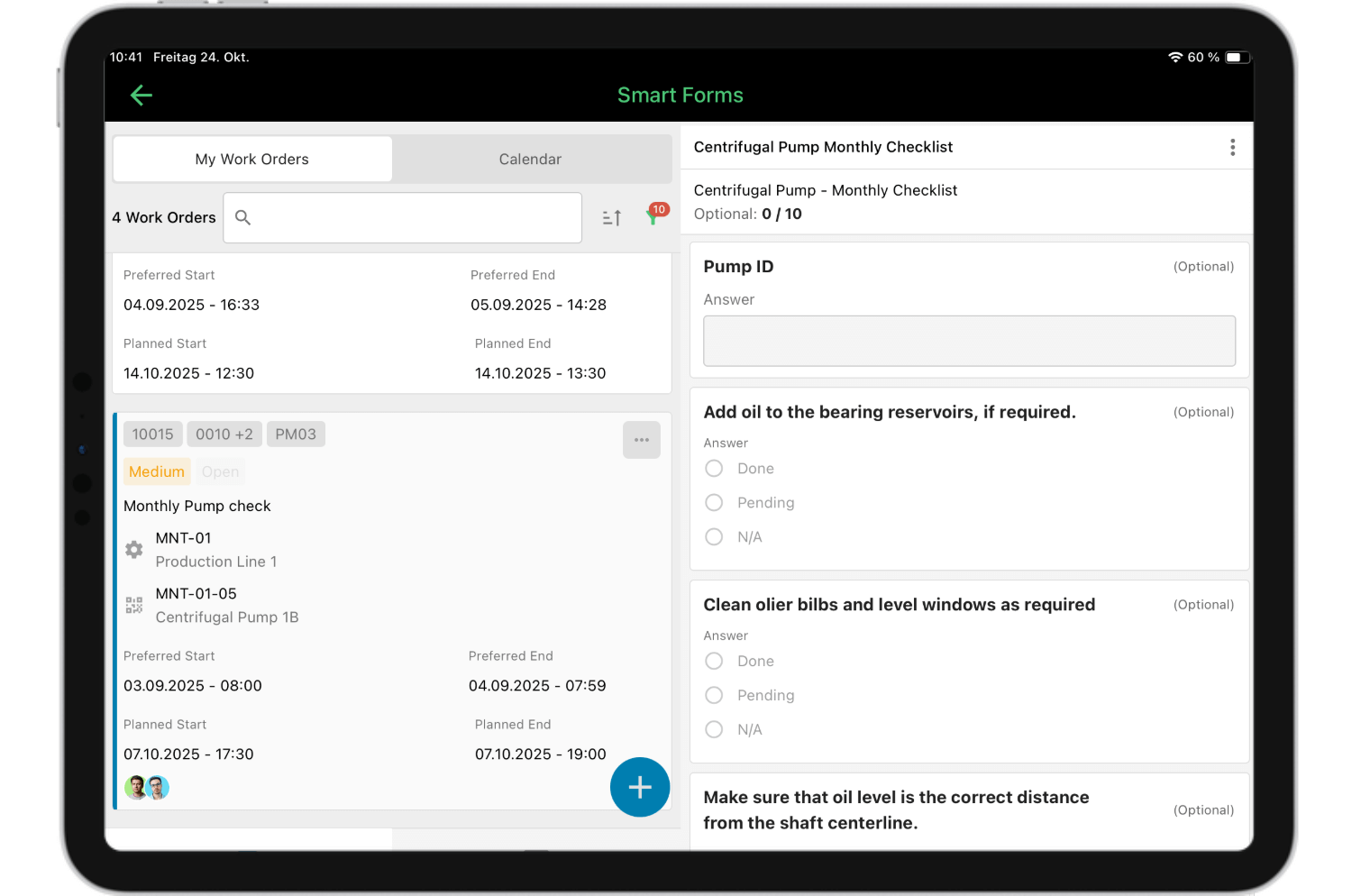
Want more?
- Automatic planning: Preventive planning and reminders run independently and reduce manual maintenance to a minimum.
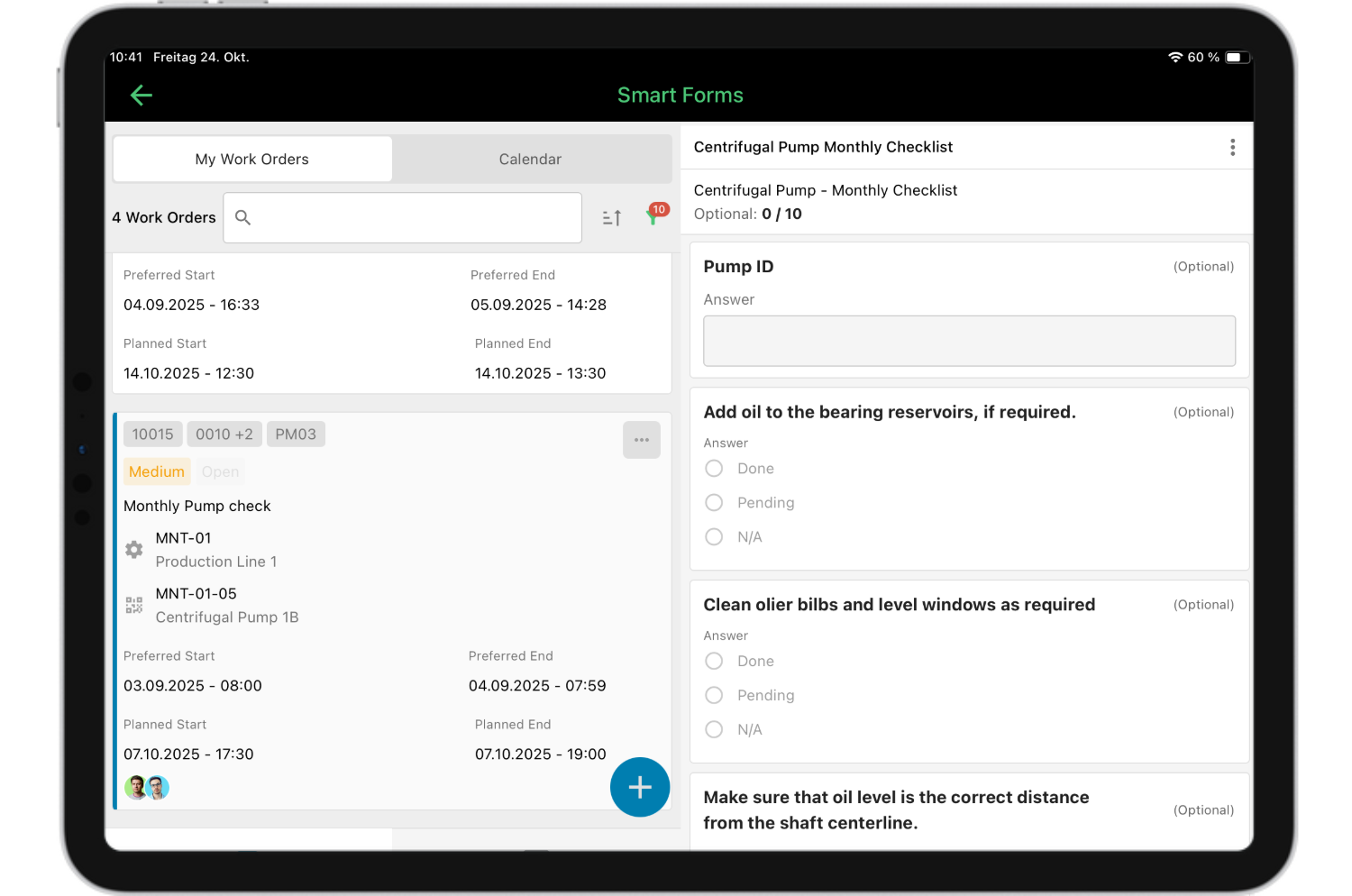
- Mobile app with spare parts and machine history: Technicians scan the asset via QR code, immediately see the complete history, installed spare parts, and capture changes and consumption directly on-site.
- Central records: Inspection protocols, photos, measurements, and completed work are collected. Every action is documented traceably, including who did what when.
- Shared work status: Everyone works in the same system, without different file versions or conflicts during parallel editing.
osapiens HUB offers a seamless transition – your data captured in Excel can be easily imported and you benefit immediately from automation, real-time updates, and significantly higher productivity in maintenance.
Test osapiens HUB for free and experience the difference between manual planning and intelligent automation – book your personal demo now.
Conclusion: Start with the Maintenance Schedule Template – Grow with osapiens HUB for Maintenance
A structured maintenance schedule template is the ideal entry point for systematic maintenance – especially for smaller operations and companies without existing systems. It measurably reduces downtime, lowers costs through preventive maintenance, and meets all documentation requirements according to industry standards.
With our free Excel template, you immediately structure maintenance work on your machines and equipment, define clear maintenance intervals, and create transparency for all stakeholders. For up to 20–30 machines, Excel offers everything you need for professional maintenance planning.
The natural growth path: From Excel to professional CMMS software
As soon as your machine fleet grows, multiple teams work in parallel, or you need mobile maintenance execution, osapiens HUB is the logical evolution. Your data captured in the template can be seamlessly transferred – you keep your structure and gain automation, real-time updates, a better multi site maintenance management and significantly higher productivity in maintenance.
What you gain with osapiens HUB:
- Automation: Maintenance orders are generated automatically, no more manual reminders needed
- Mobile work: Technicians document maintenance work directly on-site via smartphone or tablet
- Real-time transparency: Dashboard shows all critical KPIs, overdue maintenance, and equipment availability
- SAP integration: Seamless connection to existing systems without media breaks
- Records: Automatic documentation according to industry standards for audit-proof records
FAQ
What’s in a maintenance schedule?
A complete maintenance schedule contains equipment master data (machine ID, location, designation), defined maintenance intervals (time-based or operating-hours-based), and detailed maintenance work as a checklist. The free cmms excel template documents required spare parts, assigns clear responsibilities, and records all maintenance appointments with compliant documentation.
Who creates a maintenance schedule?
Maintenance schedules are typically created by maintenance managers, equipment managers, or plant managers who know technical requirements and manufacturer specifications. Smaller companies often use a maintenance schedule template as a foundation and adapt it to their machines and equipment.
What does maintenance include?
Maintenance work includes cleaning, lubrication, adjustment, calibration, wear part replacement, and functional tests and safety checks on machines and equipment. Complete documentation in the maintenance protocol is essential for compliant records. Modern maintenance focuses on preventive maintenance to avoid failures rather than reactive repairs.
How are maintenance schedules structured?
A structured maintenance schedule begins with equipment identification (ID, designation, location) and defined maintenance intervals (time-based or operating-hours-based). For each interval, specific tasks are listed as a checklist, responsibilities are assigned, and documentation fields for status and maintenance appointments are provided. This structure works in Excel templates as well as in CMMS software like osapiens HUB for Maintenance.
Maintenance Schedule Template
Use our template with asset overview, task catalog, and annual plan. Ready to use for your maintenance planning.
Download for free
ENTERPRISE CAPABILITIES
- SAP ECC & S/4HANA Certified
- Infor & MS Dynamics
- Microsoft Entra ID / Okta
- ISO 27001 & 9001
- EU Cloud · Data Sovereignty
- Development, Test, and Production Environments
- Multi-Entity & Multi-Site
- Power BI Integration
- Audit Trail & Compliance
Related content

January 1, 2026
Excavator Maintenance Checklist: What to Inspect, When & How

December 29, 2025
Why should I use a field service management solution?
January 1, 2026
Plasma Cutting Machine Maintenance Checklist – Tasks, Safety & Digital Execution
January 1, 2026
Switchgear Maintenance Checklist – Tasks, Tips & Template
January 1, 2026
Chiller Maintenance Checklist – Tasks, Best Practices & Digital Execution
November 26, 2025
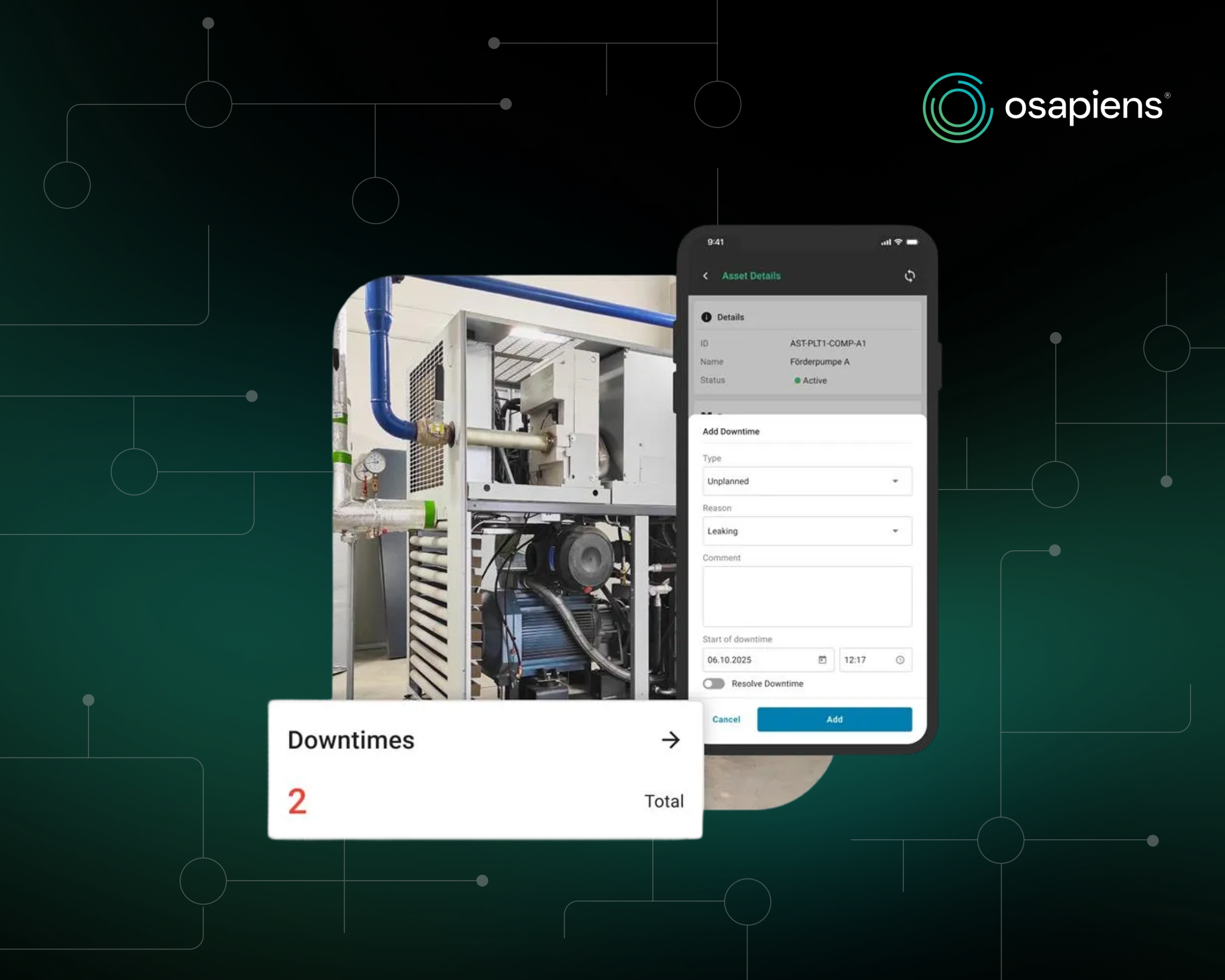
New version 3.18 – Asset upload, new asset owner persona, and downtime tracking
January 1, 2026
Lightning Arrester Maintenance Checklist – Tasks, Tips & Best Practices

July 29, 2026
CMMS for Wind Energy: Reducing Turbine Downtime and Managing Assets Across Multiple Sites

October 23, 2025
Industrial Maintenance in Transition: From Manual to Predictive in the Age of AI
January 1, 2026
Pneumatic System Maintenance Checklist – Essential Tasks & Best Practices

July 7, 2026
IFS Field Service Management Alternatives: 5 Options Worth Considering in 2026

September 11, 2025