

Blog

Florian Bartholomäus, osapiens Expert | 7. April 2026 | Lesezeit 16 min.
Is your CMMS failing at scale? Compare the top 5 enterprise CMMS solutions, including osapiens, eMaint, and IBM Maximo, to eliminate downtime across 10+ sites.
Run Maintenance Across Every Site













TRUSTED BY LEADING COMPANIES




ENTERPRISE-READY
 SAP Certification
 ISO 27001
 EU Hosting
 Entra ID & Okta
 Multi-Entity
Table of Contents
- Key Facts
- What Is Enterprise CMMS Software?
- The Limits of Standard CMMS Tools
- The 5 Must-Have Features of Enterprise Maintenance Software
- The 5 Best Enterprise CMMS Solutions
- 1. osapiens HUB for Maintenance
- 2. eMaint CMMS
- 3. IBM Maximo
- 4. SAP EAM
- 5. IFS Ultimo
- The ROI of Enterprise CMMS
- Conclusion: How to Choose the Best Enterprise CMMS
- FAQ
Imagine a Maintenance Director overseeing 40 sites across three time zones. On paper, the enterprise is growing; on the ground, the teams are flying blind. Technicians are walking onto the floor without asset histories, and critical data is trapped in “local” spreadsheets that never reach HQ. The very growth that should be your company’s strength has become its greatest operational bottleneck. If your current tools have reached their breaking point, it’s time to look at enterprise-grade CMMS software. We compared the best CMMS for large organizations to show you how to bridge that gap and move from reactive firefighting to site-wide synchronization.
Key Facts
- Scaling to 10+ sites without an enterprise-grade CMMS leads to data silos and lost work orders, contributing to the $50 billion that unplanned downtime costs industrial manufacturers every year.
- Traditional enterprise deployments can take six months or more, but modern solutions like osapiens HUB deliver SAP-certified integration and go-live in 1–3 months, shortening the path to measurable ROI.
- For large organizations, the best CMMS is often defined by its relationship with the ERP. Certified bidirectional integration eliminates manual double-entry and delivers a single view of multi-site operations.
- osapiens HUB bridges the enterprise gap: Most CMMS tools are either too simple to scale or too complex to adopt. osapiens HUB for Maintenance delivers SAP-certified integration, mobile-first execution, and multi-site governance without the implementation overhead of legacy platforms.
What Is Enterprise CMMS Software?
Enterprise CMMS software is a centralized digital platform that helps organizations organize, track, and manage maintenance operations at scale across multiple facilities. Unlike basic CMMS tools designed for a single site or small team, enterprise-grade solutions offer role-based access controls, multi-site governance, deep ERP integration, and advanced cross-facility reporting. These capabilities let maintenance managers standardize processes and gain real-time visibility into asset health across every location. Cloud-based CMMS solutions accounted for approximately 60 % of market share in 2024, reflecting a clear industry shift toward flexible, scalable deployment models.
Is Your CMMS Keeping Up With Your Growth?
Technicians flying blind across sites. Asset data trapped in spreadsheets. Work orders lost between locations. If this sounds familiar, it's time for an enterprise CMMS built to scale.
Try osapiens for free
Core capabilities of an enterprise-grade CMMS
Five capabilities define whether a platform truly qualifies as enterprise-grade:
- Work order management: Not just creating tickets, but managing thousands of work orders across teams, shifts, and sites simultaneously, with custom approval workflows, priority escalation, and full audit trails.
- Asset management: Structured hierarchies spanning multiple plants, production lines, and individual components, with centralized master data that stays consistent across every location and synced with ERP systems like SAP.
- Planning and scheduling: Calendar-based planning and dispatching that assigns the right technician to the right job at the right time.
- Spare parts and inventory management: Multi-warehouse stock visibility with automated reorder triggers and parts traceability across locations.
- Preventive maintenance scheduling: Time-based and usage-based schedules executed consistently across dozens of sites, with mobile checklists for on-site documentation and compliance tracking.
The Limits of Standard CMMS Tools
How many users can an enterprise CMMS handle? The answer depends entirely on whether you are running a standard CMMS or an enterprise-grade platform. Basic tools often cap at a handful of users and a single site. That works fine when you manage one facility. But the moment your organization grows to multiple locations, the cracks become impossible to ignore.
Scaling a standard CMMS creates a predictable set of pain points:
- Data silos form between facilities because each site operates in isolation.
- No centralized asset hierarchy connecting plants, lines, and components into a single view. Limited role-based permissions, meaning maintenance managers lack the granular access controls large teams require.
- Basic or nonexistent ERP integration, forcing teams into manual double-entry.
- Lack of mobile apps that support full offline capability for technicians working in areas with poor connectivity.
These barriers compound when organizations try to stretch a basic tool beyond its design limits. This is exactly why enterprise CMMS solutions exist. They bridge the gap between simple maintenance software and the operational reality of large, asset-intensive organizations managing complex maintenance workflows across multiple locations.
| Dimension | Standard CMMS | Enterprise CMMS |
|---|---|---|
| Sites supported | Single site | Unlimited multi-site |
| User scalability | Limited (small teams) | Thousands of users |
| ERP integration | Basic API or none | Certified bidirectional (e.g., SAP) |
| Mobile/offline capability | Limited or no offline | Full offline support |
| Reporting | Basic dashboards | Cross-site analytics and KPIs |
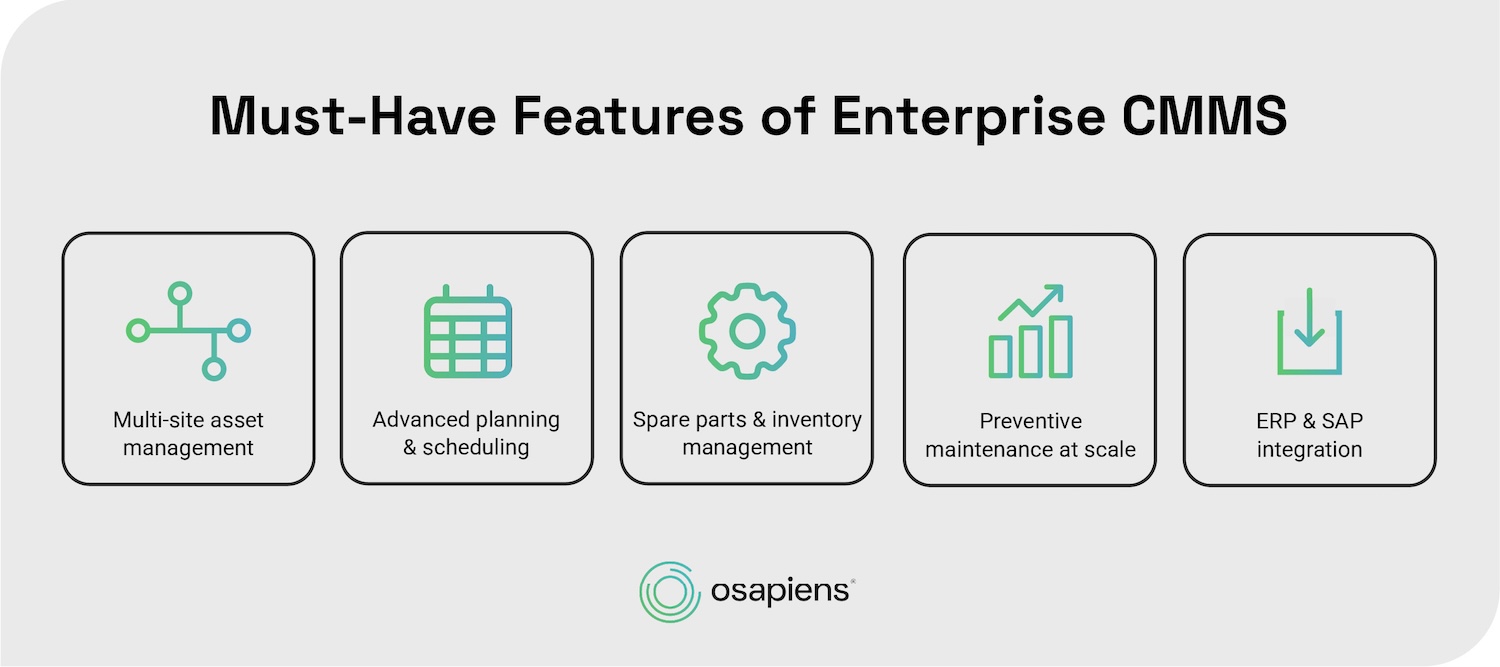
The 5 Must-Have Features of Enterprise Maintenance Software
Based on real-world requirements from asset-intensive organizations operating at scale, there are five non-negotiable capabilities that separate enterprise CMMS platforms that grow with your operation from tools that buckle under pressure.
Multi-site asset management
Enterprise maintenance teams need structured asset hierarchies that span every facility: plant to production line to machine to individual component. Without this structure, asset data fragments across sites, making cross-facility decisions nearly impossible. Maintenance leaders need a single pane of glass to monitor equipment health, work order status, and KPIs across all locations with centralized governance.
What multi-site asset management enables:
- Standardized asset data across every location
- Cross-site benchmarking to identify underperforming facilities
- Centralized reporting for leadership and compliance
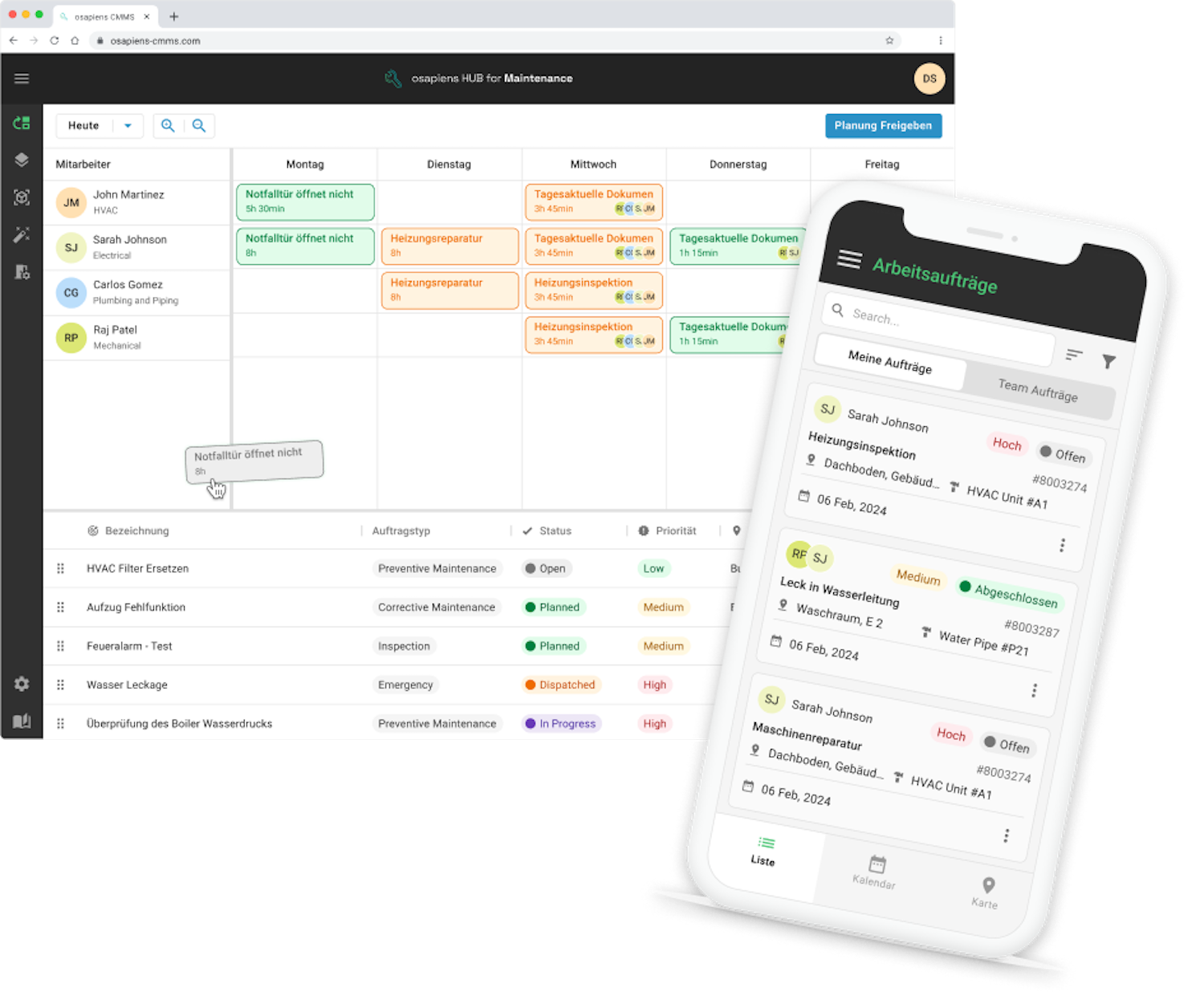
osapiens HUB supports multi-site asset management through centralized dashboards that unify data across facilities.
Advanced planning & scheduling
Getting the right technician to the right job at the right time is what separates efficient maintenance teams from overwhelmed ones. Advanced planning and scheduling means calendar-based planning boards, drag-and-drop scheduling, and the ability to manage both reactive and planned maintenance workflows in one view. In field service contexts, this process is often called “dispatching.” The focus is on reducing response times and improving technician utilization, so teams spend less time coordinating and more time completing maintenance work. Whether it is a planned inspection or an urgent breakdown, every job gets a clear owner and timeline.
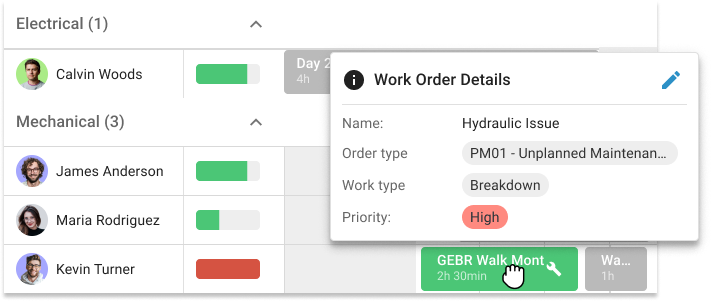
osapiens HUB provides a visual planning board where dispatchers manually assign technicians and schedule maintenance tasks based on availability, location, and skill set.
3. Spare parts and inventory management
An article from Forbes states that unplanned downtime costs industrial manufacturers approximately $50 billion annually, and missing parts are a major contributor. When a technician arrives at a machine and the replacement component is not in stock, that downtime stretches from hours into days.
Effective inventory management rests on four pillars:
- Clean, standardized master data so parts are easy to identify
- Real-time inventory visibility to confirm stock levels instantly
- Efficient procurement processes that reduce lead times
- Full traceability from receipt to installation for cost control and audits
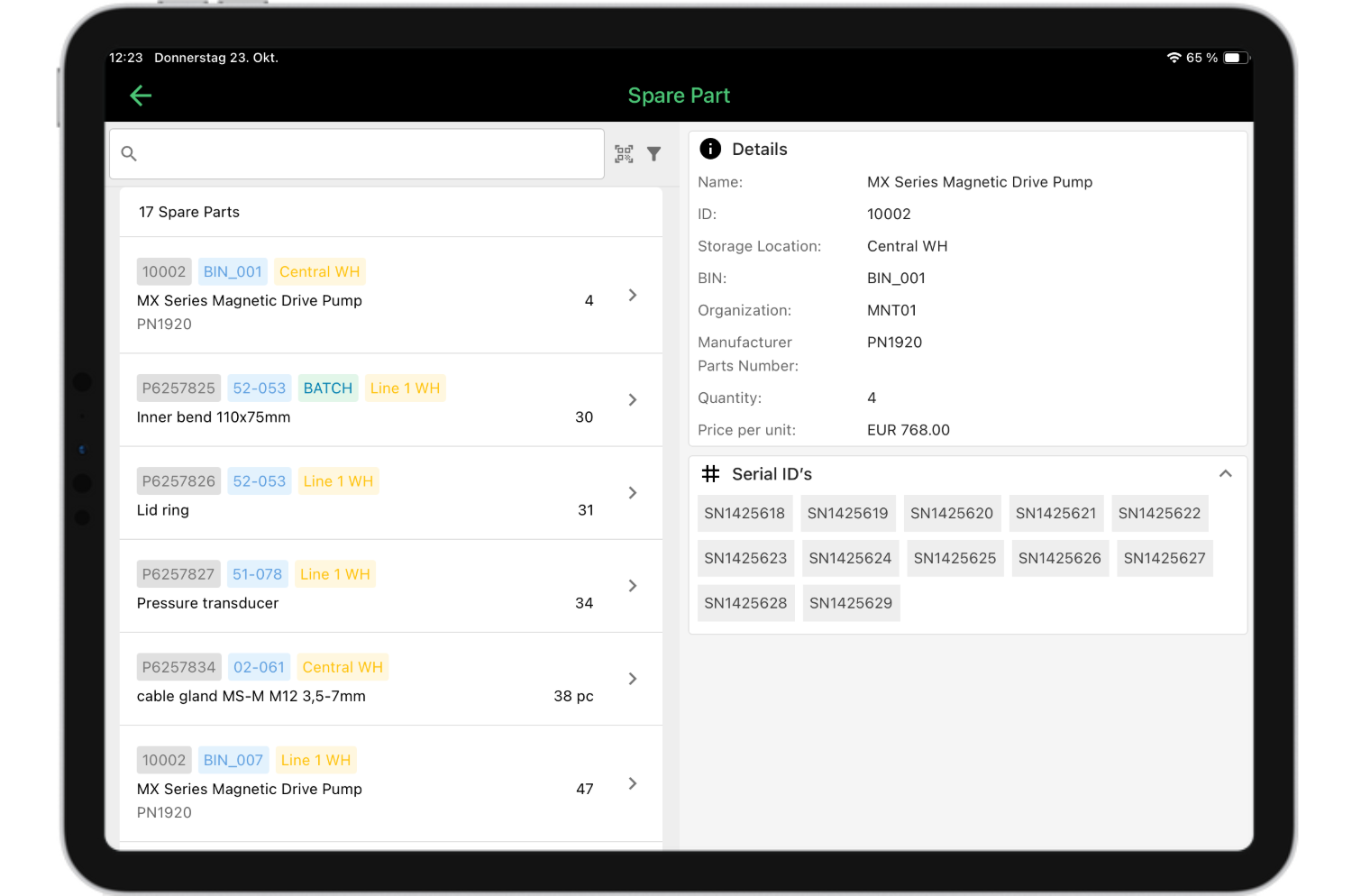
osapiens HUB includes spare parts tracking with automated stock monitoring, giving maintenance teams centralized inventory tracking across sites. Proper MRO asset management eliminates emergency procurement premiums that can inflate part costs by 30 % or more.
4. Preventive maintenance at scale
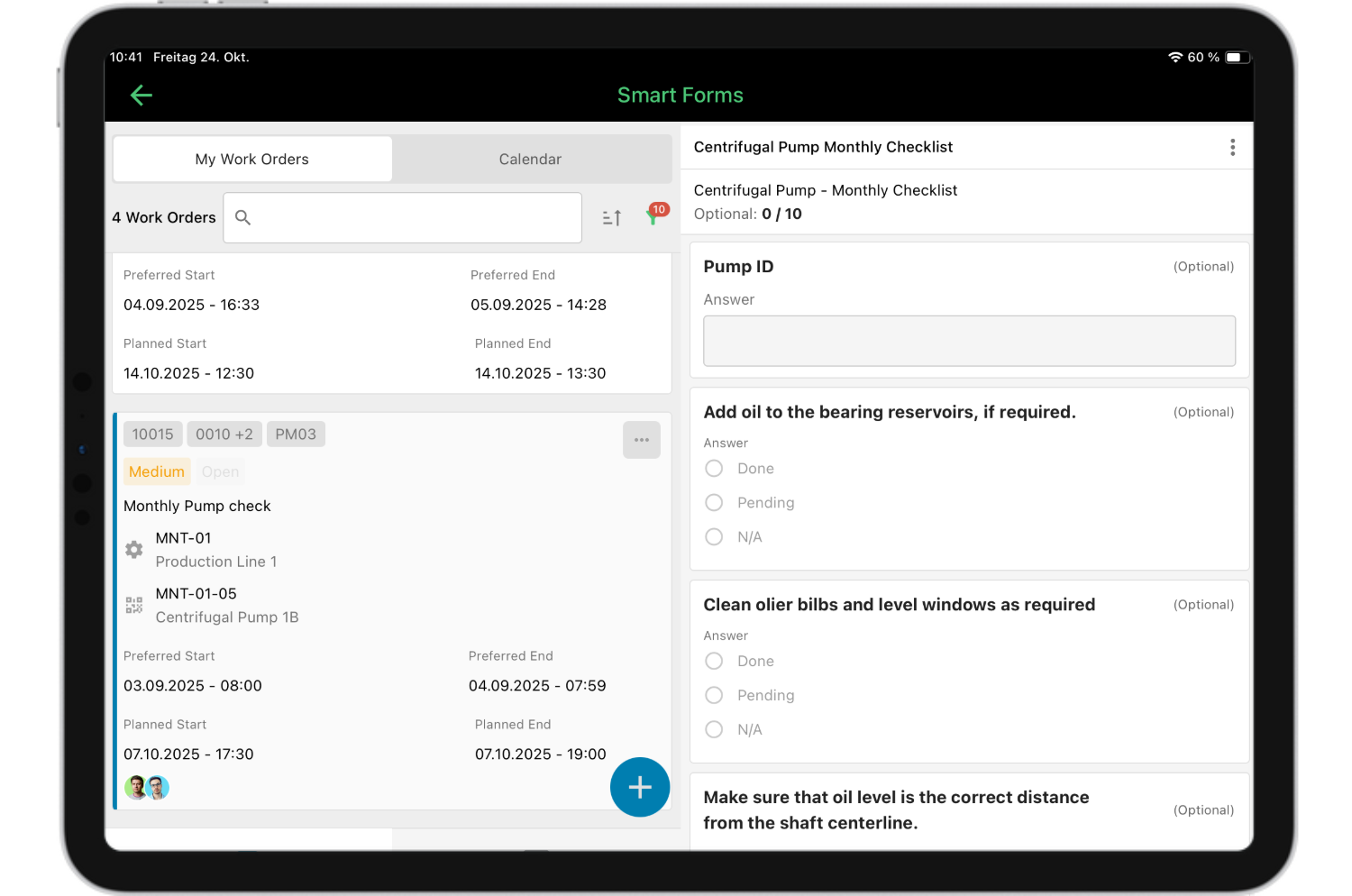
The majority of maintenance professionals already use preventive maintenance, making it the most widely adopted strategy. But scaling PM across dozens of sites with hundreds of assets is a different challenge entirely. It requires automated preventive maintenance scheduling, compliance tracking, and mobile checklists that technicians can complete directly on-site without paperwork.
osapiens HUB supports time-based and usage-based PM scheduling with mobile checklists, enabling maintenance teams to execute and document every task digitally. The documentation generated by structured PM programs is critical for regulatory compliance and liability protection, providing auditable proof that maintenance obligations were met.
5. ERP integration
Which enterprise CMMS integrates with your ERP? For organizations running SAP, Oracle, Microsoft Dynamics 365, or IFS, bidirectional integration between the CMMS and the ERP is essential. Without it, teams face data silos, manual double-entry, and constant reconciliation between systems. That friction slows down every maintenance workflow it touches.
The critical distinction is not whether a CMMS offers integration, but how that integration works in practice. Basic API connections require significant custom configuration, break during ERP updates, and create ongoing IT overhead. Certified connectors synchronize data automatically, mirror the ERP’s data structure, and remain stable through system updates.
osapiens HUB for Maintenance offers certified bidirectional ERP integration, with a SAP-certified connector running directly in the SAP ABAP stack and a native integration for Microsoft Dynamics 365 using Push-Sync via Business Events and Pull-Sync via OData. Both integrations synchronize work orders, asset data, and material movements without custom development and remain stable across ERP update cycles. Implementation with full ERP integration typically takes 1–3 months for osapiens, compared to 6+ months for a standalone SAP EAM deployment.
The 5 Best Enterprise CMMS Solutions
Choosing the right CMMS for large enterprises requires more than scanning feature lists. The five platforms below were selected based on their relevance for enterprise organizations, evaluated across multi-site support, ERP integration depth, mobile functionality, deployment speed, and total cost of ownership.
| CMMS Platform | Best For | Enterprise Deployment | ERP Integration | Enterprise Price |
|---|---|---|---|---|
| osapiens HUB | Enterprises needing fast deployment, high technician adoption, and certified ERP integration | 2–4 weeks standalone / 1–3 months with ERP | Certified (SAP + Microsoft Dynamics 365); open API for others | Custom pricing, Freemium Plan available |
| eMaint CMMS | Organizations prioritizing granular reporting and analytics | Varies by customization | API-based, custom configuration | Custom pricing |
| IBM Maximo | Very large enterprises in regulated industries needing full EAM | Several months to 1+ year | Available via custom integration | Custom pricing |
| SAP EAM | Enterprises consolidating maintenance within SAP S/4HANA | 6–12 months | Native SAP (no connector needed) | Included in SAP S/4HANA license |
| IFS Ultimo | European enterprises needing integrated EHS and maintenance management | Weeks to months | API-based (SAP, Dynamics 365) | Custom pricing |
1. osapiens HUB for Maintenance
osapiens HUB for Maintenance is a modern, mobile-first enterprise CMMS with SAP-certified integration, built to scale from a single site to 35+ plants.
Key strengths:
- Certified bidirectional ERP integration for SAP and Microsoft Dynamics 365, synchronizing work orders, asset data, and material movements without custom development
- Mobile-first design with offline capability so technicians can complete maintenance work even in areas with poor connectivity
- Rapid deployment: 2 to 4 weeks standalone, 1 to 3 months with full SAP integration
- Freemium plan available, making enterprise functionality accessible without massive upfront investment
- Multi-site asset management with centralized dashboards spanning all facilities
- Spare parts tracking and inventory management with real-time stock visibility
- Preventive maintenance scheduling with mobile checklists for structured, auditable documentation
- Role-based access and EU hosting with ISO 27001 and SOC 2 compliance
osapiens HUB for Maintenance is best suited for manufacturing companies, energy utilities, and service organizations who need a CMMS that complements rather than replaces their ERP. It is equally strong for organizations scaling from Excel or basic tools who want enterprise functionality without enterprise complexity.
osapiens HUB for Maintenance is trusted by more than 2,200 companies including Coca-Cola North America and Nordex. It bridges the gap between complex legacy enterprise systems and simple SMB tools by delivering enterprise-grade maintenance management with a modern, intuitive interface that technicians actually want to use.

Pradeep Dalal, Product Director – Planning & Execution
★ ★ ★ ★ ★CONA Services
“Working with osapiens has been a positive experience for our company. Their innovative solutions and exceptional support have not only met but exceeded our expectations, paving the way for a successful partnership.”
2. eMaint CMMS
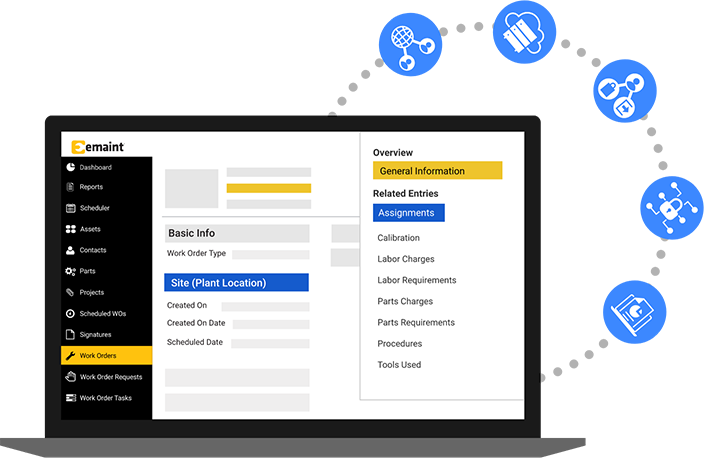
eMaint is a well-established CMMS platform, with broad applicability across manufacturing and facilities management. The platform offers configurable dashboards, detailed KPI tracking, and a wide range of maintenance management features that appeal to mid-to-large organizations focused on data-driven decision-making.
Key strengths:
- Configurable work order management and strong KPI dashboards
- Multi-site support with standardized reporting across locations
- Established track record in manufacturing and facilities management
- API-based integrations with enterprise systems
Watch-outs: The interface follows a more traditional design compared to newer mobile-first platforms. SAP integration requires custom configuration rather than a certified out-of-the-box connector. Deployment timelines vary depending on the level of customization required.
Best for: Organizations that prioritize deep reporting and analytics and do not require certified SAP integration.
3. IBM Maximo
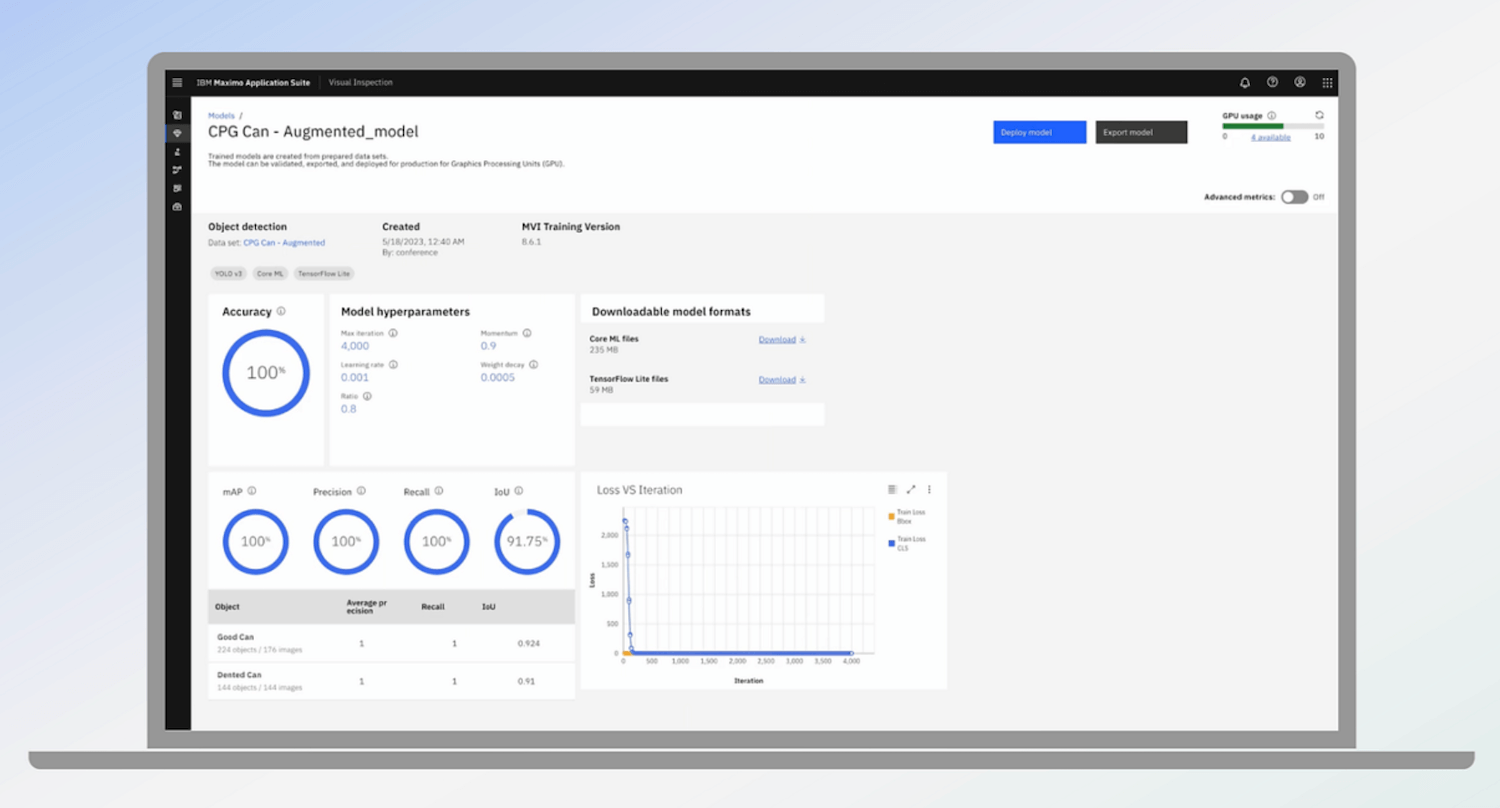
IBM Maximo is the established market leader in enterprise asset management, widely deployed in utilities, oil and gas, transportation, and large-scale manufacturing. IBM is transitioning the platform to the Maximo Application Suite (MAS), adding cloud deployment and AI-driven predictive capabilities.
Key strengths:
- Comprehensive asset lifecycle management combining CMMS and EAM functionality
- Deep compliance documentation and audit trail capabilities for regulated industries
- AI-powered condition monitoring via Maximo Predict
- Large ecosystem of certified implementation partners
Watch-outs: Implementation projects typically require 6–12 months and dedicated IT resources. Licensing, customization, and ongoing IT overhead result in a higher total cost of ownership compared to modern alternatives. The platform’s depth can present a steeper learning curve for frontline technicians.
Best for: Very large enterprises in regulated industries that need full EAM capabilities and have the IT infrastructure to support them.
4. SAP EAM
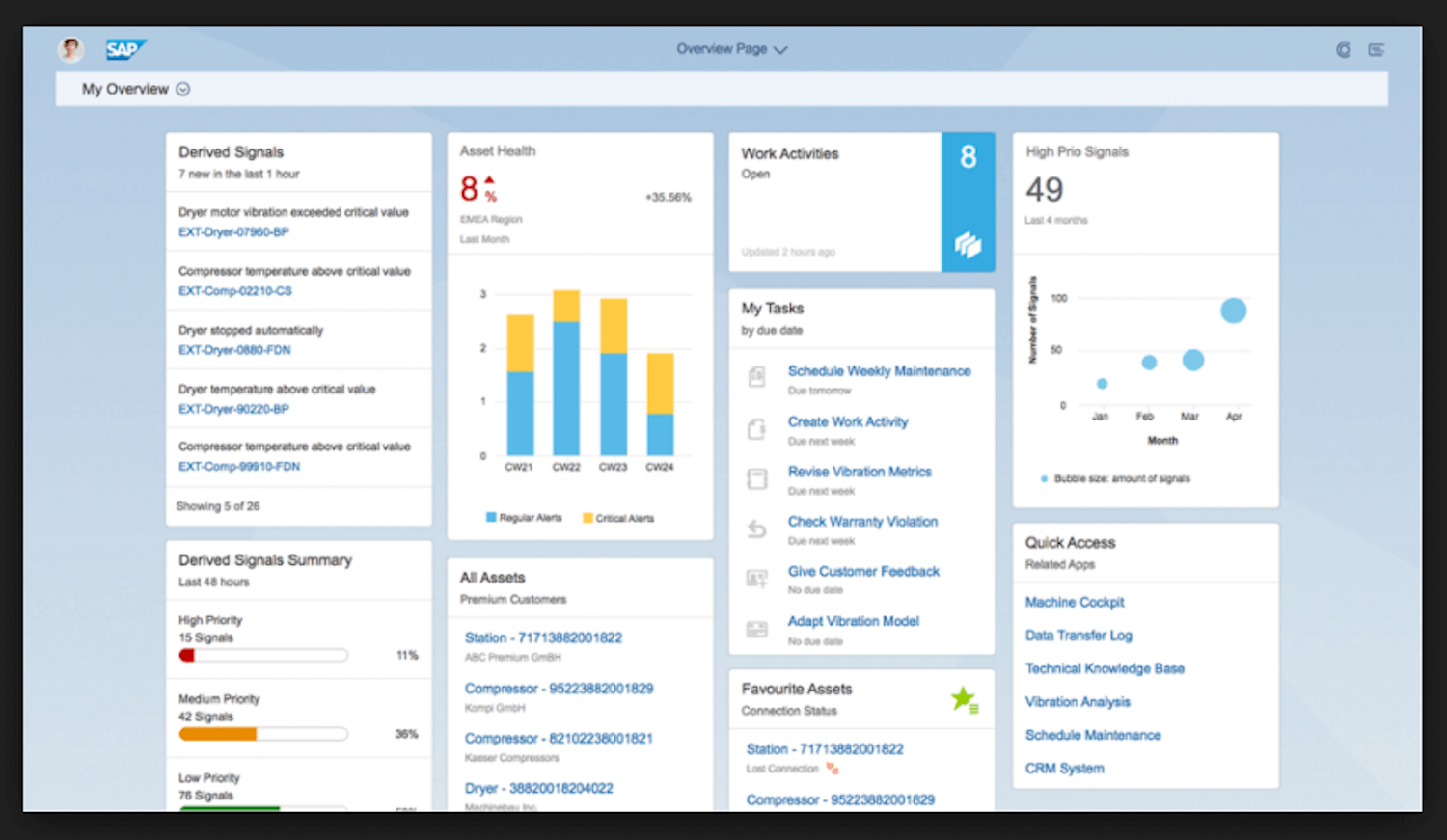
SAP EAM is the native maintenance management module for organizations already running SAP ERP systems. It offers the advantage of a single-vendor approach: maintenance data lives within the same system as finance, procurement, and production.
Key strengths:
- Native integration with all SAP modules, no connector or middleware required
- Full asset lifecycle management from acquisition to decommissioning
- Real-time cost tracking and budget management for maintenance operations across facilities
- Preventive, corrective, and condition-based maintenance within S/4HANA
- Built-in support for industry-specific compliance requirements leverages SAP’s established frameworks for audit trails and documentation.
Watch-outs: SAP EAM is designed as a back-office system and was not built with field technicians in mind. The interface is complex and requires significant SAP training. Implementation typically requires 6–12 months and dedicated SAP consultants.
Best for: Large enterprises already running SAP that want to consolidate maintenance within their existing ERP landscape and have the IT resources and SAP expertise to support it.
Note: Organizations that want SAP integration without the implementation overhead of a full SAP EAM rollout may find a dedicated, SAP-certified CMMS a more practical path forward.
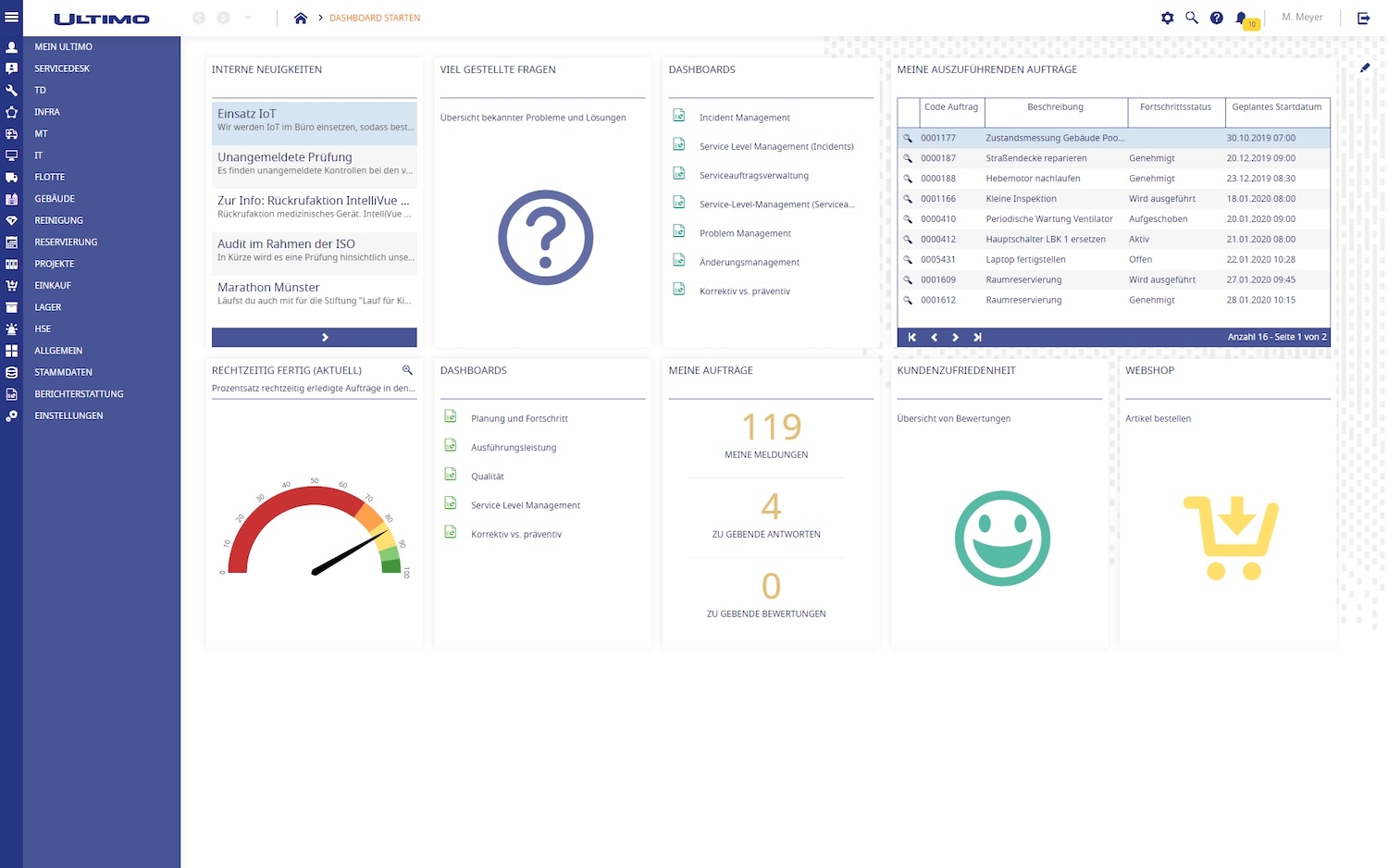
5. IFS Ultimo
IFS Ultimo is a cloud-based EAM platform focused on maintenance, asset management, and safety operations. Serving over 2,400 customers worldwide in manufacturing, logistics, healthcare, and utilities, it is particularly strong in European markets and well known for rapid deployment and ease of use.
Key strengths:
- Comprehensive asset lifecycle management combining preventive maintenance, work order tracking, and inventory control in one platform
- Fully integrated EHS suite covering work permits, incident management, and lockout/tagout within core maintenance workflows
- Cloud-based SaaS with mobile support, giving planners and technicians real-time access across devices
- Strong multi-site support across manufacturing, logistics, and healthcare
- API-based integrations with ERP systems
Watch-outs: Pricing is custom-quoted and may be higher than simpler CMMS offerings given the broader EAM feature set. ERP integration is API-based rather than natively certified, which may require additional configuration for deep SAP synchronization.
Best for: Mid-to-large European enterprises in manufacturing, logistics, or healthcare that need a comprehensive EAM solution combining maintenance and safety management.
Not Sure Which Enterprise CMMS Fits Your Operation?
See how osapiens HUB handles multi-site maintenance, SAP integration, and work order management in a live demo tailored to your use case.
Book a free demo
The ROI of Enterprise CMMS
How much does enterprise CMMS software cost? It is a fair question, but it is the wrong one to lead with. The real question is: what does it return? Every dollar spent on a CMMS should be measured against the operational gains it delivers. Enterprise CMMS ROI comes from four primary areas, each attacking a different cost driver that silently erodes your bottom line.
| ROI Area | Cost Driver | Enterprise CMMS Solution |
|---|---|---|
| Reduced unplanned downtime | Unplanned downtime costs industrial manufacturers ~$50 billion annually and can cut productive capacity by 5 %–20 % | Preventive maintenance scheduling and spare parts management keep equipment running before failures occur |
| Extended asset lifespan | Unmanaged assets require costly early replacement | Predictive and preventive maintenance strategies extend equipment lifespan by 20 %–40 %, deferring capital expenditure |
| Improved technician productivity | Paperwork and office-to-floor travel consume billable maintenance hours | Mobile-first CMMS eliminates paperwork and gives technicians instant access to asset history, checklists, and parts data |
| Energy and resource savings | Emergency procurement and inefficient operations inflate running costs | Predictive maintenance delivers energy savings of 15 %–20 %; optimized spare parts procurement eliminates emergency premiums |
osapiens tip: When evaluating total cost of ownership, look beyond the license fee. Factor in implementation, training, customization, and internal IT overhead across a 3–5 year horizon. Faster deployment also means lower costs: every month of delayed go-live extends the period during which your team is paying for a system they are not yet fully using.
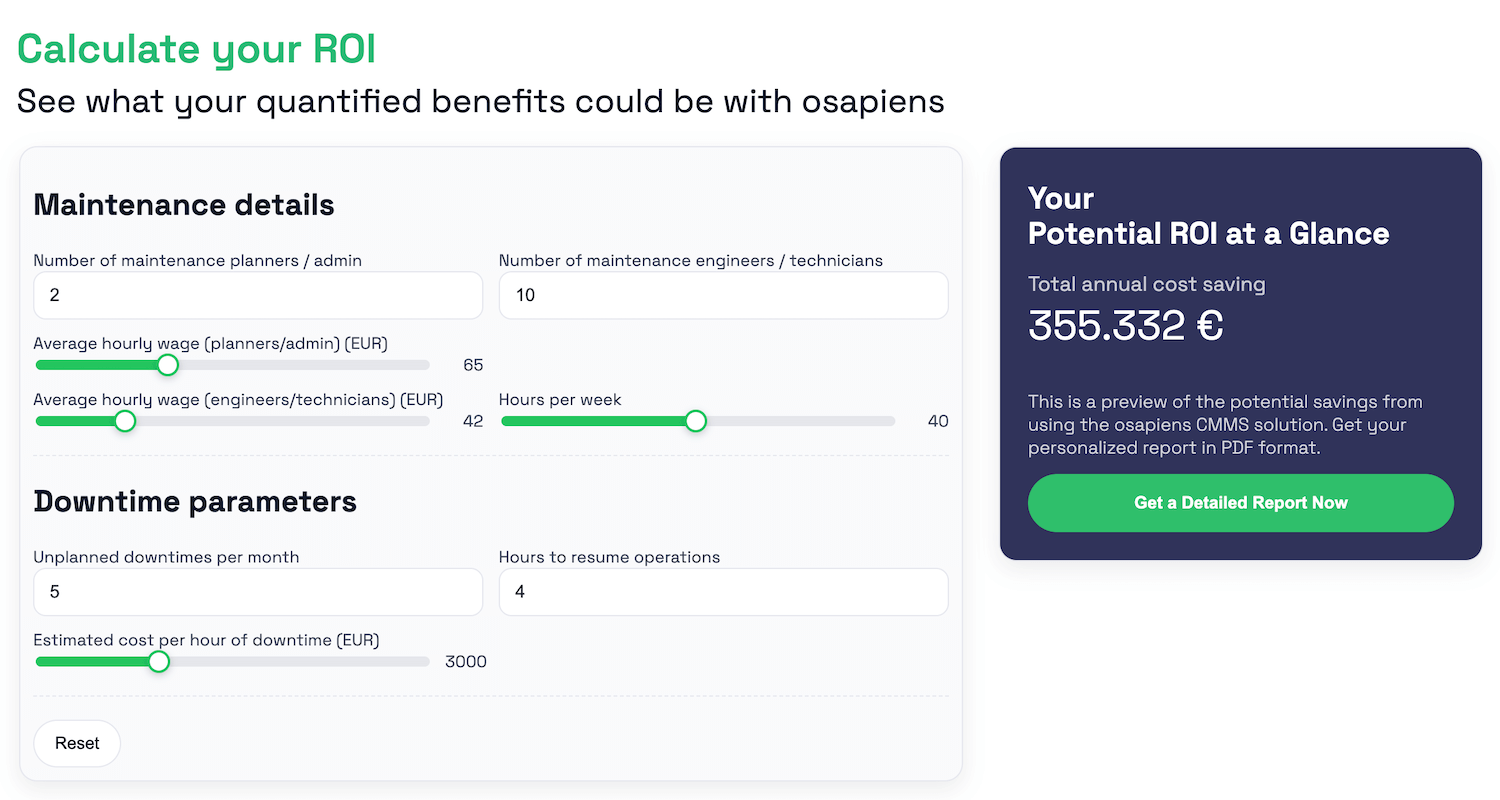
Use the osapiens ROI Calculator to estimate your potential savings in time, cost, and efficiency.
Conclusion: How to Choose the Best Enterprise CMMS
Each of the five enterprise CMMS platforms presented in this article serves a different operational reality. The right choice depends on your specific context — which ERP you run, how many sites you manage, how critical technician adoption is, and what your budget allows.
For organizations that need full asset lifecycle management beyond maintenance execution, IBM Maximo is a strong choice, particularly in regulated industries.
For organizations that prioritize granular reporting and analytics, eMaint is a strong contender.
For enterprises in manufacturing, logistics, or healthcare that prioritize integrated EHS functionality alongside maintenance management, IFS Ultimo offers strong usability and a rapid time to value.
For organizations that want to consolidate maintenance fully within their existing ERP landscape and have the IT resources to support a complex rollout, SAP EAM offers the deepest native integration.
For enterprises that need a platform that scales across multiple sites, deploys fast, and gets technicians to actually use it from day one, the osapiens HUB for Maintenance delivers enterprise-grade functionality without the implementation overhead of legacy platforms. Enterprise deployment in 1–3 months, SAP-certified bidirectional integration, and a mobile-first design with offline capability make it a strong choice for manufacturing companies, energy utilities, and service organizations that need a CMMS built to scale.
Enterprise Maintenance Without the Enterprise Complexity
Most enterprise CMMS projects take months to implement and years to pay off. osapiens HUB deploys in 1–3 months and scales from one site to 35+ without the overhead of legacy platforms.Book your free demo
FAQ
What are the key benefits of Enterprise CMMS Software?
Enterprise CMMS software delivers five core advantages: reduced unplanned downtime through preventive maintenance scheduling, improved technician productivity via mobile access, centralized asset visibility across all sites, better compliance documentation with auditable digital records, and lower total maintenance costs by eliminating reactive repairs and emergency procurement.
What’s the difference between a CMMS, enterprise CMMS, and EAM?
A standard CMMS handles day-to-day maintenance tasks like work orders and preventive maintenance scheduling for a single site. An enterprise CMMS adds multi-site governance, certified ERP integration, role-based access, and scalability for thousands of users across dozens of facilities. An EAM (Enterprise Asset Management) system goes further, covering the full asset lifecycle including capital planning, procurement, and disposal. IBM Maximo functions as both CMMS and EAM.
How long does it take to implement an enterprise CMMS?
Timelines vary significantly by platform. Modern solutions like osapiens HUB for Maintenance deploy in 2 to 4 weeks standalone, or 1 to 3 months with ERP integration. Legacy platforms like IBM Maximo can take several months to over a year. Deployment speed depends on data migration scope, number of sites, and integration complexity. Teams preparing for a future implementation often start by formalizing their current paper-based processes. Our free Excel work order template helps you structure your data today, so migration to an enterprise platform later becomes a lift rather than a rebuild.
How much does enterprise CMMS software cost?
Enterprise CMMS pricing varies significantly depending on the platform, number of users, sites, and integration scope. Most enterprise CMMS vendors do not publish fixed pricing and require a custom quote based on your specific requirements. osapiens HUB includes implementation support and onboarding at no additional cost, with no hidden fees for ongoing updates or support. Use the osapiens ROI Calculator to estimate your potential savings in time, cost, and efficiency.
Start using osapiens for free
Improve your uptime, extend the life of your equipment, and simplify work order management.
Book a demo
ENTERPRISE CAPABILITIES
- SAP ECC & S/4HANA Certified
- Infor & MS Dynamics
- Microsoft Entra ID / Okta
- ISO 27001 & 9001
- EU Cloud · Data Sovereignty
- Development, Test, and Production Environments
- Multi-Entity & Multi-Site
- Power BI Integration
- Audit Trail & Compliance
Related content

January 1, 2026
Fire Suppression System Maintenance Checklist – Tasks, Compliance & Digital Execution
July 6, 2026
Work Order Template for Maintenance Teams
October 15, 2025
How osapiens’ SAP CMMS integration enables easy mobile maintenance
December 19, 2025
Best MRO Asset Management Software: Top 6 Comparison 2026
January 1, 2026
Wire EDM Machine Maintenance Checklist – Tasks, Tips & Digital Execution
January 1, 2026
Fire Alarm System Maintenance Checklist – Essential Tasks, Compliance & Digital Execution
January 1, 2026
CNC Machine Maintenance Checklist: What to Inspect, When & How
January 1, 2026
Battery Bank Maintenance Checklist: Essential Tasks & Digital Execution
January 1, 2026
Conveyor Belt Preventive Maintenance Checklist – Tasks, Tips & Digital Execution
January 1, 2026
Pharmaceutical Mixer Maintenance Checklist – GMP Tasks, Safety & Digital Execution
January 1, 2026
Forklift Maintenance Checklist: What to Inspect, When, and How to Go Digital
January 1, 2026