

Blog

Florian Bartholomäus, osapiens Expert | 29. October 2026 | Lesezeit 12 min.
Whichever app you choose, pilot it in one area before you roll it out. Pick a single line or site, run it for four to six weeks, and measure two numbers: work order completion rate and feedback latency, the time between work finishing and data landing in your system. Adoption decides the value of any work order app, so involve technicians from day one, let them flag friction, and expand only when the pilot numbers hold. A rollout that skips this step buys licenses, not behavior change.
Put work orders on the shop floor









TRUSTED BY LEADING COMPANIES




ENTERPRISE-READY
 SAP Certification
 ISO 27001
 EU Hosting
 Entra ID & Okta
 Multi-Entity
Table of Contents
- Key Takeaways
- Why Mobile Work Order Management Is the Bottleneck
- The 6 Best Work Order Apps for Mobile Maintenance
- Expert tip from osapiens
- How to Choose a Work Order App for Your Maintenance Team
- What a Mobile Work Order App Delivers
- Work Order Apps for Mobile Maintenance: osapiens HUB Lets the Shopfloor Decide
- FAQ
A technician finishes a repair, walks back across the plant to a desktop terminal, and tries to reconstruct from memory what he just did at the machine. Multiply that walk by every job, every shift, every week, and you get maintenance data that arrives late, incomplete, or not at all.
For teams that need mobile execution without losing their ERP backbone, osapiens HUB for Maintenance opens this comparison; the five tools below each serve a different team shape. So which work order app fits the way your technicians actually work?
Key Takeaways
-
Mobile-first decides adoption: technicians use an app that works offline, at the asset, with checklists and photo capture. A desktop system with a mobile skin gets ignored on the shop floor.
-
Integration reality: most work order apps sync data in some form, but only a few offer SAP-certified bidirectional integration with SAP PM, and that difference decides whether confirmations flow back without manual re-entry.
-
Pricing spans from free to premium: freemium entry tiers are the market norm, with paid plans ranging from roughly $20 to $75 per user per month, so cost depends more on seat model than on feature count.
-
Match the app to your system landscape: the right choice follows from your system of record, your team size, and your integration needs.
-
SAP-certified bidirectional sync: osapiens HUB writes completed work orders, times, and materials back to SAP PM in real time, without a separate reconciliation step.
Why Mobile Work Order Management Is the Bottleneck
In most maintenance departments, planning happens in a system and execution happens somewhere else entirely. Work orders sit in SAP PM, in spreadsheets, or in an email inbox, while the technician stands at the machine with a clipboard or nothing at all. Every handover between those worlds is a media break: notes get transcribed later, details get lost, and the asset history fills with gaps.
The osapiens CMMS Study, conducted with Fraunhofer IML, quantifies how common this still is: 59% of maintenance teams rely on Excel or Google Sheets as their main tool, 41% still use paper forms for execution, and CMMS adoption in daily maintenance tasks sits below 20%, even though 92% of respondents believe digital tools deliver measurable ROI.
That gap is a data problem. Feedback that arrives hours late or half-complete makes backlogs invisible, skews your KPIs, and leaves documentation you cannot produce on demand when an auditor or a liability case asks for it. A work order app closes the gap by making the order itself mobile. In practice that means the app must let your team:
-
Create, assign, and track work orders on a phone or tablet
-
Complete digital checklists and capture photos and signatures at the asset
-
Work offline in basements and plant interiors, syncing automatically when connectivity returns
-
Write completed orders, times, and materials back into your system of record without duplicate entry
Not every app on the market does all four well, and the differences show up in exactly the places that decide daily value: adoption on the shop floor and data quality in the back office. The comparison below shows where each tool is strong and where it asks for trade-offs.
Win Back Time on Every Work Order
Every media break between your planning system and the shop floor costs minutes per job and reliability across the week. See how mobile work order execution with a bidirectional SAP integration removes the walk to the terminal and the manual re-entry that follows it.
Win back time on every work order
The 6 Best Work Order Apps for Mobile Maintenance
We selected these six apps on four dimensions: genuine mobile work order capability, integration with the systems maintenance teams actually run (SAP PM in particular), transparent pricing, and real-world adoption. Each entry below states who it fits best, what it does well, where it asks for trade-offs, and what it costs. If your system of record is SAP PM, start at the top; if you run standalone, the alternatives cover that path too.
| Tool | Best for | Mobile work orders | Offline & integration depth |
|---|---|---|---|
| osapiens HUB for Maintenance | SAP PM environments, asset-heavy mid-market and enterprise teams | Mobile-first, offline capability, digital checklists, photo and signature capture | Full offline sync; SAP-certified bidirectional integration; open to other ERPs or standalone |
| MaintainX | Teams prioritizing fast technician adoption | Chat-style procedures and checklists | Offline available; sync with ERP possible, limited SAP depth |
| UpKeep | Small to mid teams leaving spreadsheets | Mobile-first with Nova AI work order assistance | Offline mode available; add-on ERP integrations, no SAP certification |
| Limble CMMS | SMBs wanting quick time-to-value | QR-code work requests, mobile app | Offline on higher tiers; ERP and IoT integrations on higher tiers |
| Fiix | Planner-led teams with complex PM schedules | Mobile app, desktop-first planning | Limited offline; ERP integrations available, no SAP certification |
| Click Maint | Budget-conscious small teams | Mobile app included in every plan | Basic offline; limited integration options |
osapiens HUB for Maintenance: SAP-Certified Bidirectional Sync
osapiens HUB for Maintenance is a mobile-first CMMS built to sit on top of an existing ERP rather than replace it. Orders flow from SAP PM into the app, and confirmations, times, and materials flow back in real time through a SAP-certified bidirectional integration, so nobody re-keys anything at a terminal.

Best for: SAP PM environments and asset-heavy mid-market and enterprise teams that need shopfloor adoption without replacing their ERP.
Strengths:
-
SAP-certified bidirectional integration: orders, confirmations, times, and materials sync between the app and SAP PM without manual re-entry
-
Genuine mobile-first UX with offline capability, digital checklists, and photo and signature capture at the asset
-
Fast implementation: 1–3 weeks standalone, 4–12 weeks with SAP integration, without a dedicated IT project team
-
Works standalone too, with EU-hosted data, and connects to ERPs beyond SAP
Limitations:
-
Younger vendor than the incumbents in this comparison, with a smaller public track record
-
The deepest value shows up in SAP landscapes; standalone teams get a solid but younger ecosystem
Pricing: freemium entry, usage-based packages, and individual enterprise packages; there is no published per-user rate, so the entry point is a free account rather than a listed price. The proof point for scale: Coca-Cola North America runs osapiens HUB across 35 plants with 1,500 users.
Execute Work Orders Without Losing SAP
Your planners keep SAP PM as the system of record, and your technicians get a mobile app they actually use at the machine. That combination, certified by SAP and live in 1,500-user rollouts, is what osapiens HUB for Maintenance delivers.
Execute work orders without losing SAP
MaintainX: Built Around Technician Adoption
MaintainX is a mobile-first CMMS from San Francisco, founded in 2018, with more than 13,000 organizations using it. Its signature is a chat-style interface for procedures and checklists that reduces the learning curve for field teams.
Best for: teams prioritizing fast technician adoption and a familiar, messaging-like UX.
Strengths:
-
Mobile UX built around procedures, checklists, and reporting
-
Large installed base of 13,000+ organizations
-
Freemium entry, with paid plans from around $20 per user per month
Limitations:
-
SAP integration depth is limited compared with SAP-certified tools
-
US-centric vendor, which matters for teams that need EU hosting and support
Pricing: freemium (Basic $0), Essential at $20 per user per month billed annually ($25 monthly), Premium at $65 per user per month billed annually ($75 monthly).
UpKeep: Nova AI Work Order Automation
UpKeep is a mobile-first CMMS aimed at teams moving off spreadsheets, with a transparent tier structure and an AI assistant called Nova that helps create and prioritize work orders.
Best for: small to mid teams that want per-user price transparency while getting off spreadsheets.
Strengths:
-
Transparent tier pricing with unlimited free requester seats
-
Nova AI assists with work order creation and predictive maintenance
-
IoT, safety, and fleet add-ons extend the platform as needs grow
Limitations:
-
Per-user costs add up for large technician teams
-
Advanced modules and AI credits sit behind higher tiers
Pricing: Essential at $24 per user per month, Premium at $55 per user per month, unlimited free requesters.
Limble CMMS: QR-Code Work Requests
Limble is a cloud CMMS covering work orders, preventive maintenance, assets, and inventory, with QR-code work requests as its fastest path from fault to ticket.
Best for: SMBs wanting quick time-to-value and simple QR asset workflows.
Strengths:
-
Fast onboarding, with unlimited assets and work orders on the standard tier
-
QR-code requests let non-technical staff report issues without training
-
Multi-location scaling with SSO and ERP and IoT integrations
Limitations:
-
No simple published rate card, pricing sits behind a calculator
-
Offline mode and API access require higher tiers
Pricing: free entry tier; offline available on Premium+ tier; scalable per-user pricing available on request.
Fiix: Nested Preventive Maintenance Triggers
Fiix is a CMMS with particularly deep preventive maintenance scheduling, supporting calendar, meter, event, and nested triggers, plus AI analytics that examine work orders to predict maintenance needs.
Best for: planner-led teams with complex PM scheduling needs.
Strengths:
-
Deep, flexible PM scheduling with calendar, meter, event, and nested triggers
-
AI-powered analytics that examine work orders to predict maintenance needs
-
Asset hierarchy with full maintenance history
Limitations:
-
Planning experience is desktop-first, and evaluating the mobile app requires a company account
-
Pricing tiers gate mobile features
Pricing: free tier (limited users), Basic at $45 per user per month, Professional at $75 per user per month; enterprise on request.
Click Maint: Simple Pricing for Small Teams
Click Maint is a single-plan CMMS that puts every core module in one price, including the mobile app and unlimited requesters.
Best for: budget-conscious small teams that want one simple plan without tier arithmetic.
Strengths:
-
Transparent single price with all core modules in one plan
-
Unlimited requesters included
-
Mobile app included in every plan
Limitations:
-
Smaller ecosystem and shallower integration options
-
Fewer advanced enterprise features
Pricing: $35 per user per month billed annually ($42 monthly), unlimited requesters, mobile app included.
Expert tip from osapiens
Whichever app you choose, pilot it in one area before you roll it out. Pick a single line or site, run it for four to six weeks, and measure two numbers: work order completion rate and feedback latency, the time between work finishing and data landing in your system. Adoption decides the value of any work order app, so involve technicians from day one, let them flag friction, and expand only when the pilot numbers hold. A rollout that skips this step buys licenses, not behavior change.
Florian Bartholomäus, osapiens Expert
How to Choose a Work Order App for Your Maintenance Team
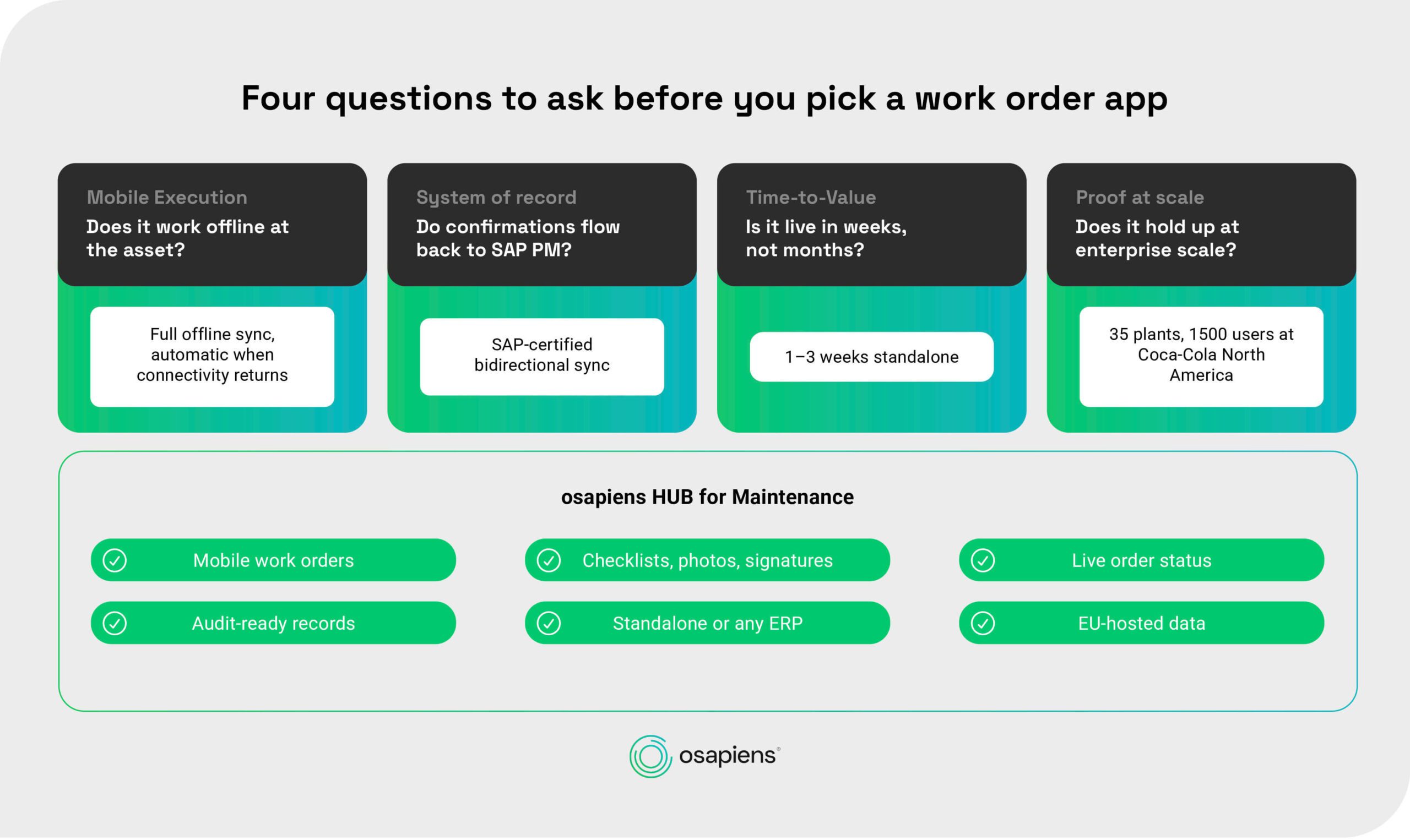
Feature lists look similar on every vendor page. These four criteria separate the apps that deliver value from the apps that get abandoned, and they map directly onto how maintenance teams evaluate tools in practice.
-
Mobile execution quality: the app must work offline, run digital checklists, and capture photos and signatures at the asset. A desktop app with a mobile skin fails here, because technicians stop using it the first time it drops a work order in a basement.
-
Integration with your system of record: bidirectional sync beats one-way export, because confirmations, times, and materials land back in the system without re-entry. Where SAP PM is the backbone, SAP certification is the difference between an integration that is supported and one that is scripted. Teams without SAP should confirm the app also runs standalone.
-
Implementation effort and time-to-value: ask how long go-live takes and whether it needs a dedicated IT project team. Weeks matter more than feature depth when your technicians are waiting, and a tool that takes months to deploy loses the momentum that drives adoption.
-
Total cost and seat model: count requester seats as well as technician seats, price per-user plans at your actual team size, and check whether a freemium entry lets you prove value before committing. The cheapest per-user rate is rarely the cheapest total cost.
What a Mobile Work Order App Delivers
Once the work order lives on the device your technicians already carry, the benefits compound across planning, documentation, and reporting. The category as a whole delivers:
-
Real-time order status and backlog visibility for planners and dispatchers
-
Documentation captured at the asset, with photos, signatures, and timestamps
-
Fewer media breaks and no duplicate entry between field and back office
-
Reliable KPIs such as MTTR and completion rates, because feedback arrives complete
-
Audit-ready records you can produce on demand
Work Order Apps for Mobile Maintenance: osapiens HUB Lets the Shopfloor Decide
A work order app only creates value when technicians actually use it at the machine, and usage follows from mobile-first design, offline capability, and checklists that fit the job.
osapiens HUB for Maintenance is built on that principle: a mobile execution layer on top of SAP PM, with a SAP-certified bidirectional integration that writes confirmations back without manual re-entry. It deploys in 1–3 weeks standalone or 4–12 weeks with SAP, starts free, and runs on EU-hosted infrastructure. How far automation goes stays your decision, from assist to autopilot.
Lift Your Asset Availability to a New Level
Complete feedback from every job, reliable histories on every asset, and a mobile app your technicians pick up without training. Start with the freemium tier of osapiens HUB for Maintenance and see the difference in your own plant.
Lift your asset availability to a new level
FAQ
Why do maintenance teams still struggle with paper work orders?
Because the tools of daily execution never caught up with the systems of planning. The osapiens CMMS Study with Fraunhofer IML found that 59% of maintenance teams rely on Excel or Google Sheets as their main tool and 41% still use paper forms. Every transcription step between paper and system costs time and loses detail, which is why histories stay thin even when planning looks organized.
What is the best free work order app for small maintenance teams?
Freemium entry tiers are the market norm, so the honest answer is to test rather than to pick a label. osapiens HUB for Maintenance, MaintainX, and Limble all offer free entry points with different strengths: SAP-grade integration, chat-style adoption, or QR-code simplicity. Start with the one whose upgrade path matches where your team will be in two years.
Do work order apps work offline?
The ones built for field use do, and offline capability is a mandatory selection criterion. Technicians work in basements, plant interiors, and remote sites where connectivity drops, and an app that loses data there loses trust. Check that the app captures work offline and syncs automatically when the connection returns, including photos and checklist entries.
Can a work order app replace SAP PM?
No, and it should not try. SAP PM remains the system of record for planning, cost capture, and reporting; a mobile work order app is the execution layer that makes it usable at the machine. osapiens HUB for Maintenance takes exactly that role, with a SAP-certified bidirectional integration that writes confirmations back to SAP PM without manual re-entry.
Does osapiens HUB also work without SAP?
Yes. osapiens HUB runs fully standalone, with implementation in 1–3 weeks, and connects to ERPs beyond SAP. The platform is certified for SAP and open to any other ERP or standalone operation, so your system landscape can change without changing your maintenance software.
How does a work order app integrate with an existing ERP?
Integration depth varies widely. Most apps offer one-way data export or webhook-based sync, which gets data out of the field but still requires someone to reconcile it in the ERP. Bidirectional integration, where completed orders, times, and materials write back automatically, removes that step entirely. For SAP PM environments, SAP-certified bidirectional integration is the relevant benchmark, because it means the connector is tested and supported by SAP, not just scripted by the vendor.
osapiens HUB for Maintenance
Learn how our CMMS solution improves your uptime, extends the service life of your equipment, and simplifies the management of your work orders.
Book demo
ENTERPRISE CAPABILITIES
- SAP ECC & S/4HANA Certified
- Infor & MS Dynamics
- Microsoft Entra ID / Okta
- ISO 27001 & 9001
- EU Cloud · Data Sovereignty
- Development, Test, and Production Environments
- Multi-Entity & Multi-Site
- Power BI Integration
- Audit Trail & Compliance
Related content
March 24, 2026
Multi-Site CMMS Software: How to Choose the Right Platform and Roll It Out Across Every Site
January 1, 2026
Hydraulic Shearing Machine Maintenance Checklist – Tasks, Safety & Digital Execution
January 1, 2026
MIG Welding Machine Maintenance Checklist – Tasks, Tips & Template
January 1, 2026
Robotic Assembly System Maintenance Checklist – Tasks, Tips & Digital Execution

July 14, 2025
Unlocking Operational Excellence Through Preventive Maintenance
January 1, 2026
Filling Machine Maintenance Checklist – Tasks, Tips & Best Practices

November 27, 2025
Condition Based Maintenance (CBM): Definition, Types & Implementation Guide
December 17, 2025
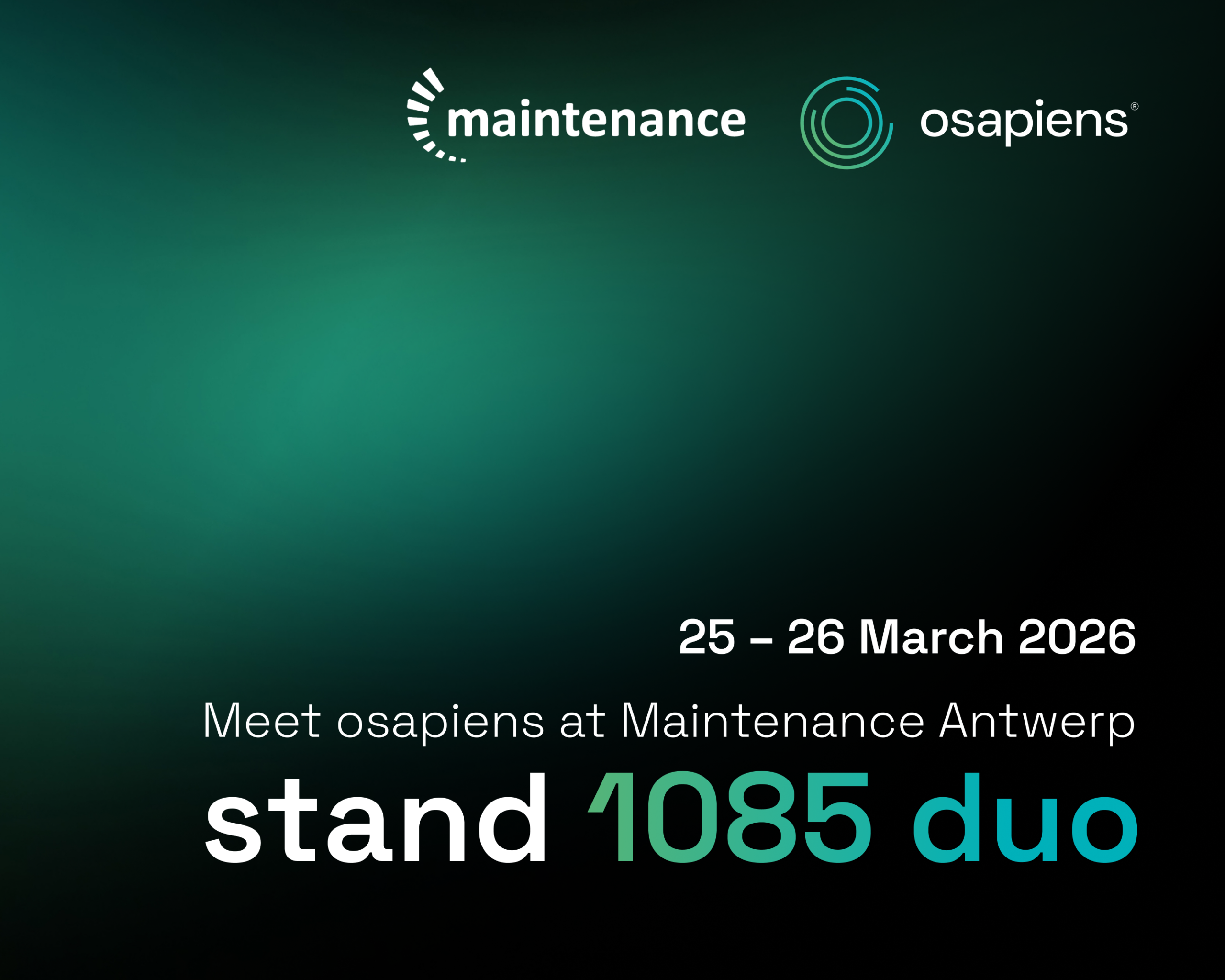
maintenance Antwerp: Experience the osapiens CMMS live
January 1, 2026
Preventive Maintenance Checklist: A Template Organized by Component, Not by Calendar
January 1, 2026
Surface Grinding Machine Maintenance Checklist – Tasks, Tips & Template

January 9, 2026
Industrial Maintenance in Transition: From Manual to Predictive in the Age of AI
January 1, 2026