

Blog

Remi Morisot, osapiens Expert | 10. April 2026 | Lesezeit 12 min.
Your ERP runs the business. Your CMMS keeps the equipment running. This guide explains why the integration method between both systems makes or breaks your maintenance operations and how to get it right.
Connect Your ERP Now













TRUSTED BY LEADING COMPANIES




ENTERPRISE-READY
 SAP Certification
 ISO 27001
 EU Hosting
 Entra ID & Okta
 Multi-Entity
Table of Contents
- Key Facts
- What Is CMMS ERP Integration?
- The Gap Between ERP and What Maintenance Teams Actually Need
- Key Benefits of CMMS ERP Integration for Enterprise
- Which Data Flows Between CMMS and ERP?
- Common ERP Systems and Integration Points
- SAP-Certified CMMS vs. API-Only
- Why CMMS ERP Integration Projects Fail and How to Avoid It
- How osapiens Delivers SAP-Certified CMMS Integration
- Conclusion: SAP-Certified Connectivity as the Foundation for Scalable Maintenance Operations
- FAQ
Your maintenance team just closed a work order in the CMMS, but procurement in the ERP system never received the parts request. Meanwhile, finance is reconciling maintenance costs from a spreadsheet someone emailed last week. Sound familiar? Most enterprises already run a dedicated enterprise resource planning as their operational backbone, yet maintenance teams still operate in separate systems with manual data entry bridging the gap. This article explores why the integration method you choose determines whether your CMMS ERP integration delivers seamless data flow or simply adds another layer of complexity.
Key Facts
- What CMMS ERP integration means: Connecting a dedicated maintenance management system with your ERP permits work orders, asset data, spare parts, and costs to flow bidirectionally without manual data entry.
- Integration method matters more than you think: A generic API connection and an SAP-certified connector differ fundamentally in data depth, synchronization reliability, and ongoing maintenance effort, a distinction most vendors deliberately leave vague.
- Technician adoption is the strongest ROI predictor: The CMMS must deliver a mobile-first experience that simplifies daily workflows rather than adding administrative overhead.
- The osapiens HUB for Maintenance addresses this with an SAP-certified CMMS integration that synchronizes assets, work orders, and maintenance plans directly with SAP PM, deployed as a cloud solution without separate consulting contracts or lengthy IT projects.
See Every Feature in Action
Rigid templates, poor mobile usability, and Excel workarounds sound familiar? See how the osapiens HUB for Maintenance gives your technicians the tools they actually need, fully integrated with your ERP.
Try osapiens for free
What Is CMMS ERP Integration?
CMMS ERP integration connects a dedicated maintenance management system with your enterprise resource planning platform so that work orders, asset records, spare parts data, and maintenance costs move between both systems automatically, without manual data entry or spreadsheet-based reconciliation. In practice, this means a work order closed by a technician in the field flows directly into the ERP, triggering cost postings and purchase requisitions without anyone re-entering data. Asset condition updates recorded in the CMMS sync back to financial and procurement modules, keeping capital planning and depreciation schedules current.
The result is a single source of truth across maintenance, finance, and procurement, instead of two systems that contradict each other at month-end.
The Gap Between ERP and What Maintenance Teams Actually Need
Enterprise resource planning software excels at managing financial records, procurement workflows, and compliance reporting. A computerized maintenance management system, on the other hand, is purpose-built to support the technician out in the field: mobile work order management, guided checklists, and real-time asset data at their fingertips.
These are complementary roles, not competing ones. The ERP keeps the business running on paper; the CMMS keeps the equipment running in practice.
The problem starts when organizations try to force their ERP’s native maintenance module into a role it was never designed for. The most common pain points include:
- Rigid preventive maintenance templates that cannot adapt to real-world conditions without expensive customization
- Poor mobile usability that keeps technicians tied to desktop screens or office visits
- High customization costs to fit enterprise asset management modules to actual maintenance workflows
- Shadow processes like Excel spreadsheets and paper-based workarounds that emerge when the official system is too cumbersome to use
The answer is not replacing your ERP but complementing it with a dedicated CMMS that integrates deeply enough to eliminate data silos while giving maintenance teams a tool they actually want to use.
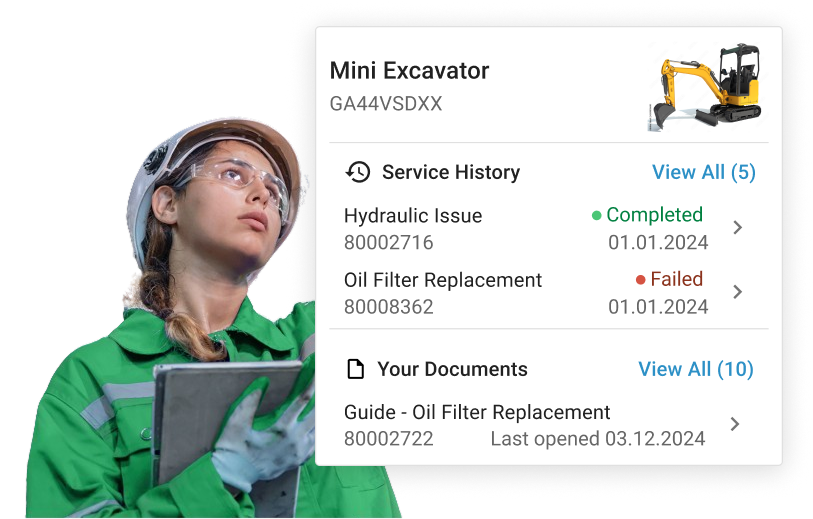
Key Benefits of CMMS ERP Integration for Enterprise
What are the main benefits of integrating a CMMS with an ERP system? Integrating a dedicated CMMS with your ERP does more than close a technical gap. Here are the key benefits:
✓ Reduced unplanned downtime
When work orders, PM schedules, and asset records sync in real time between CMMS and ERP, maintenance teams stop reacting to failures and start preventing them.
✓ Higher technician efficiency
Field teams access work orders, complete checklists, and close jobs directly from a mobile app without office visits or manual data entry. Every completed task flows back to the ERP automatically.
✓ Multi-site standardization
Enterprise environments struggle with inconsistent maintenance practices across locations. A CMMS integrated with ERP enforces uniform work order templates, approval workflows, and cost center assignments across all facilities.
✓ Cost control
Enterprise finance teams require maintenance costs to map directly to cost centers, capital budgets, and depreciation schedules in the ERP. Bidirectional data flow makes this automatic rather than a month-end reconciliation exercise.
Which Data Flows Between CMMS and ERP?
Successful CMMS ERP integration at enterprise scale depends on clearly mapping which data moves between your two systems, in which direction, and which system holds the authoritative version. Without this clarity, maintenance teams and finance departments end up reconciling conflicting records manually.
| Data Type | Direction of Flow | Authoritative System* |
|---|---|---|
| Work orders to purchase orders | CMMS → ERP | CMMS |
| Parts inventory to procurement | Bidirectional | ERP (supplier master), CMMS (stock levels on site) |
| Maintenance costs to financial reporting | CMMS → ERP | ERP |
| Labor hours to HR | CMMS → ERP | CMMS |
| Asset records to capital planning | Bidirectional | Varies by setup |
| PM schedules and checklists | Bidirectional | Varies by setup |
| Cost centers and supplier master data | ERP → CMMS | ERP |
*Which system serves as the authoritative source can vary by organization. For PM schedules, for example, some enterprises manage maintenance plans in SAP PM and sync to the CMMS, while others do the reverse.
Defining system ownership upfront prevents data conflicts that typically surface weeks after go-live, when finance discovers mismatched maintenance costs or procurement finds duplicate purchase orders.
Common ERP Systems and Integration Points
Organizations run various ERP systems. Each platform offers different integration capabilities when connecting with a CMMS. The following table outlines the most common enterprise ERP solutions and their typical integration points with a CMMS.
| ERP System | Key Integration Points with CMMS | Integration Method |
|---|---|---|
| SAP S/4HANA | SAP PM, work orders, material master, cost centers, equipment records | SAP-certified connector (preferred), BAPIs, IDocs |
| IBM Maximo Application Suite | Asset lifecycle management, work orders, inventory, procurement, financials | REST APIs, IBM Integration Bus, middleware |
| Oracle Fusion Cloud ERP | Asset management, procurement, financials | REST APIs, middleware |
| Microsoft Dynamics 365 | Field service, finance, supply chain | REST APIs, Power Automate |
| Infor CloudSuite | EAM module, procurement, inventory management | Infor ION, APIs |
| IFS Cloud | Work orders, asset lifecycle, procurement | REST APIs, native connectors |
SAP-Certified CMMS vs. API-Only
The difference between an SAP-certified connector and a generic API connection comes down to how data moves and how reliably it stays consistent. A certified connector synchronizes assets, work orders, maintenance plans, and cost objects bidirectionally between your CMMS and SAP PM. It includes built-in conflict resolution rules and real-time validation, so both systems remain aligned without manual intervention.
A one-way API push, by contrast, typically transfers partial data sets from the CMMS to the ERP only. Critical return data like purchase order status updates, revised cost center assignments, or approved material reservations never makes it back to the CMMS, leaving maintenance teams working with incomplete information.
| Capability | SAP-Certified Connector | Generic API (One-Way) |
|---|---|---|
| Data direction | Bidirectional, real-time | Typically one-way (CMMS → ERP) |
| Field mapping | Pre-mapped to SAP PM objects | Custom mapping required |
| Conflict resolution | Built-in validation rules | Manual or middleware-dependent |
| SAP upgrade compatibility | Maintained by vendor with SAP certification | Breaks are possible with each update |
| Ongoing maintenance effort | Low (vendor-managed) | High (internal IT or consultants) |
Hidden Risks of Generic API Connections in Enterprise Environments
Generic API integrations may work during initial testing, but enterprise environments expose their weaknesses quickly. The most common failure points include:
- Silent data loss: Incomplete field mapping drops data fields SAP requires, such as order type classifications or cost element assignments, without generating an error.
- Undetected payload errors: Malformed or missing data passes through without alerts and only surfaces during month-end financial reconciliation.
- Codification mismatches: CMMS status codes and SAP order types use different taxonomies, causing work orders to stall or route incorrectly.
- Accumulating middleware complexity: Manual reconciliation or middleware layers needed to patch gaps add ongoing cost and technical debt with every iteration.
- Fragile upgrade compatibility: Every ERP update or support package can break custom API connections, requiring emergency fixes from internal IT or external consultants.
While iPaaS and middleware are often seen as quick fixes, they are generally considered suboptimal for enterprise-grade CMMS-ERP integration. For organizations where seamless data flow and reliability are non-negotiable, these third-party layers often fall short of the stability provided by native, certified connections.
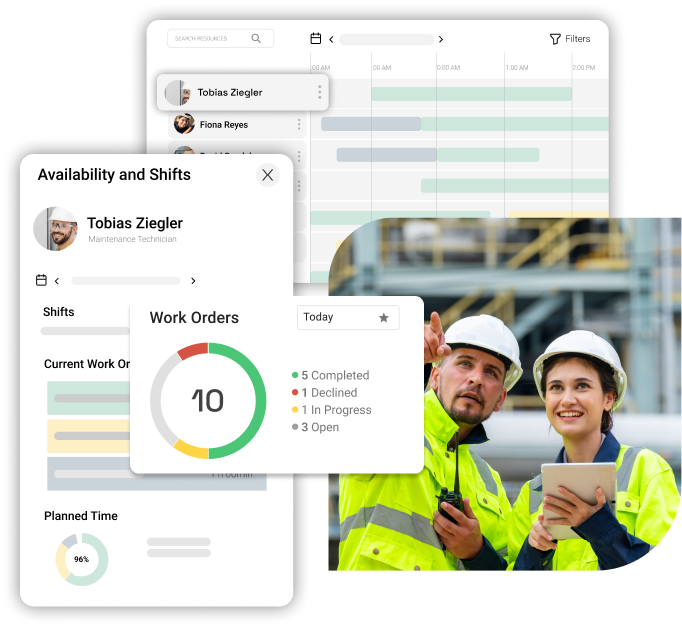
As an SAP-certified CMMS, the osapiens HUB for Maintenance connects to SAP PM through a pre-built certified connector that synchronizes every minute, mirrors SAP’s data structure, and stays stable through updates.
Why CMMS ERP Integration Projects Fail and How to Avoid It
Knowing which systems to connect and where the integration points lie is only half the challenge. The other half is avoiding the operational mistakes that derail even well-funded projects before they reach go-live. The most common failure causes include:
- Poor data quality before migration, like duplicate asset records, inconsistent naming conventions, and outdated inventory data.
- Unrealistic timelines that compress testing phases and skip pilot stages
- Undetected shadow processes where actual maintenance workflows differ significantly from what is documented in the ERP
- Insufficient change management that leaves technicians disengaged and resistant to adopting a new system
Among these, technician adoption deserves special attention. If technicians do not use the system, the data flowing into your ERP is incomplete or worthless, and every downstream report, from maintenance costs to asset performance, becomes unreliable.
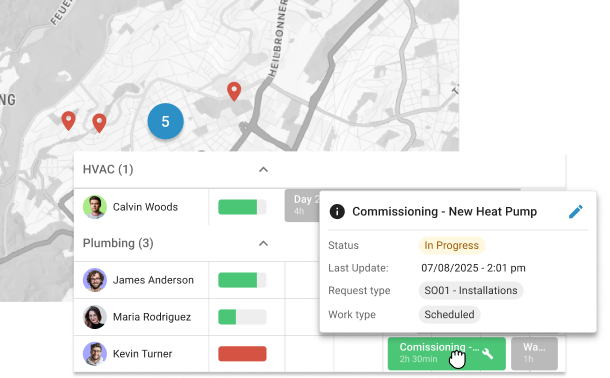
Ready for a CMMS Your Technicians Will Actually Use?
The osapiens HUB for Maintenance is designed for frontline adoption from day one. Mobile-first, intuitive, and fully integrated with your ERP.
Book a Free Demo
Three Safeguards That Protect Your CMMS ERP Integration Investment
Three safeguards help protect your investment before and after go-live.
- Pilot at a single bottleneck facility before rolling out enterprise-wide. This surfaces real-world issues without disrupting all operations at once.
- Run a data reconciliation test between CMMS and ERP before go-live to catch field mapping errors, status code mismatches, and missing data fields early.
- Establish baseline KPIs for unplanned downtime, maintenance spend, and maintenance reporting completion rates so you can measure integration ROI from day one.
The osapiens HUB for Maintenance was built to deliver exactly that in practice, without the coordination overhead that makes most enterprise rollouts unnecessarily complex.

Alberto Ecre, Group Lead Service Digitalization Department
★ ★ ★ ★ ★Nordex
“We were looking for a cloud platform solution that supports all of our regions. Our technicians have to visit the wind turbines every day to fix problems—we need stable solutions that make their work easier. The key was the very simple integration with our ERP system. Now we are gradually expanding: subcontractor management, tool management, and more.”
More than 2,000 companies trust osapiens, including Coca-Cola North America and Nordex, Puratos and Grupo Agora.
How osapiens Delivers SAP-Certified CMMS Integration
The osapiens HUB for Maintenance is a cloud-based, SAP-certified CMMS that synchronizes assets, work orders, and maintenance plans with SAP PM through a pre-built certified connector. This means seamless integration without middleware, without third-party consultants, and without separate implementation contracts. Every data flow, from purchase requisitions to labor hours to asset records, runs through a single, vendor-maintained connection that stays compatible through SAP updates.
What sets the osapiens HUB apart is the combined product-and-implementation-partner model. Software and rollout come from the same team, giving you a single point of contact from scoping to go-live. Enterprise implementations typically go live within 1–3 months. Compare that to IBM Maximo, where implementations often stretch to 6–18 months, or middleware-dependent setups that require ongoing coordination between multiple vendors.
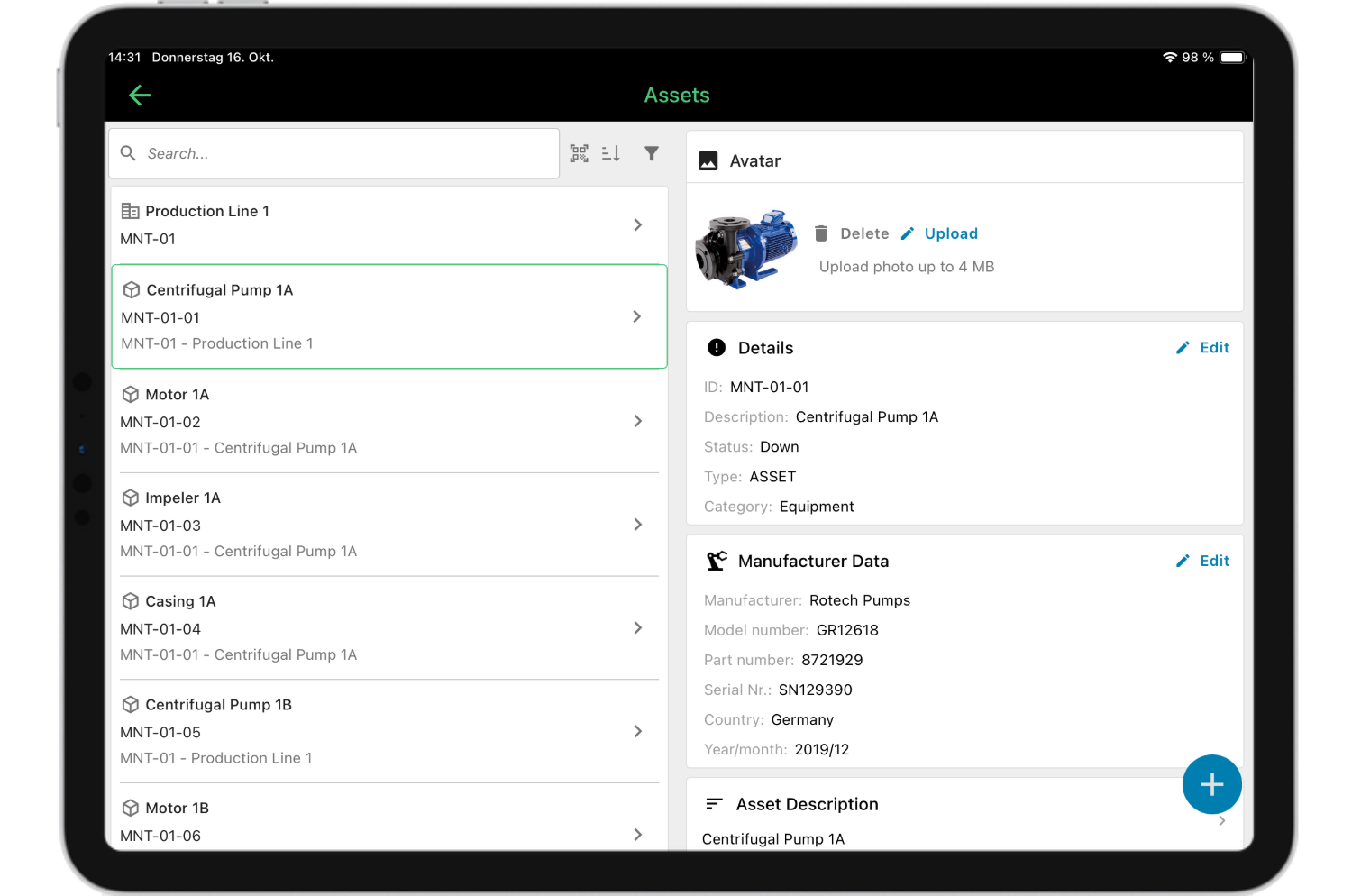
The mobile-first design is what drives technician adoption in practice. Field teams access work orders, complete checklists, and close out maintenance jobs directly from the app, while all data flows back to SAP in real time. This approach has proven itself at enterprise scale: Coca-Cola North America runs the osapiens HUB across 35 facilities with 1,500 users, and Nordex relies on it for wind energy maintenance operations.
Let osapiens Handle What ERP Cannot
Stop reconciling spreadsheets and start running maintenance the way it was meant to work. The osapiens HUB for Maintenance integrates directly with your ERP, gives your technicians a tool they actually use, and goes live in 1–3 months.Start now for free
Conclusion: SAP-Certified Connectivity as the Foundation for Scalable Maintenance Operations
Enterprise CMMS ERP integration only delivers lasting value when it goes beyond a surface-level API connection. Bidirectional, SAP-certified data synchronization prevents data loss between systems, keeps work orders, costs, and asset records consistent, and removes the reconciliation burden from your maintenance teams. But technical architecture alone does not determine ROI. Technician adoption is the deciding factor: if field teams do not use the CMMS, every downstream report becomes unreliable.
Before selecting a CMMS, verify the actual integration depth, the vendor’s certification status, and whether they can serve as both software provider and implementation partner. A single point of contact from scoping to go-live reduces coordination overhead and accelerates time-to-value, two factors that separate successful rollouts from stalled projects.
FAQ
What data should flow between a CMMS and an ERP system?
Work orders, purchase requisitions, spare parts inventory, maintenance costs, labor hours, and asset records. The key is defining which system is authoritative for each data type. For example, the ERP owns cost centers and supplier data, while the CMMS owns work orders and PM schedules.
Should I replace my ERP maintenance module with a standalone CMMS?
The goal is to complement your ERP, not replace it. A standalone CMMS handles field-level execution, mobile workflows, and maintenance planning. Your ERP remains the system of record for finance, procurement, and compliance. Deep integration connects both without data duplication.
How long does a CMMS ERP integration take at enterprise scale?
Timelines vary by vendor and complexity. Middleware-dependent setups can take six months or longer. With a pre-built SAP-certified connector like the osapiens HUB for Maintenance, enterprise implementations typically go live within 1–3 months, including data mapping and testing.
Do I need middleware for CMMS ERP integration, or can I use a direct connector?
Middleware adds flexibility but also cost, complexity, and ongoing maintenance overhead. For SAP environments, a direct SAP-certified connector is the more reliable long-term approach. It maintains field mapping and compatibility through SAP updates without requiring a separate integration layer.
What does SAP-certified integration actually mean for a CMMS?
SAP certification means SAP has tested and validated the connector for compatibility with its systems. It ensures the integration follows SAP’s data standards, supports bidirectional synchronization, and stays compatible through updates, reducing the risk of failures after patches or upgrades.
Start using osapiens for free
Improve your uptime, extend the life of your equipment, and simplify work order management.
Book a demo
ENTERPRISE CAPABILITIES
- SAP ECC & S/4HANA Certified
- Infor & MS Dynamics
- Microsoft Entra ID / Okta
- ISO 27001 & 9001
- EU Cloud · Data Sovereignty
- Development, Test, and Production Environments
- Multi-Entity & Multi-Site
- Power BI Integration
- Audit Trail & Compliance
Related content
July 22, 2025
Simplify Maintenance with SAP and osapiens

January 1, 2026
Coating Machine Maintenance Checklist – Tasks, Tips & Best Practices
January 1, 2026
Uninterruptible Power Supply Maintenance Checklist – Tasks, Safety & Digital Execution
January 1, 2026
Automated Guided Vehicle Maintenance Checklist – Tasks, Safety & Digital Execution

February 2, 2026
Too many unplanned service calls? Here’s how to get service tickets and priorities under control
January 1, 2026
Industrial Dryer Maintenance Checklist – Tasks, Tips & Digital Execution
January 1, 2026
Overhead Crane Maintenance Checklist: What to Inspect & When
January 1, 2026
Pneumatic System Maintenance Checklist – Essential Tasks & Best Practices

May 23, 2025
Whitepaper: How to Build a Strong Business Case for a CMMS
January 1, 2026
Capsule Filling Machine Maintenance Checklist – Tasks, Tips & Template
January 1, 2026
Forklift Maintenance Checklist: What to Inspect, When, and How to Go Digital
January 1, 2026