

Blog

Florian Bartholomäus, osapiens Expert | 7. April 2026 | Lesezeit 14 min.
IFS Ultimo is a recognized name in enterprise asset management, but not always the right fit. We compared five software alternatives on SAP integration, deployment speed, and total cost of ownership, so you can make a confident decision.
Book a demo













TRUSTED BY LEADING COMPANIES




ENTERPRISE-READY
 SAP Certification
 ISO 27001
 EU Hosting
 Entra ID & Okta
 Multi-Entity
IFS Ultimo has long been a staple in enterprise asset management, yet for many scaling organizations, a leading name no longer guarantees operational agility. When technicians are sidelined by complex interfaces and decision-makers are left in the dark by opaque pricing and fragmented SAP connectivity, the software becomes a bottleneck rather than a backbone. If your EAM is slowing your team down, it is time to explore what else the market offers. This guide breaks down the top 5 IFS alternatives, including the osapiens HUB for Maintenance, so you can find the right fit for your team.
Key Facts
- Market leader, but not for everyone: IFS Ultimo holds 19.4 % EAM market share, yet its custom pricing and dense interface drive many maintenance teams to explore alternatives.
- SAP integration matters: Most alternatives lack certified SAP connectivity, creating data silos and manual workarounds.
- Deployment speed varies widely: Alternatives range from 1–4 weeks to 12+ months for full implementation.
- osapiens HUB for Maintenance: Combines SAP-certified integration, mobile-first design, and fast deployment, starting from €0.
Why You Should Consider IFS Alternatives
IFS holds the #1 EAM market share position with a 19.4 % share and $550 million in revenues. It is robust, secure, and arguably the gold standard for managing massive logistics fleets. Yet even proven software can become a bottleneck when it no longer matches how your maintenance team actually works.
Here are the most common reasons teams start exploring IFS alternatives:
- Interface complexity: Technicians report too many clicks for simple repairs, and the steep learning curve slows adoption across the team.
- Opaque pricing: Custom pricing across all tiers makes it difficult to forecast costs or compare options confidently.
- Limited manufacturing depth: No native OEE tracking or cycle-based maintenance triggers leaves production-focused teams underserved. Teams in this space may benefit from dedicated maintenance software for manufacturing.
- SAP integration gaps: Ultimo connects to SAP via API but is not SAP-certified, which can create data silos and manual workarounds.
- Longer deployment timelines: Implementation typically takes 4–8 weeks, slower than lighter CMMS tools that go live in half the time.
If any of these challenges sound familiar, the alternatives below offer targeted solutions worth evaluating.
Ready for a CMMS Your Team Will Actually Use?
The osapiens HUB combines SAP-certified integration, asset lifecycle management, and preventive maintenance in one platform, without the complexity that kills adoption.
Start with osapiens
Top 5 IFS Alternatives in 2026
Not every EAM is built for every enterprise. To find a true IFS alternative, you must look beyond the feature list and evaluate how a tool aligns with your SAP environment, your deployment timelines, and the actual needs of your team. Below, we break down five leading solutions that span the spectrum from high-scale asset management to lightweight, rapid-deployment tools.
| Feature | osapiens HUB | IBM Maximo | MaintainX | Limble | Fiix |
|---|---|---|---|---|---|
| SAP Integration |
Certified, bidirectional (SAP ECC & S/4HANA)
|
API-based
|
Limited
|
Limited
|
Limited
|
| Deployment Time | 1–2 weeks (SME) / 1–3 months (enterprise) | 12–18 months | 1–4 weeks | 2–4 weeks | 6–8 weeks |
| Asset Lifecycle Management |
End-to-end
|
Full lifecycle
|
Limited
|
Limited
|
Unified tracking
|
| Compliance & Audit Trail |
ISO 27001, EU hosting, enterprise-grade
|
Enterprise-grade
|
Limited
|
Limited
|
Limited
|
| Mobile App |
Mobile-first, offline sync, QR code scanning, smart forms, step-by-step checklists
|
Available, requires IT configuration
|
Native iOS & Android, offline sync
|
Available, offline sync
|
Available, best suited for desktop-heavy teams
|
| Best For | SAP-centric mid-to-large enterprises | Large infrastructure & utilities | Small to mid-sized mobile teams | Facilities without ERP needs | Data-driven teams with IT resources |
| Starting Price | €29/user/month Start for free |
from $3,150/month | €20/user/month | Custom pricing | $45/user/month |
osapiens HUB for Maintenance: Best CMMS for SAP Integration
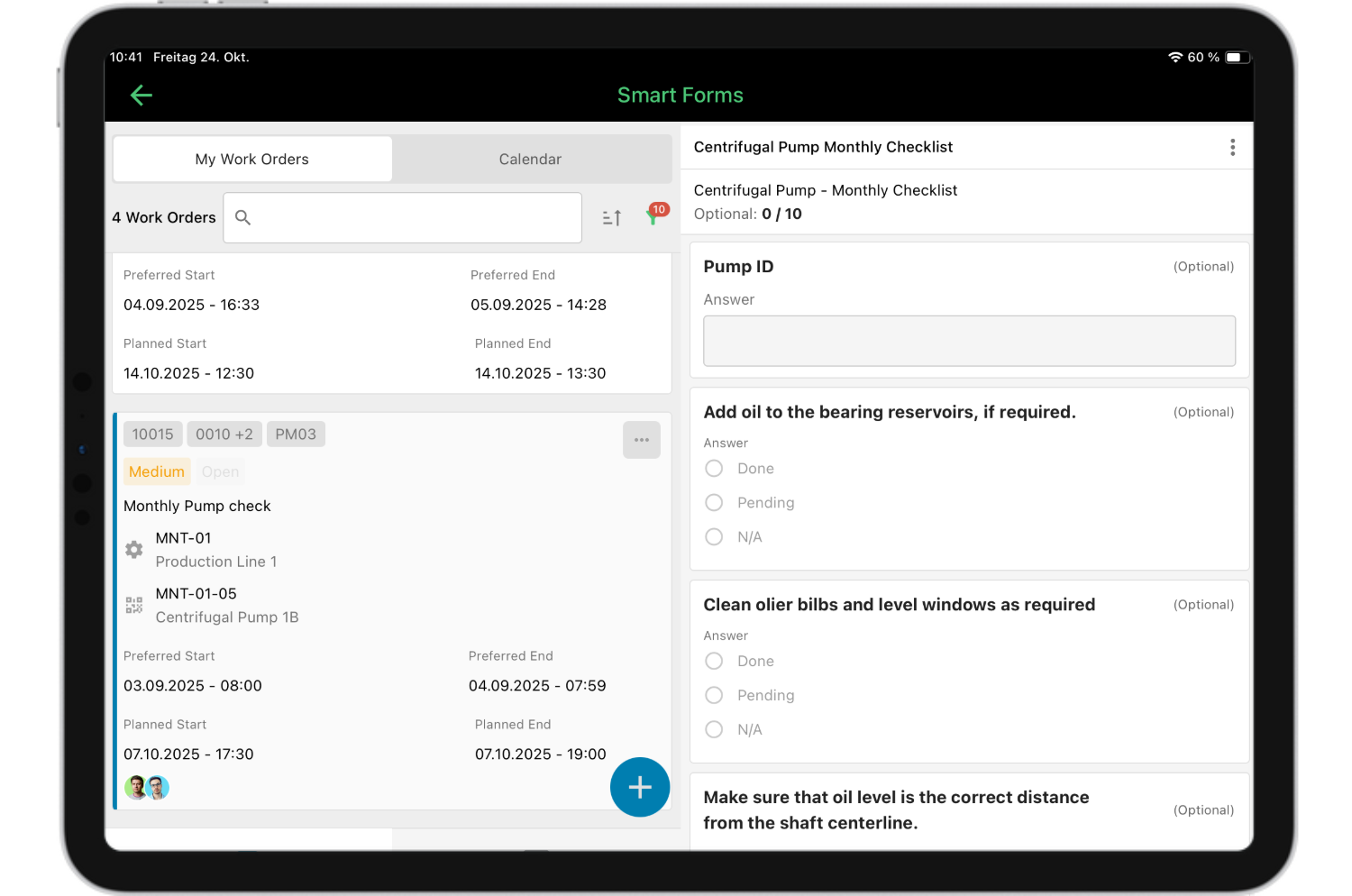
The osapiens HUB for Maintenance is the only platform in this comparison with SAP-certified bidirectional integration for both SAP ECC and S/4HANA. That means work orders, asset data, and maintenance histories sync in real time, with zero manual transfers between systems. The mobile-first design was built for technicians who want fewer clicks, not more complexity.
Key features and capabilities:
- SAP-Certified Bidirectional Integration: Beyond simple connectivity, osapiens native SAP PM integration ensures a seamless, real-time data flow.
- End-to-End Asset Lifecycle Management: Complete lifecycle tracking with maintenance history, warranty management, and asset performance monitoring to extend asset life and maximize ROI.
- Mobile-First Design with Full Offline Sync: A mobile-first design ensures that work orders and data capture remain accessible in environments without internet connectivity. Data is stored locally and synchronized automatically once a connection is re-established.
- Intelligent Preventive Maintenance: Automated workflows and conditional logic that trigger based on real-time usage, time intervals, or specific condition-based sensors.
- Integrated Inventory & Vendor Portals: Real-time tracking of spare parts is augmented by automated reordering alerts. Integrated vendor communication channels streamline procurement processes and enhance supply chain transparency.
- Strategic Dashboards & KPIs: Real-time visibility into maintenance operations is provided through customizable dashboards. Organizations can monitor specific performance metrics and KPIs tailored to their internal operational standards.
- Fast deployment: For smaller teams, deployment takes as little as one to two weeks. Enterprise rollouts with full SAP integration typically complete within one to three months.
- ISO 27001 certification and EU-based hosting ensure your data stays secure and compliant.
Pricing starts at €29 per user per month, with a free plan available for teams of up to five users.
Best for: SAP-integrated environments, manufacturing facilities, mid-to-large enterprises seeking to optimize maintenance operations while maintaining existing ERP investments, and organizations requiring preventive maintenance with real-time visibility into asset conditions.
More than 2,000 companies trust osapiens, including Coca-Cola North America and Nordex, Puratos and Grupo Agora.

Alberto Ecre, Group Lead Service Digitalization Department
★ ★ ★ ★ ★Nordex
“We were looking for a cloud platform solution that supports all of our regions. Our technicians have to visit the wind turbines every day to fix problems—we need stable solutions that make their work easier. The key was the very simple integration with our ERP system. Now we are gradually expanding: subcontractor management, tool management, and more.”
IBM Maximo
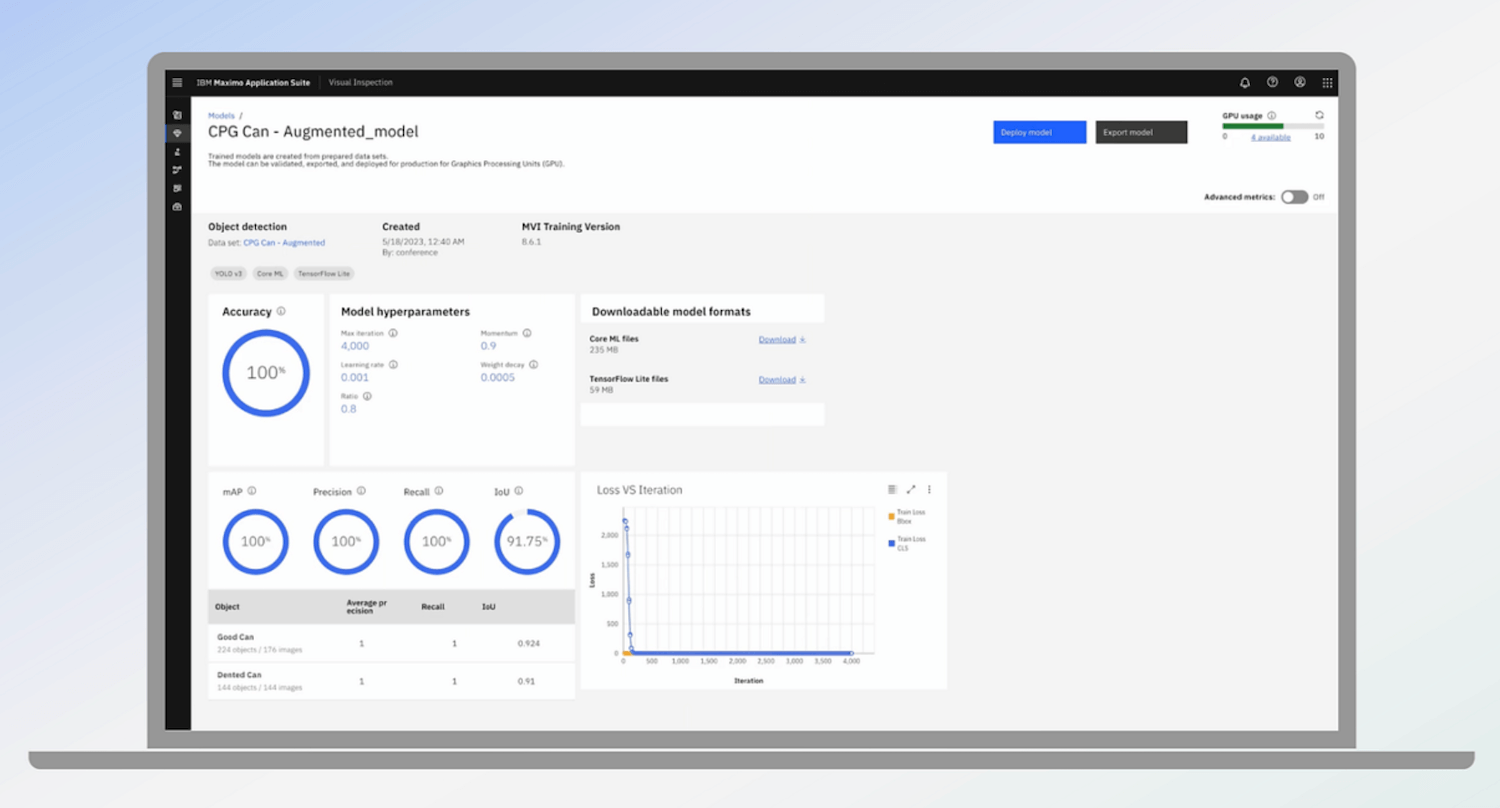
IBM Maximo is the enterprise heavyweight of asset management. It offers deep asset lifecycle management, AI-powered predictive capabilities, and robust support for linear assets like pipelines, rail networks, and power grids. For large-scale infrastructure and utilities, few platforms match its breadth.
Key features and capabilities:
- Unified database scalability: The platform allows for the management of millions of assets across global locations within a single, centralized database architecture.
- AI-powered predictive maintenance: Integration with advanced analytics enables failure forecasting and maintenance optimization based on historical data patterns.
- IoT integration and sensor monitoring: Real-time asset monitoring triggers automated work order generation when predefined performance thresholds are reached.
- Enterprise Contract management: Comprehensive controls facilitate the management of maintenance contracts, SLAs, and complex supplier relationships.
- Compliance and audit infrastructure: Granular access rights and complete documentation support the rigorous tracking requirements of highly regulated industries.
Pricing starts at approximately $3,150 per month.
Watch-outs: Starting prices combined with implementation timelines of 12–18 months, often exceed the budgetary and operational constraints of mid-market organizations. The platform’s extensive architecture is designed for enterprise-wide asset strategies, which can lead to operational overhead if the primary requirement is a streamlined maintenance tool.
Best for: Large organizations managing complex infrastructure, utilities, or linear assets that require full lifecycle visibility and have dedicated IT teams to support implementation.
MaintainX
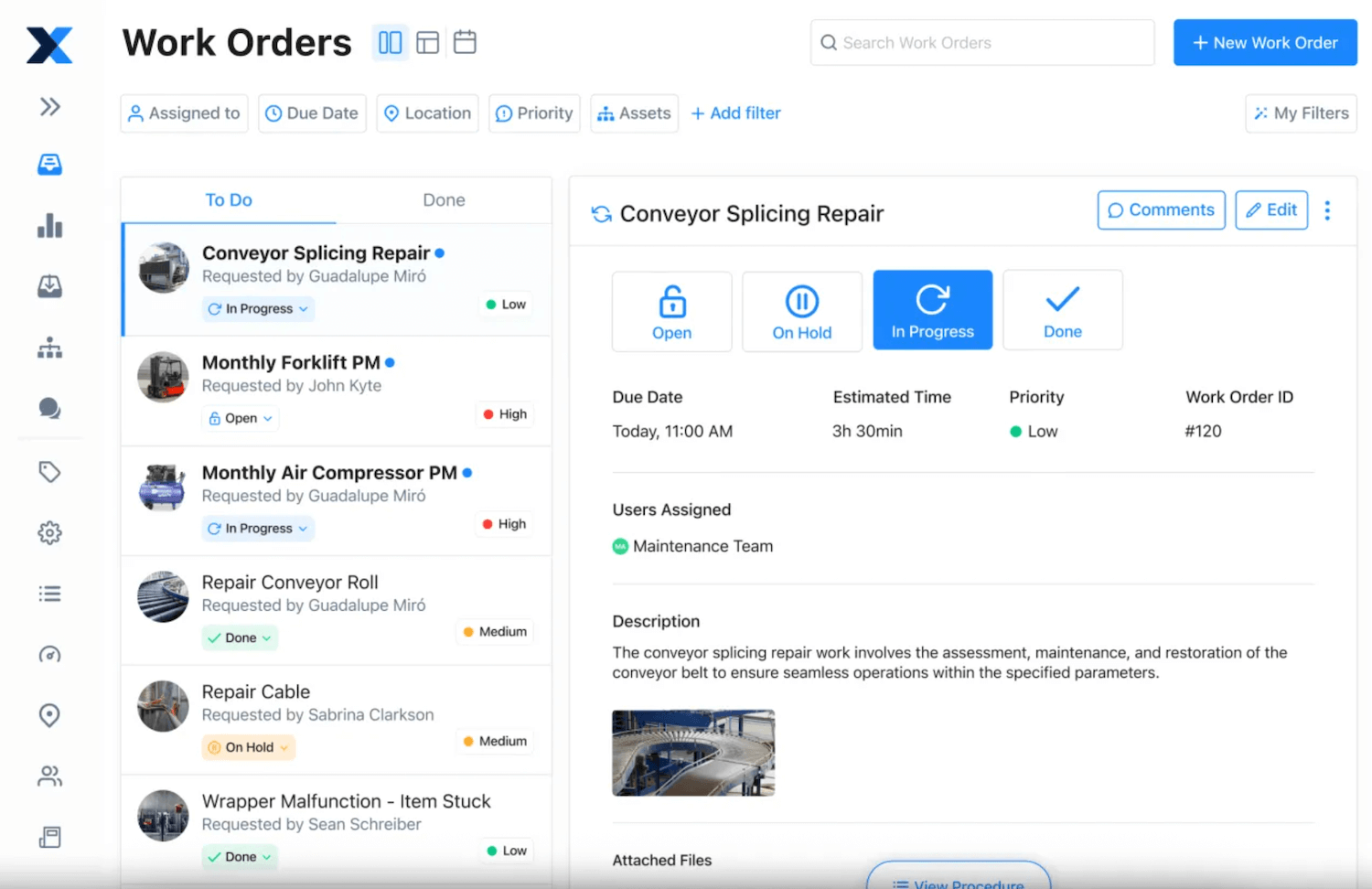
MaintainX has earned a strong reputation as a mobile-first CMMS built for small to mid-sized maintenance teams. It offers an intuitive mobile app, AI-driven maintenance features, and affordable entry-level pricing. Technicians can create work orders, complete checklists, and communicate directly from their devices.
Key features and capabilities:
- Intuitive user interface: The platform features a simplified design that minimizes the requirement for formal technician training and accelerates user adoption.
- Rapid deployment architecture: The streamlined setup process allows organizations to initiate maintenance tracking and data collection within a few days.
- Mobile app: Native iOS and Android support includes offline synchronization, image uploads, digital checklists, and QR code-based asset tracking.
- Integrated team communication: In-app messaging and commenting functionality facilitate direct information exchange between technicians within specific work orders.
Pricing starts at €20 per user per month, with a free plan available for small teams.
Watch-outs: Limited SAP integration creates potential data silos for ERP-centric organizations. Enterprise-grade features are thinner, and scaling across complex multi-site environments with diverse asset types can expose limitations.
Best for: Small to mid-sized teams that prioritize mobile usability and fast adoption without heavy IT involvement.
Limble
Limble CMMS stands out for its intuitive interface and strong customer support, making it a top choice for maintenance teams that prioritize ease of use and rapid implementation. By designing for maintenance professionals rather than IT developers, Limble delivers a robust feature set without the friction of unnecessary complexity.
Key features and capabilities:
- Comprehensive work order management: Full lifecycle tracking includes the flexibility to modify closed work orders.
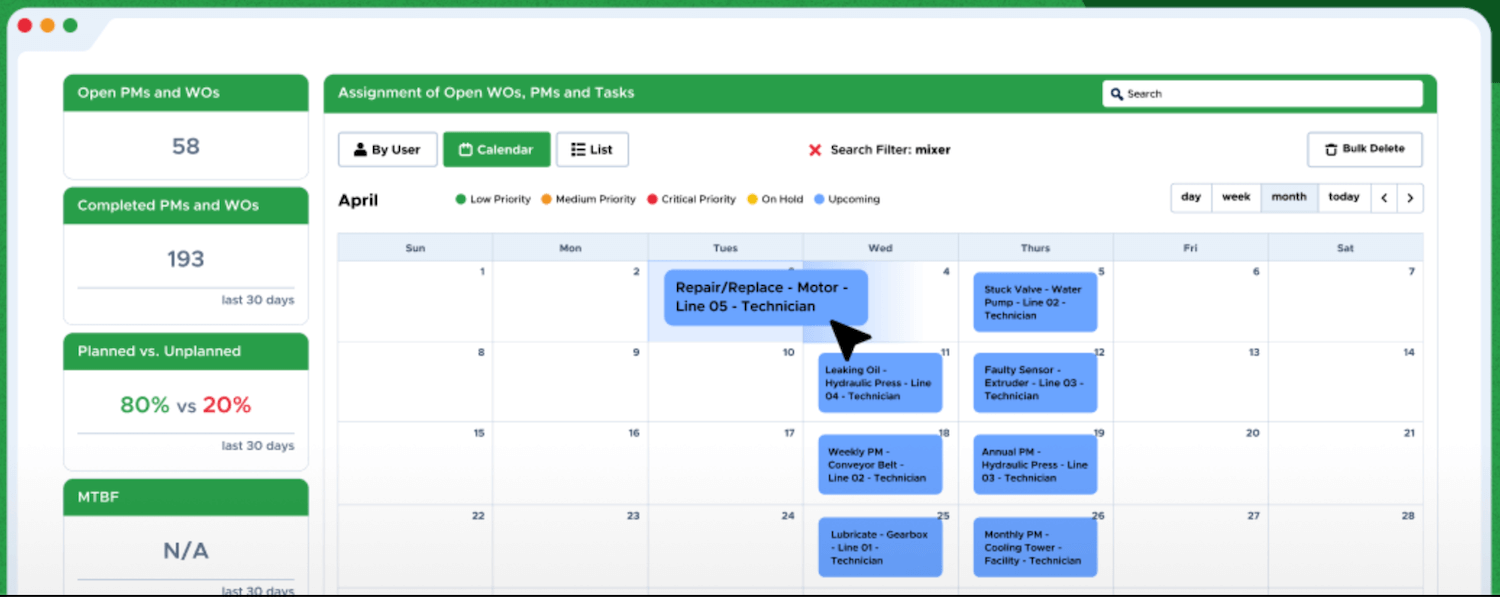
- Visual drag-and-drop scheduling: Calendar-based planning simplifies resource allocation and maintenance coordination through an intuitive drag-and-drop interface.
- Mobile offline functionality: A dedicated app ensures access to work orders and asset data in remote areas, with automatic synchronization upon reconnection.
- High-availability support: Technical assistance is structured for rapid response, with documented wait times of under 60 seconds during business hours.
- Multi-range time tracking: Sophisticated labor logging captures regular and overtime hours, streamlining payroll processing and cost accounting.
- Advanced inventory optimization: Automated reorder points and cycle counting maintain optimal spare parts levels and reduce stockout risks.
Pricing: Custom pricing
Watch-outs: Limble lacks deep asset lifecycle features, offers no native OEE or production data handling, and has limited ERP integration depth. Organizations with growing complexity may find themselves outgrowing the platform and needing to switch again.
Best for: Facilities and manufacturing operations without complex ERP integration needs and growing businesses requiring scalable solutions with customization options.
Fiix
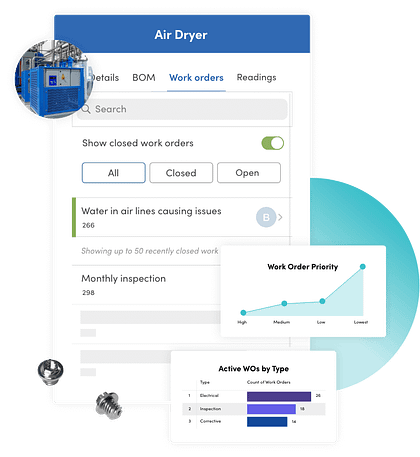
Fiix is a data-centric CMMS designed to empower maintenance teams through robust analytics and deep reporting. Built for organizations that prioritize turning maintenance data into actionable insights, Fiix excels at tracking key performance metrics and generating the granular reports needed for informed, high-level decision-making. Its AI-powered insights help teams identify failure patterns and optimize preventive maintenance schedules across locations.
Key features and capabilities:
- Advanced analytics and reporting: Extraction tools facilitate comprehensive data exports and custom report generation to support data-driven decision-making.
- Real-time mobile alerts: Push notifications inform maintenance teams of overdue tasks, upcoming deadlines, and urgent priority changes.
- Unified asset tracking: Standardized management includes direct asset linking, complete maintenance histories, and performance monitoring.
- Automated PM scheduling: Time-based and meter-based planning triggers automated work order generation to ensure operational consistency.
- Inventory and parts management: The system monitors spare parts levels, associated costs, and usage patterns across all maintenance activities.
- API integration support: API access allows for connectivity with external business systems and third-party data platforms.
Pricing starts from $45 per user per month, with a limited free plan available
Watch-outs: The platform’s configuration complexity and less intuitive interface can create a steeper learning curve compared to more user-friendly alternatives. Pricing and complexity have been increasing as Fiix moves upmarket. Deployment typically takes 6–8 weeks, and SAP-native integration remains limited, which can create friction for SAP-centric businesses.
Best for: Facilities with straightforward maintenance workflows that don’t require extensive customization and organizations with dedicated IT resources to support configuration and implementation.
Key Features to Look for in an IFS Ultimo Alternative
Choosing the right alternative is not just about swapping one logo for another. The features that matter most depend on your existing tech stack, your technicians’ daily workflows, and how fast you need to see results. Here are the six criteria that separate a good CMMS from the right one.
ERP & SAP Integration Depth
For organizations running SAP, integration depth is the single most critical differentiator. There is a significant difference between API-based connections (used by IFS Ultimo, Fiix, and others) and SAP-certified bidirectional integration, which the osapiens HUB for Maintenance offers for both SAP ECC and S/4HANA. API connectors often require middleware or manual data transfers, creating media breaks that slow teams down and introduce errors.
Analytics & Reporting
Real-time dashboards tracking KPIs like MTBF, MTTR, and asset availability give maintenance leaders the visibility they need. Beyond basic metrics, pattern recognition is what drives smarter decisions: identifying recurring fault codes, comparing performance across manufacturers, or spotting site-based anomalies. The best maintenance reporting software turns raw data into actionable insights.
Technician UX & Mobile-First Design
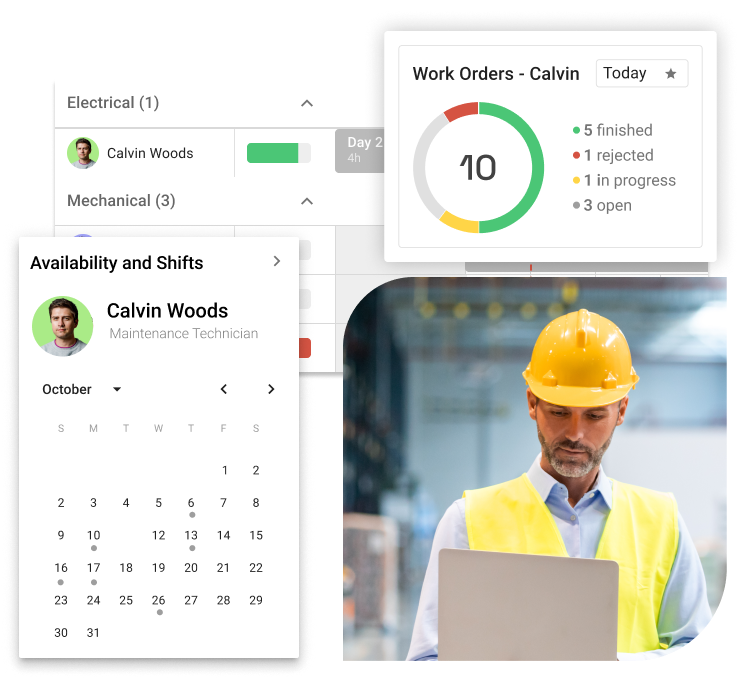
Technician adoption is the number one success metric for any CMMS. If field teams find the interface too dense or require too many clicks for simple tasks, they will revert to paper or workarounds. A mobile-first design with offline functionality lets technicians log work orders, complete checklists, and document repairs directly on-site, without returning to a desktop. Fewer clicks, faster results.
Implementation Speed & Time-to-Value
Faster deployment means faster ROI and less operational disruption. Pre-configured industry solutions accelerate go-live even further by reducing setup from scratch. Deployment timelines vary dramatically across the market. Lightweight tools and the osapiens HUB go live in 2–4 weeks. IFS Ultimo typically requires 4–8 weeks. Enterprise platforms like IBM Maximo or SAP EAM can take 6–18 months.
Pricing Transparency & Total Cost of Ownership
Some platforms publish clear pricing. Others, like IFS Ultimo and IBM Maximo, use custom pricing that makes comparison difficult. But the license fee is only part of the picture. True TCO includes implementation, training, ongoing administration, and scaling costs. Always request a detailed TCO breakdown before making a decision.
The osapiens HUB stands out here with transparent, tiered pricing starting at €29 per user per month, and a free plan for teams of up to five users, so you can evaluate the platform before any financial commitment.
Documentation & Compliance
Audit-ready documentation is non-negotiable in regulated industries like Pharma. Technicians need to prove that maintenance was performed correctly, especially under standards like GxP or safety regulations. Structured digital checklists fulfill documentation requirements automatically as technicians work, eliminating the need for parallel paperwork and ensuring every action is traceable.
How to Migrate from IFS Ultimo Without Disrupting Operations
Switching CMMS platforms does not have to mean downtime or data loss. With a structured approach, your maintenance team can transition smoothly while keeping daily operations running. Here is a proven six-step migration process:
- Assessment and planning: Audit your current assets, work orders, and data quality in Ultimo to define the migration scope.
- Data cleanup and mapping: Standardize naming conventions, remove duplicates, and map data fields to the new system before any transfer begins.
- Pilot rollout: Start with one site or team to validate workflows and catch issues early.
- Phased go-live: Expand gradually across locations to minimize risk and allow teams to adapt.
- Role-specific training: Tailor onboarding for technicians, planners, and managers so each user group learns exactly what they need.
- Post-migration support: A stabilization period with dedicated support ensures any remaining issues are resolved quickly.
The osapiens HUB for Maintenance team provides structured migration support throughout, with a dedicated Customer Success Manager guiding your organization at every step.
Conclusion: How osapiens HUB Stands Out Among IFS Alternatives
Choosing an alternative to IFS Ultimo is a strategic decision that balances technical depth with operational agility.
For large-scale utilities and global infrastructure, IBM Maximo remains the heavyweight choice, provided the organization can support its significant resource requirements.
For small to mid-sized teams prioritizing rapid adoption over complex ERP connectivity, MaintainX and Limble offer streamlined, mobile-first workflows that drive immediate technician engagement. However, the osapiens HUB for Maintenance occupies a unique middle ground that is increasingly critical for modern industry. It is the only solution in this comparison that provides SAP-certified bidirectional integration while maintaining the deployment speed and user-centric design of a modern SaaS platform. This combination allows enterprise-level organizations to preserve their ERP investments without sacrificing the usability their maintenance teams require.
Still Comparing? Let Us Show You the Difference
See how the osapiens HUB connects to your SAP environment, goes live in weeks, and gives your technicians a tool they actually want to use.
Book a free demo
FAQs
What is the best alternative to IFS Ultimo for maintenance management?
The best alternative depends on your specific requirements. For SAP-centric organizations, the osapiens HUB for Maintenance offers the only SAP-certified integration among leading alternatives, combined with mobile-first design and deployment in 2–4 weeks. For smaller teams without SAP, MaintainX or Limble are strong options.
Is there a cheaper alternative to IFS Ultimo?
Yes. Alternatives like the osapiens HUB for Maintenance, MaintainX and Fiix offer transparent pricing with lower entry points while covering core maintenance management needs.
Which CMMS works best with SAP?
The osapiens HUB for Maintenance is the only CMMS in this comparison with SAP-certified bidirectional integration for both SAP ECC and S/4HANA. This eliminates manual data transfers and ensures real-time synchronization between your maintenance platform and SAP environment.
What happens to my data when I switch from IFS Ultimo?
A structured migration process ensures no data is lost. This typically includes a data audit, cleanup, and mapping phase before any transfer begins. With providers like the osapiens HUB for Maintenance, migration follows a phased approach with pilot rollouts and dedicated support, usually completed within 8–16 weeks.
Does IFS Ultimo integrate with SAP?
Yes, IFS Ultimo holds an official SAP certification, supporting purchase order processing, master data synchronization, and inventory alignment with SAP S/4HANA Cloud. One important caveat: both Ultimo and SAP expertise are required to implement the interface, and the client is responsible for providing the SAP expertise. Implementation effort and cost can therefore vary significantly depending on your SAP environment. Organizations looking for a single vendor that handles both software and SAP rollout may want to evaluate the osapiens HUB for Maintenance as an alternative.
Start using osapiens for free
Improve your uptime, extend the life of your equipment, and simplify work order management.
Book a demo
ENTERPRISE CAPABILITIES
- SAP ECC & S/4HANA Certified
- Infor & MS Dynamics
- Microsoft Entra ID / Okta
- ISO 27001 & 9001
- EU Cloud · Data Sovereignty
- Development, Test, and Production Environments
- Multi-Entity & Multi-Site
- Power BI Integration
- Audit Trail & Compliance
Related content

January 1, 2026
Battery Bank Maintenance Checklist: Essential Tasks & Digital Execution
January 1, 2026
Water Heater Maintenance Checklist – Tasks, Tips & Best Practices
January 1, 2026
Fire Extinguisher Maintenance Checklist – Tasks, Tips & Best Practices
January 1, 2026
Milling Machine Maintenance Checklist – Tasks, Best Practices & Digital Execution
January 1, 2026
Construction Equipment Maintenance Checklist – Tasks, Tips & Template
January 1, 2026
Backhoe Maintenance Checklist – Tasks, Tips & Best Practices

August 5, 2026
How to Build a Preventive Maintenance Schedule That Your Team Will Actually Follow

September 19, 2025
Meet the osapiens maintenance experts at Pharma Maintenance Reloaded 2025
January 1, 2026
Lorry Maintenance Checklist – Tasks, Tips & Template
January 1, 2026
Plumbing Maintenance Checklist – Tasks, Components & Digital Execution
October 15, 2025
How osapiens’ SAP CMMS integration enables easy mobile maintenance
January 1, 2026